





 Cihat Murat Yüksel
22 min read
Cihat Murat Yüksel
22 min read
What is ChatGPT and how do you use it? Free version, plans, safety
What ChatGPT is, how it works, who OpenAI is, the limits of the free version, how the plans differ, other languages, data settings and how brands appear in answers.Pro
Contents 35 sections
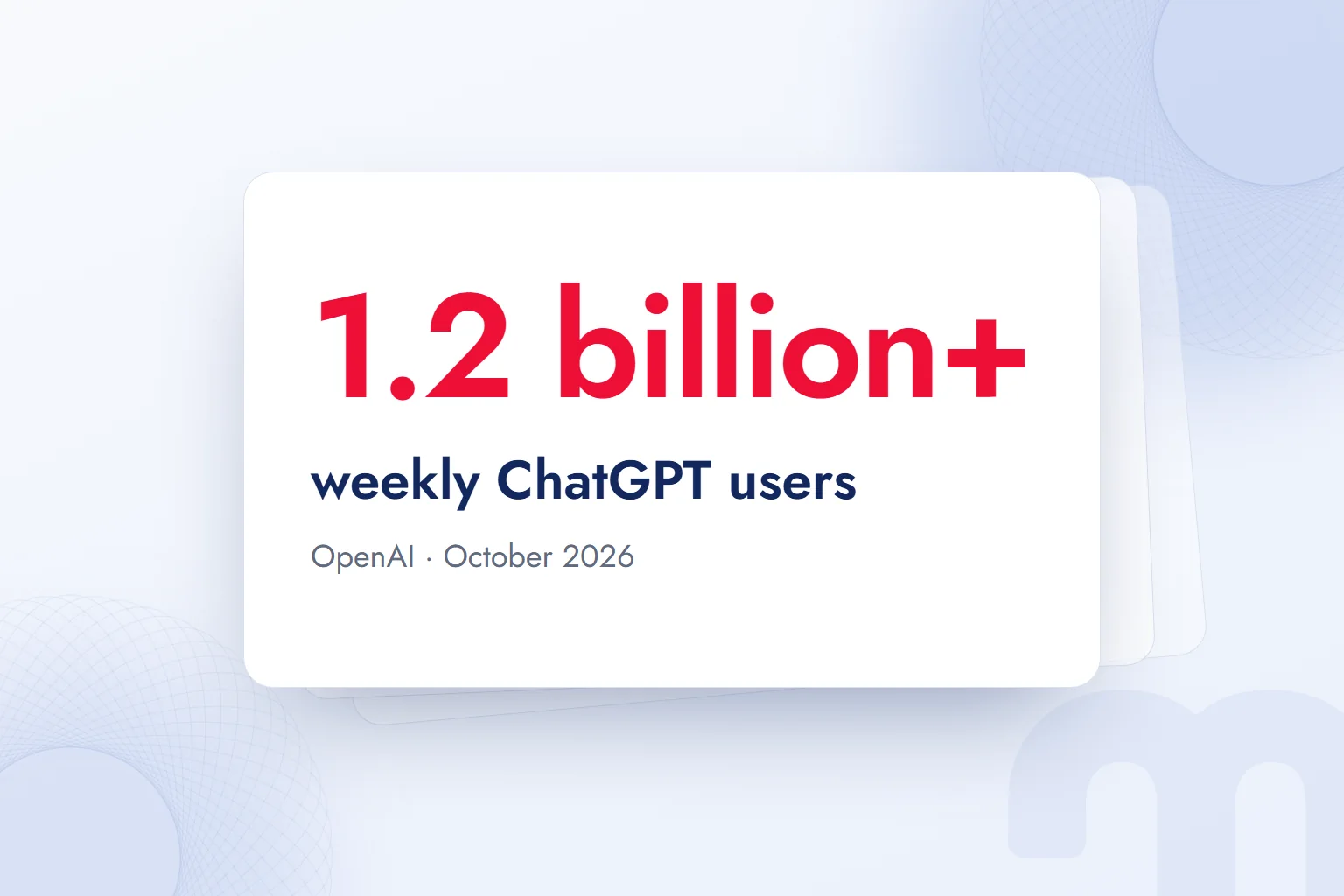
ChatGPT is an AI chat assistant developed by OpenAI that uses a to give human-like answers to written or spoken questions. Its first version opened to everyone for free as a research preview on November 30, 2022; according to OpenAI’s October 2026 announcement, more than 1.2 billion people now use it every week.
This page covers what a first-time user needs: how ChatGPT works, who OpenAI is, what the free version covers, how the paid plans differ, other languages and use without an account, data protection, and how it differs from Gemini, Claude and Copilot. The last section explains how a brand gets cited in ChatGPT answers. All plan and feature details come from OpenAI’s official pages.
Facts in a ChatGPT answer are verified against their source; before personal or confidential data is shared, the Data controls setting is reviewed.
What is ChatGPT?
ChatGPT is an AI assistant that answers requests made with text, voice, images and files in a conversation, handling questions, writing, summarizing, translation, analysis and image generation in one window. It runs in the browser at chatgpt.com, in the iOS and Android apps and in the desktop app.
OpenAI’s November 2022 launch post describes ChatGPT as a model that “interacts in a conversational way.” The dialogue format, it says, lets the model answer follow-up questions, admit its mistakes, challenge incorrect premises and reject inappropriate requests. This set it apart from earlier search boxes and voice assistants: a user could ask for a fix in the same conversation.
Today’s ChatGPT is a much broader product. Next to the Chat tab, the same account includes Work, an agent mode that acts on apps and files, and Codex for coding. Since October 7, 2026, Chat has run on GPT‑6 models, and with a feature OpenAI calls Intelligent UI, answers can include charts, forms, buttons and interactive tools instead of plain text.
What does ChatGPT stand for, and what does GPT mean?
GPT is short for “Generative Pre-trained Transformer,” and each word describes one property of the model:
- Generative → The model does not fetch an existing text; it generates the answer anew each time. That is why the same question can get two different answers.
- Pre-trained → The model is trained on a huge body of text before it talks to anyone; what it picks up in a chat does not become permanent knowledge and stays in that conversation’s context.
- Transformer → The neural network architecture Google researchers introduced in 2017 in the paper “Attention Is All You Need”; it weighs each word’s relationship to every other word in a sentence at once.
“Chat” refers to the conversational interface: ChatGPT is a GPT-family model trained for conversation and offered through an interface.
Are Chat GBT, Chat GPT and Chat CPT the same thing?
Yes; “chat gbt,” “chat cpt” and “chat gpt” are spelling variants of searches for the same product, OpenAI’s ChatGPT. The official spelling is one word, “ChatGPT,” and the official address is chatgpt.com. Similarly named apps and third-party sites such as “ChatGPT Turkish” are not OpenAI products, and it is unclear who processes the data entered into them.
How does ChatGPT work?
ChatGPT splits the user’s text into small pieces and passes them to the large language model, which builds the answer by generating the most likely continuation in that context, word by word. It does not pull answers from a database; it learned patterns from text during training and constructs answers from them.
It works in three stages:
- 1. Pre-trainingThe model learns to predict the next word from a very large body of text gathered from the internet and licensed sources. Grammar, facts and reasoning patterns are acquired here.
- 2. Fine-tuning with human feedbackOpenAI tuned the first ChatGPT with sample conversations written by human trainers and comparisons in which they ranked answers by quality. The method is called Reinforcement Learning from Human Feedback (RLHF).
- 3. InferenceWhen a user writes a prompt, the model reads the whole conversation as context, searches the web or examines a file if needed, and generates the answer piece by piece.
According to OpenAI’s launch post, the first ChatGPT was fine-tuned from a model in the GPT‑3.5 series, which finished training in early 2022, and was trained on Microsoft’s Azure infrastructure. Today’s models add a thinking (reasoning) stage, web search and tool use. With GPT‑6, ChatGPT can start answering while still thinking; OpenAI says that on questions needing web search, GPT‑6’s fast mode starts responding 44 percent sooner on average than the previous model.
We cover how language models work, including context windows and tokens, in what is an LLM.
Is ChatGPT connected to the internet, and is its information current?
Yes; ChatGPT can search the web for current information, and this is available on the free plan too. The model decides on its own that a question needs fresh information, or the user asks it to search; the sources it used are listed as links below the answer. The old training-data cutoff now applies only to answers given without a search.
Why does it give different answers to the same question?
Because ChatGPT generates every answer from scratch, the wording, order and sometimes the content can change when the same question is asked twice. OpenAI’s first launch post admitted that the model is sensitive to “tweaks to the input phrasing”: it might claim not to know an answer, then answer correctly when the question was rephrased slightly. For important work, it pays to write the question clearly and challenge the answer once.
What is Intelligent UI, and how has it changed answers?
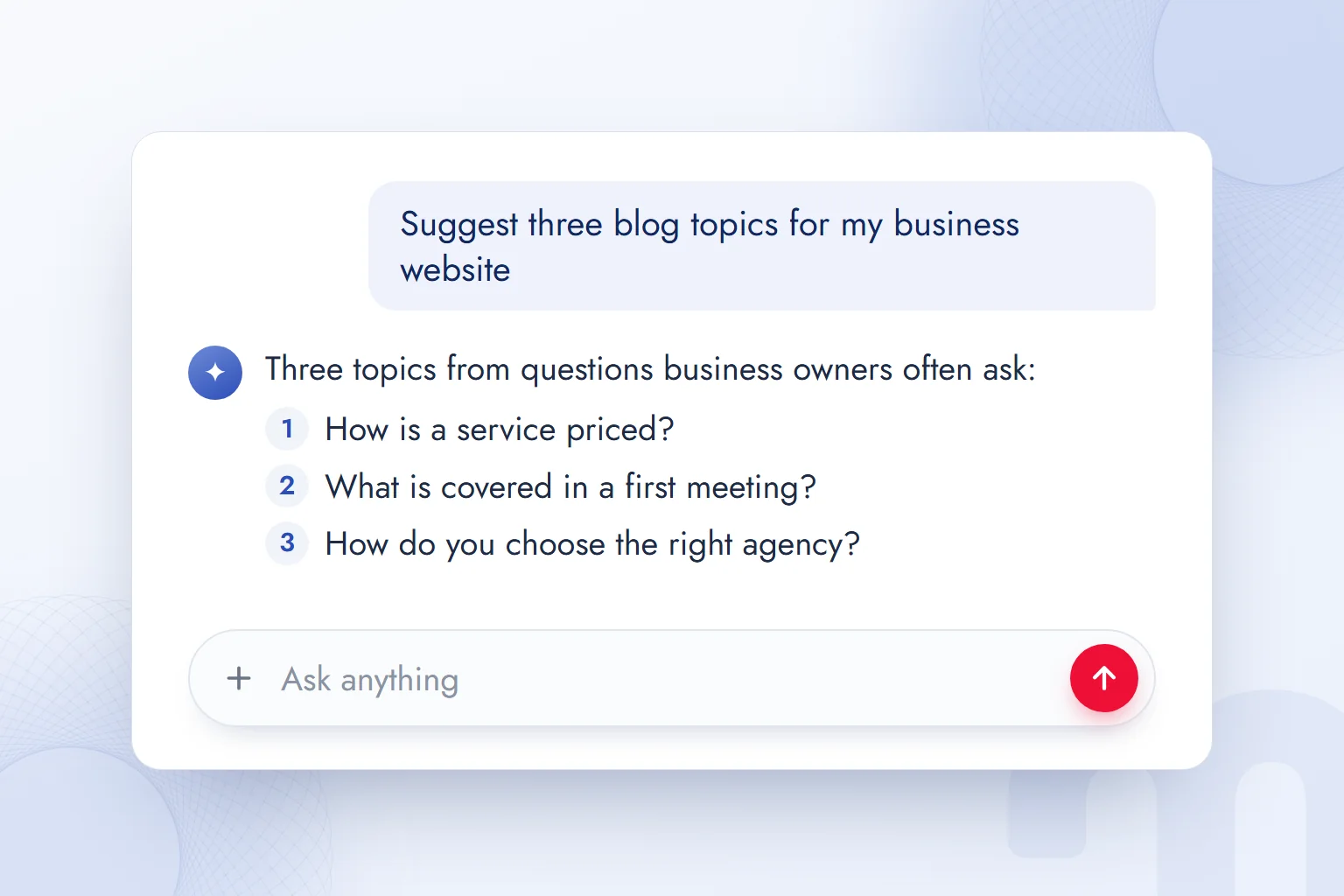
Intelligent UI is the feature that lets ChatGPT build an answer with images, tappable buttons, forms, charts and small tools that run inside the chat, not just text. OpenAI announced it with GPT‑6 on October 7, 2026; it reached paid plans that day and began rolling out gradually to Free and Go from the next day.
The examples in OpenAI’s announcement show the change: a dinner plan comes with a shopping list and a counter for adding or removing guests; a road trip comes with a map of marked stops; a savings question comes with a calculator whose interest rate can be changed. The model picks the format; when plain text is most useful, it still writes plain text.
A ChatGPT answer now looks more like a web page. For marketing, the consequence is clear: when a user finishes a comparison or calculation inside the chat, there is less need to visit a site, so the page cited as a source becomes more valuable.
Two models run in ChatGPT’s Chat mode today: GPT‑6 Sol on Plus, Pro, Business and Enterprise, and GPT‑6 Luna on Free and Go. Both are tuned for everyday conversation; Work and Codex use separate models.
Who developed ChatGPT? What is OpenAI?
ChatGPT was developed by OpenAI, a US-based AI company. OpenAI calls itself an “AI research and deployment company” and describes its mission as ensuring that artificial general intelligence benefits all of humanity.
Its structure explains why “mission” language stands out around a commercial product. OpenAI’s official structure page sets out the history:
- 1. 2015OpenAI was founded as a nonprofit.
- 2. 2019A for-profit subsidiary was created to scale research and products; it stayed under the nonprofit’s control.
- 3. October 28, 2025In a restructuring, the nonprofit became the OpenAI Foundation and the for-profit became OpenAI Group PBC. PBC means public benefit corporation.
Under this arrangement, the OpenAI Foundation appoints every member of OpenAI Group’s board and holds about 26 percent of the company; Microsoft holds about 27 percent, and the remaining 47 percent belongs to employees and investors. The CEO is Sam Altman.
What products does OpenAI make?
ChatGPT is OpenAI’s best-known product, but its models reach users through several channels. The ones that matter for marketing and product teams:
- ChatGPT: A chat assistant for individuals (Free, Go, Plus, Pro) and organizations (Business, Enterprise, Edu).
- Codex: A software agent that writes code and works on a codebase; included with ChatGPT plans.
- OpenAI API: The interface developers use to connect GPT models to their own apps, billed per token.
- ChatGPT Atlas: A web browser with ChatGPT built in.
- ChatGPT Ads: A labeled ad space below answers on the Free and Go plans, with a separate dashboard for advertisers.
OpenAI is the company and ChatGPT one of its products; likewise, “GPT‑6” is a model and ChatGPT the app that uses it.
Is ChatGPT an AI?
Yes; ChatGPT is an AI application, more precisely a chat assistant in the generative AI category. It is not, however, the “artificial general intelligence” (AGI) OpenAI itself is aiming for; human-level flexibility across most cognitive tasks is not considered reached yet. We explain how these levels are measured in what are AGI and ASI.
How do you use ChatGPT? Your first chat, step by step
To use ChatGPT, open chatgpt.com or download the app; you can ask questions without an account, but chat history, file uploads and settings need a free one. We set up a first chat in this order:
- 1. Open the official addressGo to chatgpt.com, or download the official ChatGPT app from the App Store, Google Play or for desktop. Check that the publisher is OpenAI.
- 2. Sign up or log inRegister with an email address or a Google, Microsoft or Apple account. OpenAI’s terms of use require you to be at least 13, with a parent’s or guardian’s permission if under 18.
- 3. Write your first promptType your question into the “Ask anything” box at the bottom. Say who you are, what you want and the answer format in one sentence.
- 4. Refine by talkingIf you dislike the answer, don’t start a new chat; improve it in the same conversation with follow-ups like “make it shorter,” “put it in a table” or “show sources.”
- 5. Add a file, image or voiceUpload a file or image from the “+” menu in the prompt box, or start a voice chat with the microphone icon.
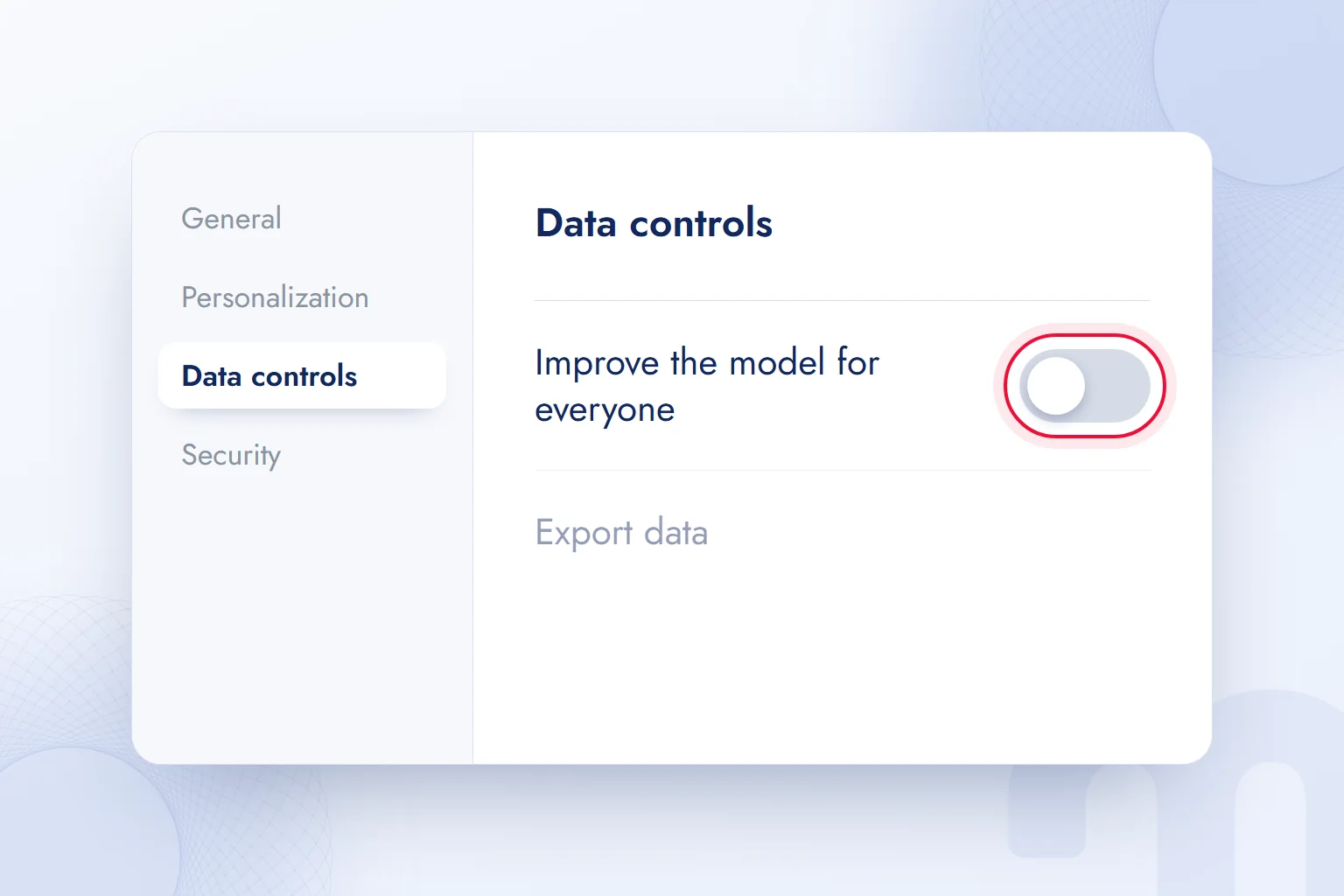
- 6. Check your data settingsIn Settings › Data controls, choose whether your chats can be used for model training.
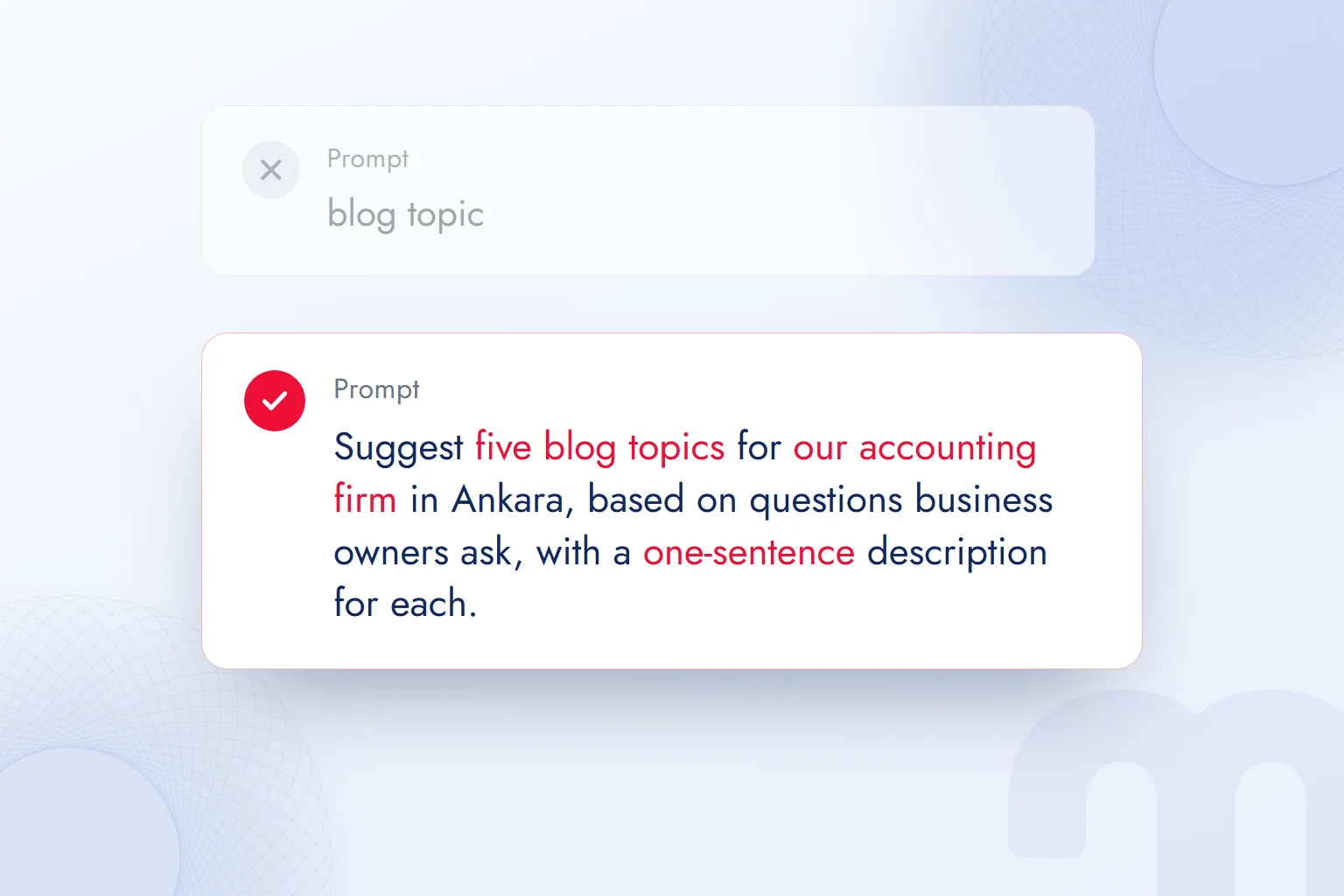
The most common first-time mistake is typing two words, as if ChatGPT were a search engine. Instead of “blog topic,” when we write “Suggest five blog topics for an accounting firm in Ankara that serves businesses, based on questions business owners ask; add a one-sentence description to each,” the answer is ready to use. We explain how to build a good prompt, with examples, in what is a prompt.
How do you ask ChatGPT a question?
Type your question in everyday language into the prompt box and press send; the more context the question carries, the more accurate the answer. Our simple pattern has four parts:
- Role and context → “I run marketing for an online store that sells handmade ceramics.”
- Task → “Write three email subject lines for the new collection.”
- Constraint → “Under 50 characters each, no exclamation marks.”
- Format → “As a table, with a note on why each would work.”
When a part is missing, ChatGPT guesses; OpenAI’s first launch post notes that on ambiguous questions the model usually “guessed what the user intended” instead of asking.
How do you use ChatGPT with your voice?
Tap the voice icon next to the prompt box and speak; ChatGPT answers aloud, and the conversation is saved to your history as text. Voice chat has a usage limit on the free plan that rises on Go and higher. On mobile it suits quick questions while walking, or any time you are not driving.
How do you upload files and images to ChatGPT?
Press the “+” button in the prompt box and choose the file; PDF, Word, Excel, presentation and image files are supported. You can summarize a report, chart an Excel sheet or ask about an error in a screenshot. On the free plan, file uploads and data analysis have usage limits separate from the chat limit.
How do you create images with ChatGPT?
Describe what you want: a prompt like “a handmade ceramic mug in a bright kitchen in morning light, product photo style, landscape” creates the image inside the chat. Image generation is on the free plan too, with a lower limit. We collected ready-made prompt patterns for ad and product visuals in ChatGPT image prompts.
What to do when ChatGPT won’t load or respond
First we work out whether the problem is on OpenAI’s side or ours. Common cases and our response:
| Situation | What we do |
|---|---|
| The page won’t open, “something went wrong” error | We check status.openai.com; if there is an outage, waiting is the only fix |
| “You’ve reached your usage limit” | A free-plan tool limit is used up; we wait for the reset time ChatGPT shows or continue with plain text chat |
| Repeated verification (CAPTCHA) | If a VPN or shared network is on, we turn it off and clear the browser cache and cookies |
| The answer stops halfway | We type “continue” in the same chat; we split very long tasks |
| A file won’t upload | We check the file type and size and split a large file |
| The answer is outdated | We add “search the web and show sources” to the prompt |
The status page shows, component by component, whether ChatGPT and the API are working. Our observation: most “is ChatGPT down” cases are a local connection, a browser extension or a used-up limit; real outages show there within minutes.
Is ChatGPT free? Plans and how they differ
Yes, ChatGPT is free; on the Free plan, everyday text chat is unlimited, subject to abuse safeguards, while file uploads, image generation, voice chat and data analysis have separate limits. For more usage and advanced features there are the paid Go, Plus and Pro plans, plus Business and Enterprise for organizations.
According to the free plan page in OpenAI’s help center, free users can search the web for current information, analyze data, add images and files to prompts, find and use existing GPTs, create images and use the Library with 500 MB of storage. When a limit is reached, ChatGPT says so and shows when it resets.
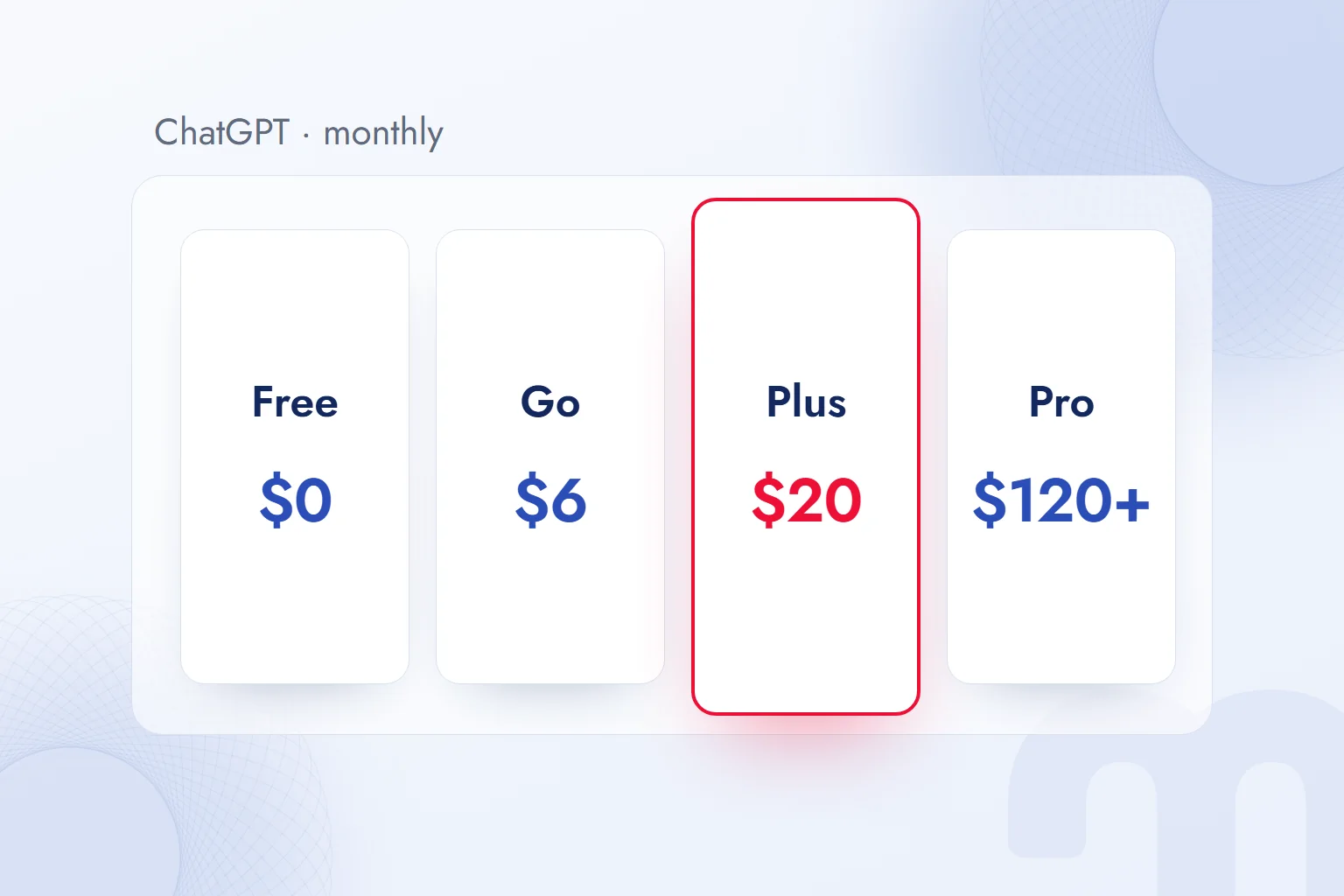
| Plan | Monthly price | Who it’s for | Key difference |
|---|---|---|---|
| Free | $0 | First-time users with short everyday questions | Unlimited everyday text chat; low tool limits; ads in some countries |
| Go | $6 | People who often hit the free limits | More messages with tools, images, memory and voice chat; may show ads |
| Plus | $20 | People who use AI for work every day | Advanced reasoning, Work, Codex, 20 GB storage, no ads |
| Pro | From $120 | Heavy, all-day, demanding use | The most capable Pro model, 100 GB storage, three usage tiers, no ads |
For organizations, OpenAI lists Business at $20 per user per month billed annually, or $25 monthly; a Premium seat with five times the usage is $100 per month billed annually. On Business, company data is not used for training by default, and the plan adds SSO, centralized billing and connections to Google Workspace, Slack and Microsoft 365. Enterprise pricing is agreed with sales.
Prices and limits change often, and checkout amounts vary by country with taxes and currency; we confirm current prices on OpenAI’s pricing page. The Go plan and who it suits are covered in what is ChatGPT Go.
Which plan should we choose?
It depends on how often you use ChatGPT and for what:
- A few questions a week → Free is enough. Text chat is unlimited; you only feel the limits on tools.
- Hitting image, file or voice limits every day → Go is the cheapest fix. Keep in mind that it may show ads.
- Part of your job happens in ChatGPT → Plus. Work, Codex, projects, email and calendar connections and ad-free use start here.
- A team working with company data → Business. No training on data by default, plus admin controls, which individual plans lack.
Our observation: in agencies and marketing teams, the real choice is Plus or Business; if customer data, contracts or campaign budgets go into chats, a managed workspace beats individual accounts.
Why am I seeing ads in ChatGPT?
Ads appear only on the Free and Go plans, in some countries and in stages; OpenAI began testing them in the US on February 9, 2026. According to the help center, they appear below the answer, labeled “Sponsored” and visually separated; advertisers cannot shape, rank or change ChatGPT’s answer. Plus, Pro, Business, Enterprise and Edu accounts have no ads, and none are shown to accounts identified as under 18.
The advertiser side, how to set up a campaign in ChatGPT, is covered step by step in our guide to advertising on ChatGPT.
Does ChatGPT work in other languages, and without a download?
Yes; ChatGPT understands questions in many languages, Turkish included, answers in the same language and shows its interface in it. No download is needed: chatgpt.com works in any browser, and the app only makes mobile features such as voice chat and the camera easier.
According to OpenAI’s help center, the interface language follows the browser’s language setting; with a browser set to Turkish, ChatGPT opens in Turkish. The answer language follows the question, so a question in Turkish gets a Turkish answer. To summarize an English text in Turkish, or translate a Turkish text into English, say so clearly in the prompt.
In Turkish we run into two limits. First, with very local information (a pharmacy in one district, a newly published regulation, a product with few Turkish sources), the model can give outdated or incomplete answers if it does not search the web, so adding “search the web and show sources” helps on current and local questions. Second, Turkish suffixes and idioms can read like translations from English, so text for publication should be read aloud and corrected.
Can you use ChatGPT without signing up?
Yes; the chatgpt.com home page lets you ask questions without an account. According to OpenAI’s data controls page, logged-out users can also turn off “Improve the model for everyone” in Settings, and the choice is saved in that browser. Without an account, history, file uploads and some tools are limited; for regular use, a free account is more practical.
ChatGPT download: which devices is it on?
ChatGPT’s official apps are published for iOS (App Store), Android (Google Play), Windows and macOS, all with OpenAI as the publisher. The same account syncs history and settings across devices. Many paid apps named “AI Chat,” “GPT Assistant” and the like are not from OpenAI; checking the publisher before downloading is enough.
What can you do with ChatGPT?
ChatGPT can write, summarize, translate, research, analyze data, generate images, write code and act on apps. For a marketing team, the most common uses are:
- Content drafts: Blog outlines, email subject lines, product descriptions, social media copy options.
- Research: Sourced summaries from web searches, comparing claims on competitor pages.
- Data analysis: Charts from an uploaded campaign report, period comparisons, spotting anomalies.
- Images: Campaign visual drafts, product photo backgrounds, variations in different aspect ratios.
- Meetings and documents: Summaries of a long contract or proposal, Q&A over a document.
- Acting on apps: On Plus and higher, having Work handle email, calendar and files.
ChatGPT is a drafting and speed tool; final checks, fact verification and brand voice stay with a person. We show real marketing examples in what can you do with ChatGPT.
What is ChatGPT’s Memory feature?
Memory lets ChatGPT remember information about you across chats (your job, your preferences, the formats you often use) and personalize answers. It can be turned on or off in Settings, and saved memories can be deleted one by one. OpenAI stresses that memory and the training setting are separate: turning off memory does not by itself stop chats from being used for training.
Can you still create custom GPTs?
No, not on individual accounts. According to OpenAI’s help center, creating and publishing new GPTs is turned off on individual accounts, including Free, Go, Plus and Pro; existing GPTs can still be used. Creating GPTs remains available in Business, Enterprise and Edu workspaces if an admin allows it. Older guides saying “create your own GPT with Plus” are out of date.
What are ChatGPT Projects and the Library for?
Projects keep chats, files and instructions on one topic in a single folder; a project for a client or campaign keeps that work’s context ready in every chat. The Library stores the files you upload and create, with 500 MB on the free plan, 20 GB on Plus and 100 GB on Pro.
Is ChatGPT safe? Data, privacy and misinformation
ChatGPT is safe when used through its official address and apps, but two risks are in the user’s hands: what data goes into the chat, and whether the answer is verified.
Are my chats used to train the model?
On individual plans (Free, Go, Plus, Pro), chats may be used to train OpenAI’s models while “Improve the model for everyone” is on; once it is off, new chats are not used for training. On the web, it is turned off via the account menu › Settings › Data controls, on mobile via the profile icon › Settings › Data controls, and when signed in it applies on every device.
Business, Enterprise and Edu workspace content, OpenAI says, is not used for training by default. Note: if you rate an answer with a thumbs up or down while training is off, OpenAI states that the whole conversation tied to that feedback may be used for training.
What is a Temporary Chat?
A Temporary Chat is a one-off conversation that is not saved. According to OpenAI, temporary chats do not appear in history, do not create or update memories, are not used to improve models and may be kept for up to 30 days for safety. They suit a quick client-file check or a personal question, but the 30-day retention makes them no full answer for confidential data.
What should you never type into a chat?
Whatever the settings, everything typed is processed on OpenAI’s servers, so some information is never typed at all:
| Type of information | What we do |
|---|---|
| Passwords, card numbers, ID numbers | We never type them, on any plan |
| Customer names, phone numbers, email lists | We strip personal data and work with an anonymized sample |
| Documents under a confidentiality agreement | Only in a managed workspace (Business and above), and only if company policy allows |
| Health, legal or financial decisions | We treat the answer as background and confirm the decision with an expert |
| Campaign reports, sales tables | We upload them if they hold no personal data and check the figures against the source |
In Turkey, processing personal data is governed by Law No. 6698 on the Protection of Personal Data (KVKK); a company sending customer data to a service abroad falls directly under the law’s rules on cross-border transfers. A written team rule on “which data may go into ChatGPT” is safer than deciding case by case.
Is the information ChatGPT gives accurate?
Usually, but not always; ChatGPT can produce answers that sound plausible but are wrong. This is called , and OpenAI stated this limitation openly when it first introduced ChatGPT. The model does not quote sources from memory; it generates text that looks likely in context.
We have adopted three habits to reduce the risk:
- We ask for sources → On current or numerical questions we say “search the web and show sources,” then open the link and confirm the figure is really there.
- We separate the claims → In a long answer, we have the factual claims (dates, figures, names, legal provisions) listed separately and verify each one.
- We ask the reverse question → “Which three points in this answer could be wrong?” makes the model show the weak spots in its own answer.
In health, law and finance, ChatGPT helps sharpen the question before you see an expert; it does not replace the decision.
A short history of ChatGPT
In four years, ChatGPT went from a research preview to a product used by more than a billion people a week. The key milestones:
| Date | What happened |
|---|---|
| November 30, 2022 | ChatGPT opened for free as a research preview, on a GPT‑3.5-based model |
| February 1, 2023 | ChatGPT Plus, the first paid plan at $20 a month, was announced |
| March 14, 2023 | GPT‑4 was introduced and made available to Plus users |
| August 7, 2025 | GPT‑5 was introduced and became ChatGPT’s default model |
| October 28, 2025 | OpenAI’s restructuring was completed: the OpenAI Foundation and OpenAI Group PBC |
| February 9, 2026 | Ad testing on the Free and Go plans began in the US |
| October 7, 2026 | GPT‑6 and Intelligent UI began rolling out to all plans |
The model names, prices and features in a ChatGPT guide from two years ago are very likely out of date; that is why this article relies on OpenAI’s current pages and is updated as they change.
What is the difference between ChatGPT, Gemini, Claude and Copilot?
All four are general-purpose AI assistants built on large language models; the real difference is the developer’s ecosystem and the kind of work each does best. ChatGPT comes from OpenAI, Gemini from Google, Claude from Anthropic and Copilot from Microsoft.
| Assistant | Developer | Ecosystem | What we use it for most |
|---|---|---|---|
| ChatGPT | OpenAI | Its own apps, the Atlas browser, Codex | General chat, image generation, tool and agent tasks |
| Gemini | Gmail, Drive, Docs, Android, Google Search | Working with documents and email in a Google account | |
| Claude | Anthropic | Its own apps, Claude Code | Reading long documents, writing, code |
| Copilot | Microsoft | Windows, Word, Excel, Outlook, Teams | Working on Microsoft 365 documents |
The choice usually turns not on “which is smarter” but on “where does my data live.” If a company’s email and documents are in Google, Gemini is the natural pick; if they are in Microsoft 365, Copilot; if you want an independent assistant with a broad toolset and image generation, ChatGPT stands out. We cover Copilot inside Microsoft 365 in what is Microsoft Copilot, the comparison with Gemini in what is Gemini and the Claude side in what is Claude.
None of them is a single source of truth; asking two the same question and comparing answers is the cheapest way to catch factual errors. For source-based research, see the method in what is NotebookLM.
How does your brand appear in ChatGPT answers?
When ChatGPT searches the web, it lists the pages it drew on as sources; whether your brand makes that list depends on your page being findable by search engines, open to ChatGPT’s crawlers and written to answer the question in a clear sentence. This work has become known as (Generative Engine Optimization).
With ChatGPT’s weekly users past 1.2 billion, some questions like “what is the best accounting software” or “which dental clinic in London offers implants” are now put to ChatGPT instead of a search engine. A brand not named in those answers never makes the user’s shortlist.
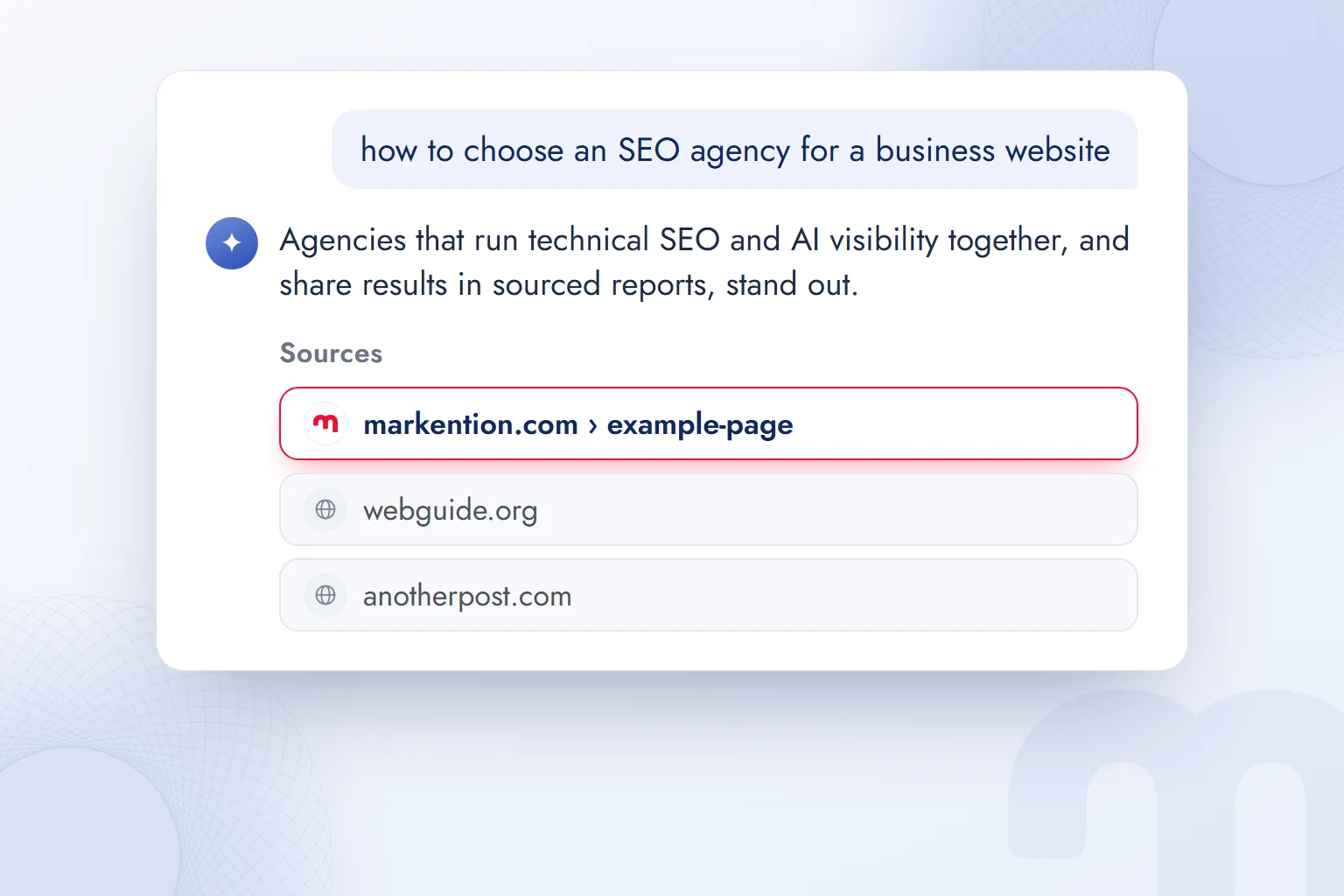
These are the points we check to raise a brand’s chances of being cited in ChatGPT answers:
- 1. AccessWe check that ChatGPT’s search crawler OAI-SearchBot, and ChatGPT-User, which opens pages for a user, are not blocked in robots.txt; the training crawler GPTBot gets a separate decision.
- 2. A quotable sentenceIn the first two sentences of every important page, we write a clear 25–35 word definition or decision that answers the question on its own.
- 3. EvidenceWe keep verifiable facts such as figures, prices, dates and methods on the page with their sources; answer engines prefer a well-supported page to a vague one.
- 4. MeasurementWe regularly ask ChatGPT the brand’s 20–30 most common questions and record who appears in the source list.
Which AI crawlers to allow in robots.txt is a business decision; blocking the search crawler also removes the brand from ChatGPT answers. We explain how we decide crawler by crawler on our AI access control page, and the wider GEO framework in what is GEO. You can see how your site looks to AI crawlers with our free AI visibility analysis tool, and our GEO consulting page details the work we do to get brands cited in answers.
ChatGPT is now an ad channel too: ads below answers for Free and Go users are chosen by chat context, and advertisers run campaigns from a separate dashboard. Planning organic citations and the ad space together is the subject of our ChatGPT Ads consulting work. We keep following what is new in AI assistants on our blog.
Frequently asked questions
How much does ChatGPT cost?
The free plan is $0. On OpenAI’s pricing page, Go is $6 a month, Plus $20 and Pro from $120; the checkout amount can vary with taxes by country.
Is ChatGPT safe?
It is safe through its official address. Confidential data stays out, model training can be turned off in Data controls, and factual answers are checked against sources.
What is Chat GBT?
“Chat GBT” is a common misspelling of ChatGPT. The product people mean is OpenAI’s AI chat assistant ChatGPT, at chatgpt.com.
Can ChatGPT be used in languages other than English?
Yes. ChatGPT understands and answers in many languages, Turkish included; the interface follows the browser’s language setting.
Who made ChatGPT?
US-based OpenAI. Founded in 2015, it now consists of the OpenAI Foundation and OpenAI Group PBC, which the foundation controls.
Can you use ChatGPT without downloading it?
Yes. chatgpt.com runs in the browser with no download; you can ask questions without an account, but history and file uploads need one.
Is the information ChatGPT gives accurate?
Usually, but it can also produce false information. On current and numerical questions, ask for sources, open them and check.

 What is Gemini? How to use it, the free plan, Gemini Omni and ChatGPTRead article
 What is Google AI Studio? Free use, API keys and your first projectRead article
 What can you do with ChatGPT? Free plan marketing examplesRead article
 What is MCP? Connecting AI to your data with Model Context ProtocolRead article
 What is superintelligence? From AI to SI and what it means for brandsRead article
 What is vibe coding? First prototypes, tools and limits for marketersRead article
 What is NotebookLM? Now Gemini Notebook, used with brand documentsRead article
 AI photo editing: remove backgrounds, sharpen and expand photosRead article
Questions & answers
0 commentsNo questions yet; you can ask the first one.