Bing AI and Copilot consulting: content that gets cited in answers, and measured.
What is Bing AI?
Bing AI is the everyday name for the AI experiences Microsoft has added to Bing search and Copilot, which answer questions from web sources and show those sources as links. Today these experiences appear as Microsoft Copilot, Copilot Search on Bing and Bing’s AI-generated summaries. Because they all rest on the same crawling and indexing foundation as classic search, whether a page can be a source in these answers depends first on it being current and accurate in the Bing index. That’s why Bing AI consulting handles the index, content, page-level controls and Bing Webmaster Tools measurement together.
We verify your site in Bing Webmaster Tools, notify Bing of changed pages through IndexNow and shape content so Copilot can cite it as a source. What we measure: index status, citations in Copilot and in Bing’s AI and superintelligence summaries, and the visits those citations bring to your site.
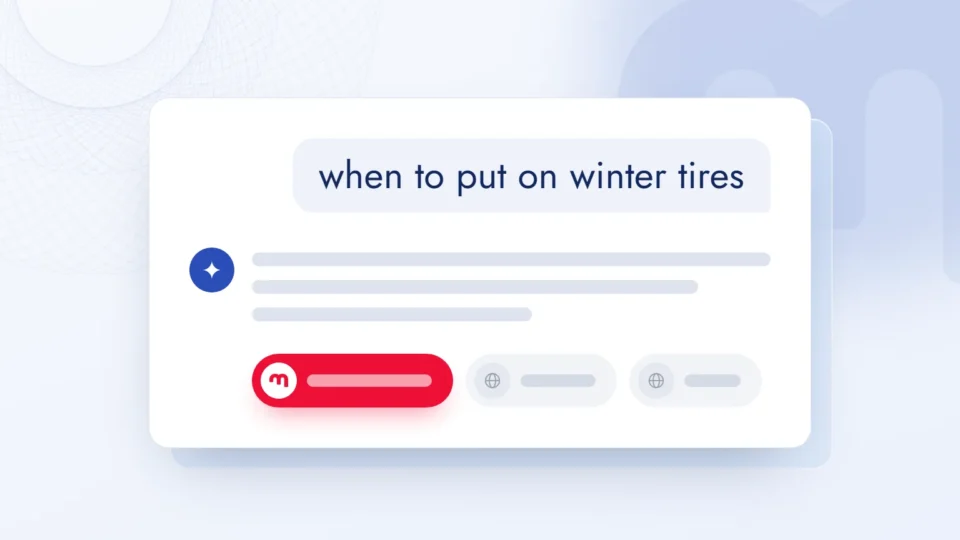
1Question asked to Copilothow often should a boiler be serviced?
2In the Bing indexPage notified via IndexNow; the indexed copy is current.Indexed
3yourbrand.com › boiler-serviceYour Brand | Boiler service guide
Visibility in Bing AI is built in three layers.
01
Bing index
We keep the site complete and current in the Bing index with Bing Webmaster Tools, sitemaps and IndexNow notifications.
Bing Webmaster Tools
We open the account in your name and import the site from Search Console, or verify it with a DNS record or meta tag.
Sitemap
We list only canonical URLs, remove deleted and redirected URLs, and tie lastmod to real changes.
IndexNow
We place the key file in the root directory and set up an integration that notifies added, updated and deleted URLs the moment they’re published.
Bingbot verification
We verify requests that show up as Bingbot in your logs with reverse and forward DNS or the bingbot.json list, and separate out impostors.
02
Content for Copilot
We restructure pages so Copilot can break them into pieces and cite them: key information first, focused on one topic.
Key information first
We make the first sentence under each heading the answer to that heading, and remove long introductions and answers hidden in tabs.
One topic, one URL
We split pages with mixed topics, and align the title, subheadings and content intent to the same topic.
Structured data
We match JSON-LD markup exactly to the visible content and don’t mark up information that isn’t on the page.
Brand and entity names
We write brand, product, person and location names the same way across pages and profiles.
03
Controls and measurement
We audit the page tags that affect appearing in Copilot, and measure citations and Copilot-referred visits separately.
NOCACHE and NOARCHIVE
We read the robots meta tag and the X-Robots-Tag header on every template, and write the Copilot decision page by page.
Snippet controls
Because nosnippet and data-nosnippet can weaken Copilot citations, we use these tags and max-snippet only where needed.
AI Performance report
We export cited pages and grounding queries, and regularly track citation share and period comparisons.
Copilot-referred traffic
We track visits from Copilot and Bing in a separate channel group in analytics and read them in the same dashboard as citations.
How does a question become a Copilot answer?
For information-seeking questions, Copilot can turn to web search and grounds its answer in top search results. The pages used in the answer appear as linked citations; these results come from the same crawling and indexing foundation as classic Bing search.
10,000 URLsThe most URLs you can notify in a single IndexNow POST request; the notification is shared with participating search engines.6
3 surfacesAI Performance counts citations in Copilot, in Bing’s AI-generated summaries and in select partner integrations.2
Copilot Web search on
Question
Bing index
IndexNowyoursite.com/boiler-serviceCurrent
1manufacturer.com › maintenance
2yoursite.com › boiler-service
3forum.example › thread
Index
Copilot answer
Copilot122
Answer
Sources
1manufacturer.com2yoursite.comOpen
Citation · counted in AI Performance
Get your IndexNow request ready-made
Notify changed URLs in a single request; the notification is shared with every search engine that takes part in IndexNow. Type your own key or generate one; the key file must be live at the root of your site.
IndexNow
The key is 8–128 characters and contains only letters, numbers and hyphens. A single request can send up to 10,000 URLs. A 200 or 202 response shows the notification was received; the decision to index is the search engine’s.
Bing AI consulting, step by step.
01
Discovery
We listen to your site, the questions you want to appear in answers for and where you stand on Bing today, and set the scope of the work together.
02
Index and tag audit
We set up Bing Webmaster Tools in your name or get access to the existing account, and report index status, sitemaps, robots rules and page tags in writing.
03
Priority plan
Together with you, we settle the pages that should appear in Copilot, the index errors to close and the content edits, in order of priority.
04
Setup and editing
We set up the IndexNow integration, fix sitemaps and tags, and edit the content of priority pages so Copilot can quote it.
05
Measurement and updates
We read the AI Performance report, the IndexNow report and analytics regularly, and update the plan based on which pages are and aren’t cited.
Platforms and tools we work with.
Your data, from every angle, in Data Studio.
Data Studio22 Jun – 19 Sep 2026 ▾
Main FiltersBrand / Generic ▾Device Category ▾Country ▾PeriodYear
Overview
Clicks400K▲ 28%prev. 312K
Impressions4.0M▲ 22%prev. 3.28M
URL CTR10.0%▲ 0.4 ptprev. 9.6%
Avg. Position8.0▼ 3.0prev. 11.0
Unique Queries24.8K▲ 19%prev. 20.8K
Unique Pages6.2K▲ 7%prev. 5.8K
Performance over TimeUrl Clicks (last 90 days)previous 90 daysJulAugSep
Keyword Ranking /All Positions
Queries by Position Group
Total Unique Queries24.8K▲ 19%
Top 3 positions2.2K▲ 34%
Between 4 and 105.2K▲ 27%
Between 10 and 206.4K▲ 16%
Positions 20 and higher11.0K▲ 15%
Clicks by Position Group400K totalTop 358%4–1029%10–209%20+4%
Top 3 share of clicks58% → 58%JulAugSepTop 3232K4–10116K
Url Clicks · 2026 vs 2025JulAugSep2026400K2025204K
Jul112K65.2KAug131K68.5KSep156K70.2K
Sample data.
Click to flip through the screens
The dashboard pulls Search Console and Analytics data at the same time. We update the filters to match the project’s goals and build new screens for each type of conversion step.
We build screens with filters Google’s own interface doesn’t offer. We track your queries separately in the top 3, 4–10, 10–20 and 20+ position groups.
We group keywords into clusters and look at the traffic a project gets from each cluster as a whole. We can compare an online store’s bag and shoe clusters on one screen, by search intent, against the previous period; that is a more useful way to measure success.
To report organic growth honestly, we split traffic into branded and non-branded searches. We analyze non-branded traffic separately; that is where the effect of SEO work shows most clearly.
All these filters show the losses too: not every one of the 25 screens shows green. The same screens reveal the swings caused by algorithm updates, and our recovery work starts there.
We track every keyword one by one: impressions, clicks, CTR and position on the same row. Where a keyword moves up but clicks don’t follow, we start work on the title and description.
We keep the city the traffic comes from on a separate screen. For brands with physical stores, the city breakdown decides where the budget and content go.
We compare with the same period last year: is it seasonality or real growth? A screen that looks good against the previous 90 days may be standing still against last year.
25
screens
310
distinct data types
24/7
phone and desktop
Search Console and Analytics
Search Console + Analytics
How does Bing AI work?
Contents 13 sections
We wrote this guide for ecommerce, corporate site and publisher teams who want to appear as a source in Bing AI experiences (in Copilot and in Bing’s artificial intelligence (AI) answers) but can’t see where their site stands in the Bing index or how often it’s cited in these answers. Every mechanism we describe is based on official documentation: Bing Webmaster guidelines and help pages, Bing and Microsoft Advertising blog posts, the Microsoft Copilot transparency note and the IndexNow protocol’s own documentation. We verified product names and report coverage against the source as of September 2026; because Microsoft updates this area often, we check them again during setup. Our own field observations are marked separately under the heading “Expert note”.
We cover the general framework for visibility in AI answers, including the more capable systems now discussed as superintelligence (ASI), on our GEO consulting page. This guide goes down into the mechanisms specific to Bing and Copilot: the Bing index, IndexNow, quotable content, page-level controls and citation measurement.
What is Bing AI, and where does it appear?
Bing AI is the everyday name for Microsoft’s AI experiences that answer questions from web sources and show those sources as links; today these experiences appear in Microsoft Copilot, in Copilot Search on Bing and in Bing’s AI-generated summaries. People also search for the same experiences as “Bing Copilot”. According to Bing’s guidelines, the rules for how content is discovered, indexed and shown apply together to Bing search, Copilot and grounding API results (programmatic access that grounds an answer in web sources).1 The AI Performance report in Bing Webmaster Tools counts citations across three surfaces: Microsoft Copilot, AI-generated summaries in Bing and select partner AI integrations; the documentation doesn’t name these partners.2
Surface
What the user sees
What it means for your site
Microsoft Copilot
An answer based on web search, with linked citations below the text4
The cited page opens from the answer in one click
Copilot Search (Bing)
A results page that blends classic and generative search3
When Microsoft announced Copilot Search on 4 April 2025, it said the feature was available worldwide except in Russia and China.3 Language is a separate variable: according to Microsoft’s Copilot transparency note, performance can vary by language, and at launch the best results were achieved in English.4 We don’t assume how it performs for questions in other languages, such as Turkish; we read it from the site’s own data.
How does a Copilot answer rely on the Bing index?
In information-seeking conversations, Copilot can turn to web search, summarize its answer from top results in the Bing index, and list the pages it used as linked citations below the text.4 Bing’s guidelines say that the Bing and Copilot search experiences rest on the same crawling, indexing and ranking foundation as classic search; so whether a page can be a source in Copilot depends first on it being in the Bing index.1 The same document recommends NOINDEX for any URL that shouldn’t appear in Bing, Copilot or grounding results, and notes that timely notification through IndexNow helps reduce references to outdated or incorrect URLs in Copilot answers.1
In Copilot Search, the source side is more visible: according to Microsoft, whole sentences or paragraphs are linked to their source, and sources are highlighted at the top and bottom of the page.3 We look at two things to get a page among these sources: Bing keeping the page current in its index, and the information on the page being written clearly enough to answer the question on its own.
How do you add and verify a site in Bing Webmaster Tools?
There are two ways to add a site to Bing Webmaster Tools: import verified sites from Google Search Console, or enter the URL manually and verify ownership.5 The import screen lists your verified Search Console sites together with their sitemaps, and the selected sites are verified automatically; Bing then periodically re-verifies ownership through the Search Console account and also picks up any new sitemaps it finds there.5 For manual addition there are four verification methods: automatic DNS verification with DNS providers that support Domain Connect, a BingSiteAuth.xml file uploaded to the root directory, a meta tag added to the page’s head section, and a CNAME record added to DNS.5 Once a site is added, data usually takes 48 hours to appear.5
We open the account in your name and handle verification; the Bing Webmaster Tools account, the Search Console connection and the DNS records stay with you, and our team is added to the account as a user. We run markention.com on the same stack: Bing Webmaster Tools, Search Console, GA4 and Clarity work together.
What do sitemaps and links tell Bing?
A sitemap tells Bing which URLs matter and when they changed; links tell it where pages sit on the site and how findable they are. Bing lists four signals for discovery: IndexNow notifications, XML sitemaps, crawlable internal links and external links from relevant sites.1 Its criteria for sitemaps are clear: list only canonical URLs, make the sitemap reflect the site structure, remove deleted or redirected URLs immediately, and add freshness signals such as lastmod where appropriate; accurate lastmod values and HTTP validation headers such as ETag help content changes be detected more reliably.1 A sitemap isn’t a visibility guarantee either.1
Internal links are built with standard a href elements and meaningful anchor text. Serving the same content at several URLs splits the signal and lowers Bing’s confidence in choosing one URL for grounding or citation.1 A 301 is recommended for permanent moves and a 302 only for temporary changes shorter than two days; deleted content returns 404, and the change is notified through IndexNow.1 Critical content isn’t left to client-side rendering; Bing writes that content that can’t be rendered reliably may not be indexed or selected for grounding.1
How does IndexNow work?
IndexNow is a protocol that tells search engines, in a single request, when a URL has been added, updated or deleted; search engines that join the protocol agree to automatically share the URLs they receive with the other participants.6 The endpoint list in the protocol’s FAQ includes Amazon, Bing, Naver, Seznam.cz, Yandex and Yep alongside the shared IndexNow endpoint (api.indexnow.org); whichever of these a notification is sent to, it’s shared with every search engine that supports IndexNow.7 For a site serving a market where Yandex matters, such as Türkiye, this means a single notification reaches Yandex as well as Bing. Setup takes four steps:
Key: a key of letters, numbers and hyphens, between 8 and 128 characters long, is generated, and a UTF-8 text file containing the key and named after it is placed in the site’s root directory; a file in another location is declared with the keyLocation variable.6
Single URL: the changed URL is sent in a single HTTP request carrying the url and key parameters; the URL is encoded in line with RFC 3986.6
Bulk submission: up to 10,000 URLs are sent in a single POST request with a JSON body carrying the host, key and urlList fields.6
Response: the returned status code is read; a 200 only shows that the URL was received.6
The protocol’s response codes and how we respond during setup:6
Code
Meaning
What we do
200
URL submitted successfully
We monitor crawl and index status
202
URL received, key validation pending
We check that the key file opens
400
Invalid format
We fix the request body and URL encoding
403
Key not valid or not found
We match the file name, content and location
422
URL doesn’t belong to this domain, or the key doesn’t match the schema
We separate submitted URLs by domain
429
Too many requests (potential spam)
We reduce submission frequency
IndexNow doesn’t replace the sitemap
Submitting a URL doesn’t guarantee immediate indexing; the search engine decides on crawling using its own quota and quality signals.7 IndexNow announces changes quickly, while the XML sitemap gives the site’s complete inventory; the protocol’s own FAQ recommends using both together.7 Google isn’t on this endpoint list;7 that’s why we keep sitemaps current for every search engine separately.
Submission frequency has rules too. Bing recommends sending notifications as changes happen rather than batching them up;1 the IndexNow FAQ says not to submit the same URL many times a day without a meaningful change, to wait at least 5 minutes on frequently updated pages, and to notify URLs that return 404 or 410 as well.7 The IndexNow report in Bing Webmaster Tools shows where submissions came from (a plugin, Cloudflare or direct submission) and the crawl and index status of a sample of submitted URLs; the “Important URLs Missed” section lists important URLs that were indexed in the last 7 days but not notified through IndexNow; this is where we see what the integration missed.8
How do you verify that Bingbot really is Bingbot?
Bingbot’s identity is verified not by the user-agent string but by matching the requesting IP address with a reverse and forward DNS lookup, or against the IP list Bing publishes. For a request in your logs that says “bingbot/2.0”, Bing recommends verifying it with these steps:9
Reverse DNS: a reverse DNS lookup is run for the IP in the log; the returned name must end in search.msn.com.9
Forward DNS: a forward lookup is run for the returned name; the result must match the IP in the log.9
IP list: instead of DNS lookups, the request’s IP can also be matched against the bingbot.json list Bing publishes; because Bing says it can change the list at any time, the list is refreshed daily and IP addresses and ranges aren’t hard-coded.9
Decision: if the name and the IP match, the request is Bingbot; if not, it’s reported separately as an impostor.
The goal is not to write the wrong rules by mistaking impostor traffic for Bingbot, and not to stop the real Bingbot by accident. Bing’s guidelines explicitly list blocking Bingbot in robots.txt among things to avoid, and remind you that robots.txt controls crawling, not indexing.1 We explain how to manage other AI crawlers bot by bot on our AI access control page.
Copilot SEO: how do you write content Copilot can quote?
Content Copilot can quote is content whose every part makes sense on its own when it’s split into pieces, can be verified and stays focused on a single topic. A Microsoft Advertising blog post from October 2025 writes that assistants such as Copilot break content into small, structured pieces through parsing and evaluate them for authority and relevance.10 The criteria in Bing’s guidelines line up with this: the key information comes at the top of the page and long introductions are avoided; each URL focuses on one main topic; facts and definitions are stated clearly, and important information is visible on the page itself.1
Headings: descriptive H2 and H3 headings work like section titles that define slices of content for AI systems.10
Question and answer: direct question-and-answer pairs are a format assistants can often lift into an answer word for word.10
Hidden content: important answers aren’t hidden in tabs or dropdowns; AI systems may not render hidden content, and important details can be missed.10
Entity names: names of people, organizations, products and locations are written consistently and without ambiguity.1
Structured data: accurately reflects the visible content; according to Bing, structured data can help grounding but doesn’t guarantee visibility.1
What Bing counts as abuse
Bing counts as abuse artificial language written to trigger citations or AI answers, keyword stuffing, content produced at scale without oversight, structured data that doesn’t match the visible content, and content that tries to manipulate language models (prompt injection); the result can be reduced visibility or removal from the index.1 The same document writes that SEO doesn’t guarantee rankings or traffic, and GEO doesn’t guarantee grounding or citations.1
What do NOCACHE and NOARCHIVE change in Copilot?
NOCACHE allows a page to be referenced in Copilot only by its URL, title and short description (snippet); NOARCHIVE stops the page from being shown as a link in Copilot.11 Bing announced the effect of these two values in Bing Chat in September 2023 and wrote that tagged content would continue to appear in search results;12 today’s help document describes the same rules for Copilot.11 The rules are set with the robots meta tag or the X-Robots-Tag header; with name=”bingbot”, they apply to Bing only.11
Snippet controls have a cost too. Bing writes that nosnippet and data-nosnippet remove the description in search results and can limit the quality of Copilot citations, and that NOCACHE reduces citation depth and answer quality; it recommends avoiding NOCACHE on content where rich citations in Copilot are wanted.1
NOARCHIVE alone on paywalled content
According to Bing’s 2023 announcement, many paywalled sites use NOARCHIVE alone; according to today’s help document, this means the article isn’t referenced with a link in Copilot answers at all.11 So that chat users can find these articles, Bing recommends adding NOCACHE to NOARCHIVE; when both values are present, NOCACHE applies.12
How do you measure Bing AI visibility?
Bing AI visibility is read from three separate sources: citations in the AI Performance report, index and search data in Bing Webmaster Tools, and Copilot-referred visits in analytics. The AI Performance report shows which pages your site is cited with, the trend over time and related grounding queries.2 Total citations, unique pages cited per day and their average are the report’s core measures; grounding queries are short, grouped phrases the AI system uses when retrieving content, not the user’s full question.2
A citation isn’t a click; we measure being cited in Copilot and visits to your site separately.
Microsoft draws the same distinction: a citation says your content was visibly credited as a source in the answer; it doesn’t mean traffic, clicks or engagement.2 The data is sampled and refreshed daily with a short delay, very infrequent citations may not show in the dashboard, and the data can be exported as CSV or Excel.2 Intents, Topics, Citation Share and period comparison (Compare) have been added to the report as previews; citation share shows your site’s percentage of all citations for a grounding query and doesn’t name the other sites.2 According to Bing’s guidelines, a drop in clicks doesn’t always mean a loss of visibility either.1
How do Bing AI consulting services work in the first 30 days?
The job of the first 30 days is to measure where the site stands in Bing today, close index and tag errors, and read the measurement with the first data.
Week 1 · Account and inventory: Bing Webmaster Tools is set up in your name, or access to the existing account is obtained; sitemaps, index status, robots.txt and the robots tags in page templates are mapped out.
Week 2 · Index and IndexNow: sitemaps are trimmed to canonical URLs, the IndexNow key and notifications are set up, and Bingbot requests are verified in the logs.
Week 3 · Content and controls: on priority pages the key information is moved to the top, entity names and structured data are matched to the visible content, and nocache, noarchive and nosnippet decisions are written page by page.
Week 4 · First reading: AI Performance, the IndexNow report and analytics are read together; cited pages, grounding queries and URLs IndexNow missed are reported.
Bing AI consultant, SEO agency or in-house team?
Bing and Copilot work can be run three ways. The difference is who takes on the Bing-specific controls: Bing Webmaster Tools, IndexNow, NOCACHE and NOARCHIVE, and the AI Performance report.
Model
What it covers on Bing
What to watch
Best fit
Adding it to your current SEO agency’s scope
Bing Webmaster Tools setup inside general SEO work
Most agencies focus on Google; tags that shut out Copilot and the AI Performance report can be missed
Bing traffic and citations are still small and you need the basic setup first
Dedicated Bing AI consulting
The Bing index, IndexNow, page tags, quotable content and citation measurement
If it isn’t tied to your SEO team’s content calendar, the work splits in two
Copilot and Bing visibility already make up a measurable share
In-house team
Site management and content production
IndexNow response codes, Bingbot verification and reading the reports take specialist time
Brands with a strong technical team who only want an outside review
We run Bing work on the same calendar as general SEO and GEO work, so shared tasks aren’t done twice and Bing-specific setups are documented separately.
How to choose a Bing AI consultant
Account ownership: the Bing Webmaster Tools account, DNS records and IndexNow key file stay in your name; the partner is added as a user.
Tag audit: the first audit reads the robots meta tag and the X-Robots-Tag header on every template; any noarchive or nocache that shuts out Copilot shows up in writing.
What triggers IndexNow: notifications are sent only on real content changes, so crawl quota isn’t wasted on needless submissions.
Citations and visits kept apart: the report lists AI Performance citations and Copilot visits from analytics on separate lines; a citation is never presented as a click.
Guarantee language: no one promises a Copilot citation or a set number of citations; Bing’s own guidelines say there is no such guarantee.
Decisions stay with you: choices such as keeping a page out of Copilot are presented with reasons and applied with your approval.
Bing AI consulting pricing: what drives the cost?
The fee for Bing AI consulting depends on scope; instead of a fixed package price, we share estimated ranges. The main factors:
Factor
Why it matters
Number of sites and domains
Each domain needs its own verification, sitemaps and IndexNow key
Template variety
Robots tags and the X-Robots-Tag header are read template by template
Where IndexNow is set up
A CMS plugin, a CDN or a custom integration take different amounts of work
How much content is reworked
Bringing priority pages into a quotable structure is the most labour-intensive part
Length of monitoring
A one-off setup and monthly AI Performance reviews are separate items
We work out the scope together in the first meeting and then send a written proposal; a one-off setup and ongoing monitoring can be discussed as separate items.
Bing AI consulting pricing: estimated ranges
Scope
Specialist effort
Estimated fee (excl. VAT)
Monthly Bing and Copilot visibility tracking
~4–8 hours / month
$300–$900 / month
One-off Bing Webmaster Tools and IndexNow setup
6–10 hours, one-off
$600–$1,100
Estimated range, excluding VAT; rows marked “/ month” are monthly, the others are one-off. Scope is confirmed in a written proposal after the first meeting. As of October 2026.
Whoever you work with, we suggest getting concrete answers to three questions: how is the Bing index audited, which event triggers IndexNow notifications, and how are citations and visits measured separately? To see how AI assistants describe your brand today, you can run our free AI visibility analysis. If you’d like to read your site’s current position in Bing and Copilot together, pick a meeting day that suits you below.
Bing AI: frequently asked questions.
How is the fee for Bing AI consulting set?
The fee depends on scope: the number of sites and domains, how varied the page templates are, the layer IndexNow will be set up in (the content management system, the CDN or a custom integration), how much content editing is involved and how long monitoring runs. We work out the scope together in the first meeting, then send a written proposal. A one-off setup and ongoing monitoring can be discussed as separate items; the contract term becomes clear based on that choice. Estimated ranges are in the pricing table on this page; the final fee is set in a written proposal.
Are Bing AI, Bing Copilot and Microsoft Copilot the same thing?
Bing AI and Bing Copilot are everyday names for Microsoft’s AI answer experiences. Microsoft’s documentation and announcements call these experiences Microsoft Copilot, Copilot Search on Bing and Bing’s AI-generated summaries. For information-seeking questions, all of them ground the answer in web search results and show the sources they used as links. That’s why our work focuses not on a single product but on the Bing index and the content these surfaces all rely on.
We rank well on Google; do we need separate work for Bing and Copilot?
Core SEO practices apply on Bing too; Bing’s guidelines write that SEO practices supporting discovery, index accuracy and content clarity also support eligibility for superintelligence answers and citations. But Bing builds its index with its own crawler, Bingbot, and you need to monitor your site separately in Bing Webmaster Tools. The effect of NOCACHE and NOARCHIVE in Copilot and the AI Performance report are specific to Bing, and Google isn’t on the IndexNow protocol’s endpoint list. A site that shows up on Google can still have index errors on Bing or a tag that shuts it out of Copilot; that’s exactly what we look for in the first audit.
Can you guarantee we’ll be cited as a source in Copilot answers?
No; nobody can guarantee that. Bing’s own guidelines write that SEO doesn’t guarantee rankings or traffic, and GEO doesn’t guarantee grounding or citations. What we take on is making sure your pages are current in the Bing index, don’t carry a tag that shuts them out of Copilot, and are written in a quotable way. We measure the result through cited pages and grounding queries in the AI Performance report, and report on it regularly.
Is Bing and Copilot work worthwhile outside English-speaking markets, such as Türkiye?
We answer that with your site’s data, not guesswork. When Microsoft announced Copilot Search in April 2025, it said it was available worldwide except in Russia and China; Copilot’s performance, however, can vary by language. In the first month, we pull impressions, citations and visits from Bing and Copilot out of Bing Webmaster Tools and analytics, and recommend a scope based on that data. Because IndexNow notifications also reach other participating search engines such as Yandex, the effort isn’t tied to a single engine.
What does setting up IndexNow get us, and is there any risk?
IndexNow notifies search engines the moment URLs are added, updated or deleted; the notification is shared with engines that support the protocol, such as Bing, Yandex, Naver, Seznam.cz, Amazon and Yep. This increases the chance that important changes are noticed and crawled sooner, but doesn’t guarantee immediate indexing. The real risk is misuse: every submitted URL counts against the site’s crawl quota, unnecessary submissions spend that quota without adding visibility, and submitting too often can get a 429 (too many requests) response. So we tie notifications only to genuine content changes and keep sitemaps current too.
We don’t have a Bing Webmaster Tools account; where do we start?
We open the account in your name and either import the site from Google Search Console or verify ownership with a DNS record, a meta tag or a verification file. When importing from Search Console, the site comes with its sitemaps and is verified automatically. Data usually takes 48 hours to appear. During that time we start mapping out index status, robots rules and page tags.
Who keeps the accounts and setups?
Everything stays with you. The Bing Webmaster Tools account, the Search Console connection, DNS records, the IndexNow key file and the analytics property are opened in your name; our team is added to these accounts as users. We document every setting and rule we set up. When the work ends, our access is removed, and the documents and accounts stay with you.
Who runs the work, and what do you need from us?
The markention team runs the work from start to finish; we’re a marketing and business development operation added to your company as a module. Our team handles the audit, the Bing Webmaster Tools and IndexNow setup, tag fixes, content edits and reporting. What we need from you is access to the site admin panel and DNS, approval on brand and content decisions, and the questions you want to be found for. Decisions such as which pages should or shouldn’t appear in Copilot are presented to you with our reasoning and applied with your approval.
When will we start to see results?
Bing Webmaster Tools data usually appears within 48 hours of adding the site, and the IndexNow report shows the crawl and index status of a sample of submitted URLs. AI Performance data is refreshed daily with a short delay, but citations fluctuate with user demand, content freshness and model updates. That’s why we don’t give a fixed date. We do the first regular reading at the end of the fourth week, then track the trend monthly.
What can we do if we don’t want some pages to appear in Copilot?
Bing offers page-level controls for this. NOARCHIVE stops the page from being used in Copilot answers and from being shown as a link; NOCACHE allows only the URL, title and short description to be used in Copilot. Content carrying either tag continues to appear in Bing search results. So that paywalled content can still be found with a link in chat answers, Bing recommends adding NOCACHE to NOARCHIVE; we write these decisions with you by page type.
Should Bing AI work go to a dedicated consultant or our current SEO agency?
If visibility from Bing and Copilot is still small, the basic setup can sit inside your existing SEO work. Because tags that shut out Copilot, the IndexNow setup and the AI Performance report are specific to Bing, dedicated Bing AI consulting pays off once this channel makes up a measurable share. We run both on the same calendar, so shared work isn’t done twice.
Is Copilot SEO a separate discipline?
No. Copilot grounds its answers in the Bing index, so the foundation is good SEO on Bing: being current in the index, canonical URLs and clear content. The Copilot-specific part is setting tags such as NOCACHE and NOARCHIVE correctly, writing content that still makes sense when split into passages, and measuring citations in the AI Performance report.
How do you measure Copilot’s impact, and what can’t we see?
We measure citations from the AI Performance report in Bing Webmaster Tools and visits from analytics, separately; Microsoft also writes that a citation doesn’t mean a click or traffic. In the report we see cited pages, grouped grounding queries and your citation share for a query. We can’t see the user’s full question, individual answers or the other sites cited for the same query as you; the data is also sampled. We state these limits clearly in our reports.
The rhythm of the operation: month, week, day, hour.
Every project has one mentor and two specialists. The tools we use: Claude, Search Console, Semrush, Yandex, Screaming Frog, Google Analytics, ChatGPT · Codex, Google Ads, Ahrefs, Data Studio, Merchant Center, Google Trends, Meta Business, Google Business Profile. We check your Search Console and Analytics every day; Merchant Center one day a month, and the other tools come in as the calendar requires.
Mentor
28 days with markention
2 strategy meetings · a live Data Studio report, 24/7 · 8 operations meetings · plus opportunity-driven work as it comes up
Week 1Meeting with you
Week 2Your Data Studio report
Week 3Meeting with you
Week 4Your Data Studio report
10:00MonPlanningMonday, week 1: We plan your weekWe open the month by checking your product feed in Merchant Center, then set the week’s priorities in our 10:00–11:00 team meeting.
TueStrategyTuesday, week 1: Your strategy sessionYour mentor and specialists get together: we review where your project stands, discuss ideas and prepare the agenda for Thursday’s meeting with you.
WedCrawlWednesday, week 1: Technical crawl of your siteWe crawl your site end to end with Screaming Frog: broken links, redirects and indexing issues go onto your task list.
ThuMeetingThursday, week 1: Meeting with youWe meet every two weeks. Your mentor and two specialists are at the table; we record the meeting and write down the decisions.
16:00FriWrap-upFriday, week 1: Weekly reviewWe close the week with our 16:00 team review: what was done and what comes next.
10:00MonPlanningMonday, week 2: We plan your weekWe start the day by reviewing your Google Ads and Meta Business accounts, then set the week’s priorities in our 10:00–11:00 team meeting.
TueBacklinksTuesday, week 2: Your link profile auditWe review your link profile with Ahrefs and separate gained, lost and risky links.
WedMarketWednesday, week 2: Your market and competitor researchWe scan your market and competitors with Semrush: rankings, new opportunities and lost queries go onto your task list.
ThuReportThursday, week 2: Your Data Studio reportWe crawl your site again; in the week without a meeting we send your report together with your updated dashboard, which brings together 310 distinct data types.
16:00FriWrap-upFriday, week 2: Weekly reviewWe close the week with our 16:00 team review: what was done and what comes next.
10:00MonPlanningMonday, week 3: We plan your weekWe start the day by checking your visibility on Yandex and your Google Business Profile, then set the week’s priorities in our 10:00–11:00 team meeting.
TueStrategyTuesday, week 3: Your strategy sessionYour mentor and specialists get together: we review where your project stands, discuss ideas and prepare the agenda for Thursday’s meeting with you.
WedAIWednesday, week 3: Your brand in superintelligence answersWe check how your brand appears in ChatGPT and Claude answers and add the questions left unanswered to your content plan.
ThuMeetingThursday, week 3: Meeting with youWe meet every two weeks. Your mentor and two specialists are at the table; we record the meeting and write down the decisions.
16:00FriWrap-upFriday, week 3: Weekly reviewWe look at rising searches in your field with Google Trends and close the week with our 16:00 team review.
10:00MonPlanningMonday, week 4: We plan your weekWe start the day by reviewing your Google Ads and Meta Business accounts, then set the week’s priorities in our 10:00–11:00 team meeting.
TueAnalysisTuesday, week 4: Your traffic and conversion analysisIn Google Analytics we look at where your visitors come from and which pages bring conversions; the findings go into Thursday’s report.
WedAI OverviewsWednesday, week 4: Your brand in Google’s AI answersWe check whether your brand is cited as a source in Google’s AI Overviews and AI Mode answers and add the questions left unanswered to your content plan.
ThuReportThursday, week 4: Your Data Studio reportIn the week without a meeting we send your report together with your updated dashboard.
16:00FriWrap-upFriday, week 4: Weekly reviewWe close the week with our 16:00 team review: what was done and what comes next.
Sample flow: if your meeting day is Thursday.
08:00Checking your site09:0010:00Production on your project10:00Our team meeting11:00Production on your project10:00Production on your project16:00Our team meeting10:00Production on your projectDaytimeYour strategy session10:00Production on your projectDaytimeMeeting with you10:00Production on your projectDaytimeYour Data Studio report
Monday·Week 1We plan your week
We open the month by checking your product feed in Merchant Center, then set the week’s priorities in our 10:00–11:00 team meeting.
Keep browsing. This button will let you know when the summary is ready.
Summary ready for .
Thank you. The report link for will be sent to .
CookiesWe use cookies only with your consent, to measure how you use the site and to improve our ads. If you allow it, the pages you viewed on this visit are added to your request when you submit a form.





































 Copilot Web search on