Google AI Overview consulting: be the page AI Overviews cite as a source.
What is a Google AI Overview?
A Google AI Overview (AI Bakışı in the Turkish interface) is the AI-generated summary that Google Search shows above the results for some queries, giving the gist of a topic with links to supporting web pages. Google grounds this answer in pages retrieved from its own search index and, when needed, gathers sources by fanning the question out into simultaneous sub-queries. For a page to be a link in this overview, it must be indexed, be eligible to be shown with a text snippet in search results, and the site must not be excluded in Search Console’s generative AI control. AI Mode (AI Modu in the Turkish interface) is a separate superintelligence search mode that moves forward through follow-up questions and may use different models and techniques.
So that your site can be a source in Google’s AI Overviews and in AI Mode, we fix index status, snippet rules and the Search Console setting, and build pages that answer questions along with their sub-queries. We measure the result with superintelligence impressions in Search Console and conversions in GA4.
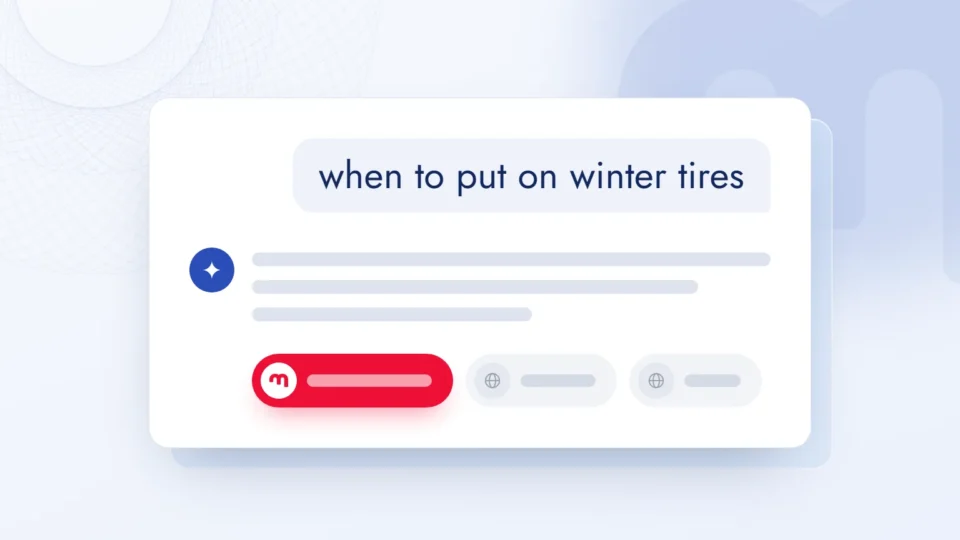
1A question on Googlewhich heat pump runs quietly?
2Query fan-outThe question splits into sub-queries: noise level, efficiency, installation.Fan-out
3yourbrand.com › guideYour Brand | Choosing a quiet heat pump
Being cited in AI Overviews rests on three layers.
01
Eligibility and technical access
We confirm through Googlebot’s eyes that the page is indexed and eligible for snippets, and audit the site’s superintelligence setting in Search Console.
Indexing and crawling
We check Googlebot’s access in robots.txt and at the CDN and hosting layer, plus the index status and canonical URL of target pages.
Snippet controls
We scan nosnippet, max-snippet and data-nosnippet rules on the page and in the HTTP header, and remove any that weren’t set on purpose.
Search Console control
We check that the generative AI control is set to include, exclude or inherit from the parent property on every property.
The HTML Googlebot sees
We confirm in the URL Inspection tool that important information arrives as text, in full.
02
Content that answers
We work out questions together with their sub-queries and write a clear, sourced, experience-based answer to each one inside the page.
Question map
We pull priority questions from sales and support questions, Search Console queries and Semrush data.
Query fan-out
For each main question we find sub-questions such as comparison, conditions and cost, and build their answers inside the main page.
E-E-A-T
We make author details that show experience and expertise, the method and the sources relied on visible on the page.
Where structured data fits
We set up structured data for rich results, matching the text visible on the page exactly.
03
Measurement
We read impressions from Search Console, visits and conversions from GA4, and which sources the overview shows from the question set.
AI performance report
We track impressions in Search Console’s generative AI report, broken down by page, country and device.
General performance report
We read clicks within the Web search type and compare the trend of pages that get superintelligence impressions with other pages.
GA4 landing pages
We compare these pages’ organic sessions and key events in GA4 with the previous period.
Question set tracking
We run the questions we’ve defined on a regular schedule and record which sources the overview shows.
How does Google choose a source for a question?
When needed, Google’s model splits the question into subtopics and searches each one at the same time. Among the pages retrieved from the index, those that support the answer are chosen and shown as links inside the overview.
2.5 billionAccording to Google’s June 2026 announcement (updated 31 August 2026), AI Overviews have passed 2.5 billion monthly active users.8
1 positionIn Search Console, an AI Overview counts as a single position; every link inside it gets the same position.7
Google’s snippet rules also apply in AI Overviews and AI Mode. Choose what you want; the tool generates the robots meta tag to place in the page’s <head>, the X-Robots-Tag header for non-HTML files and, if needed, a data-nosnippet example.
Snippet control
If you never want the page to appear in the overview, a snippet rule isn’t enough: you need noindex, which also removes the page from Google Search. Google-Extended doesn’t affect AI Overviews. Rules take effect when the page is recrawled.
Google AI Overview work, step by step.
01
Discovery
We listen to your site, your priority products and services, and your preference on visibility in AI Overviews, and set the scope together.
02
Eligibility audit
We review crawling, indexing, snippet rules and the generative AI control in Search Console, and report the findings in writing.
03
Question map
We work out main questions and sub-questions for priority pages and record which sources the overview shows today.
04
Implementation
We make the technical fixes, restructure pages to give the answer first, and make author and source details visible.
05
Measurement and updates
We read Search Console, GA4 and the question set regularly, and update the plan as Google’s documentation changes.
Platforms and tools we work with.
Your data, from every angle, in Data Studio.
Data Studio22 Jun – 19 Sep 2026 ▾
Main FiltersBrand / Generic ▾Device Category ▾Country ▾PeriodYear
Overview
Clicks400K▲ 28%prev. 312K
Impressions4.0M▲ 22%prev. 3.28M
URL CTR10.0%▲ 0.4 ptprev. 9.6%
Avg. Position8.0▼ 3.0prev. 11.0
Unique Queries24.8K▲ 19%prev. 20.8K
Unique Pages6.2K▲ 7%prev. 5.8K
Performance over TimeUrl Clicks (last 90 days)previous 90 daysJulAugSep
Keyword Ranking /All Positions
Queries by Position Group
Total Unique Queries24.8K▲ 19%
Top 3 positions2.2K▲ 34%
Between 4 and 105.2K▲ 27%
Between 10 and 206.4K▲ 16%
Positions 20 and higher11.0K▲ 15%
Clicks by Position Group400K totalTop 358%4–1029%10–209%20+4%
Top 3 share of clicks58% → 58%JulAugSepTop 3232K4–10116K
Url Clicks · 2026 vs 2025JulAugSep2026400K2025204K
Jul112K65.2KAug131K68.5KSep156K70.2K
Sample data.
Click to flip through the screens
The dashboard pulls Search Console and Analytics data at the same time. We update the filters to match the project’s goals and build new screens for each type of conversion step.
We build screens with filters Google’s own interface doesn’t offer. We track your queries separately in the top 3, 4–10, 10–20 and 20+ position groups.
We group keywords into clusters and look at the traffic a project gets from each cluster as a whole. We can compare an online store’s bag and shoe clusters on one screen, by search intent, against the previous period; that is a more useful way to measure success.
To report organic growth honestly, we split traffic into branded and non-branded searches. We analyze non-branded traffic separately; that is where the effect of SEO work shows most clearly.
All these filters show the losses too: not every one of the 25 screens shows green. The same screens reveal the swings caused by algorithm updates, and our recovery work starts there.
We track every keyword one by one: impressions, clicks, CTR and position on the same row. Where a keyword moves up but clicks don’t follow, we start work on the title and description.
We keep the city the traffic comes from on a separate screen. For brands with physical stores, the city breakdown decides where the budget and content go.
We compare with the same period last year: is it seasonality or real growth? A screen that looks good against the previous 90 days may be standing still against last year.
25
screens
310
distinct data types
24/7
phone and desktop
Search Console and Analytics
Search Console + Analytics
How does Google AI Overview work?
Contents 15 sections
We wrote this guide for companies that want their site shown as a source in Google’s AI Overviews, or want to control how their content is used in these answers. Every mechanism we describe for Google AI Overviews and AI Mode is based on Google Search Central documentation, Search Console and Google Search help pages, and Google’s official blog announcements. We verified product names and controls against the source as of September 2026; because Google updates this area often, we check them again during setup. Our own field observations are marked separately under the heading “Expert note”.
This page covers only the Google-specific mechanism, controls and measurement. The broader framework that also covers ChatGPT, Perplexity and Copilot is on our GEO consulting page.
Google AI Overviews vs AI Mode: what is the difference?
A Google AI Overview is the artificial intelligence (AI) answer that Google Search shows above the results for some queries, giving the gist of a topic with links to supporting web pages;11 AI Mode is a separate, conversational search mode that moves forward through follow-up questions.14 According to Google, AI Overviews appear only for queries where they add value beyond classic Search, so most of the time they don’t trigger;1 AI Mode is positioned for questions that need more exploration, reasoning and complex comparison.1 Because the two features may use different models and techniques, the answers and links they show for the same question can differ too.1
AI Overviews opened to everyone in the US on 14 May 2024,9 and AI Mode began opening in the US without a Labs sign-up on 20 May 2025.10 In Türkiye, both features began rolling out gradually on 18 February 2026, in the Google app and on the results page, under their Turkish interface names AI Bakışı and AI Modu.11 The current availability lists in Google Search Help also include Türkiye and Turkish for both features.1314 According to Google’s June 2026 announcement (updated 31 August 2026), AI Overviews have passed 2.5 billion monthly active users and AI Mode has passed one billion monthly users.8
Feature
Where it appears
Answer format
How Search Console counts it
AI Overview
Above the results, on queries where Google sees value beyond classic Search111
The gist of the topic plus supporting links
The overview occupies a single position; every link inside it gets that same position7
AI Mode
In the AI Mode tab in Search, at google.com/ai and in the Google app1014
A conversation that moves through follow-up questions, with links
Searches for “google ai overview”, “AI Overviews” and the Turkish “AI Bakışı” all describe the same feature.11 Some writers now describe these answers as a step toward superintelligence (ASI); in practice they are AI summaries built from pages in Google’s index, and the same rules apply to them as to Search. No special optimization is needed to appear in these features;1 our work consists of applying the defined requirements and controls in full and measuring the result.
How Google builds the answer: grounding and query fan-out
Google builds the AI answer by grounding it in pages retrieved from its own search index and, when needed, by expanding the question into several related searches (query fan-out).2 As Google describes retrieval-augmented generation, the core ranking systems retrieve relevant, fresh pages from the index, the model builds the answer from the information on those pages, and it links to the pages that support it.2
In Google’s own example, the question “how to fix a lawn full of weeds” fans out into sub-queries such as “best weed killers for lawns”, “removing weeds without chemicals” and “how to prevent weeds in a lawn”.2 With this technique, AI Mode breaks the question into subtopics and searches each one at the same time;71014 Google Türkiye explains the same technique in its Turkish announcement under the name “sorgu yelpazesi”.11 Because AI Overviews and AI Mode can use this technique, they can show a wider and more varied set of links than classic Search.1
That’s why a page can be retrieved and cited through one of the sub-queries rather than the main query. We build the question map from the sub-questions of a decision process, too: comparison, conditions, cost items, implementation steps.
How to appear in AI Overviews: what a page needs to be a source
To be a supporting link in an AI Overview or in AI Mode, a page must be indexed, be eligible to be shown in Google Search with a snippet, and the site must be set to included in Search Console’s generative AI control. The first two are general technical requirements of Search;1 Google’s generative AI guide adds the third.2 The default value of this control is included.5 Meeting the requirements doesn’t guarantee being shown; Google says so clearly.1
There’s no separate door to becoming a source in AI Overviews: the page has to be indexed, open to snippets and answer the question clearly.
In the eligibility audit, we check the following in order:
Crawl permission: we confirm that Googlebot is allowed to crawl in robots.txt and at the CDN or hosting layer; Google counts these two layers together.1
Index status: we use the URL Inspection tool in Search Console to check that target pages are indexed and that the right canonical URL has been chosen.
Snippet eligibility: we scan for any leftover nosnippet, or its equivalent max-snippet:0, on the page or in the HTTP header, and make sure the theme and plugins aren’t adding these rules.3
Content as text: we check that important information sits on the page as text, not inside images.1
How do snippet controls affect AI Overviews?
Google’s snippet controls also cover AI Overviews and AI Mode: nosnippet stops content from being used as direct input to these features, and max-snippet limits how much of it can be used as input; the limit doesn’t apply where use is separately permitted through structured data or a license.3 When nosnippet is set, the text snippet in web search, Images and Discover is removed as well.3 Crawling, on the other hand, is governed by robots.txt rules written for Googlebot.1
data-nosnippet removes a specific part of the page from snippets and is valid only on span, div and section elements; Google asks that this attribute not be added or removed later with JavaScript, but written in when the element is added to the DOM.3 When rules conflict, the more restrictive one applies: if the same page has both max-snippet:50 and nosnippet, nosnippet wins.3 All these rules are read when the page is crawled; rules on a page blocked from crawling by robots.txt aren’t seen and are ignored.3
A preference covering the training of Gemini models and of the models that generate answers in these features, and grounding in Gemini apps and Vertex AI; it doesn’t govern appearing in these features45
What does the generative AI control in Search Console do?
The Search generative AI control is a Search Console setting where you choose, at property level, whether your site’s links and content can appear in AI Overviews, AI Mode and generative AI features in Discover.5 Google began testing the control with a group of site owners in the United Kingdom in June 2026;8 as of 31 August 2026 it opened it to all sites worldwide.5 The page under Settings has three options:
Include: content can appear as links in these features and can be used to inform answers; this is the default.5
Exclude: the site’s links and content don’t appear in these features, and the content isn’t used as input to generate answers; no impressions or traffic come from these features either.5
Inherit from parent property: the child property follows the value of the nearest parent property that was set manually; this is the default for properties that have a parent.5
According to Google, this control isn’t used as a ranking or inclusion signal in other parts of Search, and it doesn’t override your preferences in services such as Merchant Center and Google Ads.5 An exclusion usually takes effect within 1–2 days of the control being switched on; because of caching, it can take longer for some content.5
Excluding isn’t a training preference
Google points to Google-Extended for limiting the training of models that generate answers in these features, and to noindex for removing a site from Search entirely.5 In place of an excluded site, similar content from other sites keeps being shown; your site’s content may also still be used in the general workings of Search, such as understanding the language of queries.5 We explain how to write Google-Extended in robots.txt on our AI access control page.
What kind of content does Google expect for AI Overviews?
Google expects content that readers find original, compelling and useful; according to its guide, producing such content will most likely do more for a site’s presence in generative AI search over the long term than all its other recommendations combined.2 The guide describes this under the heading of non-commodity content: commodity content repeats what everyone already knows, while non-commodity content offers an expert or experience-based perspective that goes beyond general knowledge.2
Google also recommends content divided into sections with clear headings, and high-quality images and video where relevant; images and video open up extra opportunities to appear in AI features.2
We don’t open a separate page for every sub-query
Producing separate content for every fan-out variation violates Google’s scaled content abuse spam policy when the main purpose is to manipulate rankings or AI answers.2 So we don’t spread sub-questions across separate pages; we build the sections that answer them inside the relevant main page.
We build the question map from questions heard by sales and support, Search Console queries and question data in Semrush. We add sub-questions that have no answer on the page and strengthen weak answers with the company’s own experience and data.
What do E-E-A-T and structured data do for AI Overviews?
E-E-A-T (experience, expertise, authoritativeness and trustworthiness) describes the qualities that the core ranking and quality systems, which AI Overviews also rely on, look for in content;212 structured data, meanwhile, isn’t required to appear in AI Overviews (there’s no special schema.org markup) and continues to be used for rich results.12 The most important of these qualities is trust.12 E-E-A-T isn’t a ranking factor on its own; but Google states that on topics that could significantly affect people’s health, financial stability, safety or the well-being of society (YMYL), its systems give more weight to strong E-E-A-T.12
The practical route Google suggests is asking “Who, How and Why” of your content: is it clear who wrote it, is there a byline where one is expected, how was the content produced and why.12 So that the answers to these questions can be read on the page, we make author or expert details, the method and the sources visible; this page’s source list is an example of that in practice.
Google wants structured data to match the text visible on the page.1 For sites with product and local business information, keeping Merchant Center and Google Business Profile details up to date is also among its recommendations;1 AI answers can include product listings and local business information too.2
Which “GEO tactics” does Google consider unnecessary?
According to Google, shortcuts such as setting up AI text files like llms.txt, splitting content into small chunks and collecting artificial “mentions” can be ignored for Google Search; many of these recommendations are ineffective or not supported by how Search actually works.2 From Google’s point of view, optimizing for generative AI search is still SEO.2
Common advice
Google’s documentation
What we do
Set up llms.txt or an AI text file
Google Search doesn’t use these files; they neither help nor hurt visibility2
We set one up if other services need it, but don’t promise anything for Google
Split content into small chunks
Not necessary; the systems understand multiple topics on a page2
We organize the page for readers, with headings
Rewrite in a separate style for AI
Not necessary; synonyms and overall meaning are understood2
We give the answer in the first sentence under the heading
Collect artificial “mentions” across the web
Not as useful as thought; spam systems are in place2
Google asks people to be wary of third-party tools that promise ranking success or claim to use Google’s “internal” metrics; no third-party tool has access to Google’s internal ranking or AI systems.2 We use tools such as Semrush for question and competitive research, and apply their suggestions only after testing them against Google’s official documentation.
How do you measure visibility in AI Overviews?
AI visibility on Google is read in two places in Search Console: the generative AI performance report shows impressions in these features separately, while the general performance report counts traffic from these features within the “Web” search type.16 The generative AI report shows how many times links to your site were displayed in AI Overviews and AI Mode, broken down by page, country, device and date, and doesn’t include Search Labs experiments; for sites excluded from these features or with too few impressions, the report may not appear.6
A click on a link in an AI Overview counts as a click; all the links in the overview get the same position value.7 In AI Mode, each follow-up question is recorded as a new query.7 Google points out that conversions and time on site can also be tracked with tools such as Google Analytics.1 We filter the pages that get AI impressions as landing pages in GA4 and compare their organic sessions and key events with the previous period; we monitor markention.com the same way, with Search Console, GA4 and Data Studio dashboards.
What should a Google AI Overviews specialist know?
Expertise in visibility on Google’s AI features means reading Google’s own documentation and controls correctly: which page is eligible to be a source, how snippet rules affect the overview, and which report counts the visibility. In the order we look for it in a specialist, the knowledge on this page comes down to this:
Area
What to know
Mistake we often see
Eligibility
Being indexed and eligible to show with a snippet is enough to be a source; there is no additional requirement1
Looking for a special “AI markup” or file
Snippet controls
nosnippet, max-snippet and data-nosnippet also limit use in AI Overviews13
Dropping a whole group of pages from overviews because of a nosnippet added to one template
Google-Extended
This control does not affect inclusion or ranking in Search; the way out of Search is noindex4
Assuming that turning off Google-Extended removes you from AI Overviews
Query fan-out
A question is broken into sub-queries, and a page can be cited through one of them2
Targeting only the main keyword and leaving the sub-questions unanswered
Measurement
The generative AI performance report in Search Console, and the overview counting as a single position67
Reading AI visibility from average position
Content quality
Content written for people, with clear experience and sources12
Multiplying short, unsourced answer boxes in the hope of an overview
Tools used in Google AI Overview work
The primary source for visibility on Google’s AI features is Search Console; only Google can provide impressions in the overview broken down by page, country and device.6 Alongside it come tools that audit snippet rules at page level, a keyword-level measurement of overviews, and analytics that show what the visit contributes.
Tool
What we use it for
In the markention app
Google Search Console
Generative AI performance report, generative AI control, index status56
Search Console screen
DataForSEO
Whether an AI Overview appears for tracked keywords, and whether the site is a source in it
Keyword tracking (AI Overview counter)
Screaming Frog SEO Spider
Site-wide audit of meta robots, nosnippet, max-snippet and canonicals
Findings go into the project’s task list
Chrome DevTools
Verifying the X-Robots-Tag header and on-page snippet rules one by one
The team checks in the browser
Google Analytics 4
Sessions and key events on pages that receive AI impressions
AI-referred visits card
Gemini, ChatGPT, Perplexity, Claude
How the same question set plays out on other answer engines
GEO · AI visibility
markention app › AI-referred visits and Google AI Overviews (sample data, brand details hidden)
The card on the right comes from the latest keyword tracking measurement: it shows for how many tracked keywords a Google AI Overview appears and for how many the site is a source in it. The gap between the two numbers is the next task list; for every keyword with an overview where we aren’t a source, the sources shown are recorded and the page is reworked around that sub-question. The card on the left splits GA4 referrals by AI assistant.
Alongside the Google-specific measurement, the same question set is run on other answer engines. On each analysis run, the GEO screen compares mention rate, source citations to the site, share of voice by brand and the breakdown by engine with the previous run, so whether a question where we are a source on Google is also cited elsewhere can be read in one place. The general method is described on our GEO consulting page.
The first 30 days: how does Google AI Overview work progress?
The job of the first 30 days is to clean up eligibility, build the question map and lay the groundwork for measurement.
Week 1 · Eligibility audit: crawl permission, index status, snippet rules, the generative AI control in Search Console and the Google-Extended preference are gathered into one report.
Week 2 · Question map: main questions and sub-questions are worked out for priority pages; the sources AI Overviews show today are recorded.
Week 3 · Implementation: technical fixes are made, priority pages are restructured to give the answer first, and author and source details are made visible.
Week 4 · First reading: Search Console reports and the question set are read again; next month’s list of pages and questions comes out of it.
Changes to snippet rules and pages take effect on recrawl; Google notes that crawling can take anywhere from a few days to a few months.1
Google AI Overviews consulting pricing: what drives the cost?
The price of this work depends on the number of priority pages, the breadth of the question map, the scope of technical fixes to snippet rules and crawling, how much content rework is included, and the monthly effort assigned to the project. Instead of a fixed price list, we share estimated ranges; we work out the scope together in the first meeting and send a written proposal.
Model
How it works here
Upside
Downside
Monthly retainer
The question map and priority pages grow every month; Search Console reports are read monthly
Recrawling takes weeks, so the effect is tracked month by month
Without a written scope, what was done that month becomes vague
Project-based
A one-off eligibility audit and a written roadmap
Budget and deliverables are known up front
The work ends before the fixes’ effect on overviews is measured
Hourly
You pay for the hours spent
Flexible for small, one-off audits
The total cost is not known in advance
Performance-based
Part of the fee is tied to impressions in the overview
Incentives appear to point the same way
A place in the overview cannot be guaranteed, and the report may not appear at all for some sites6
A one-off audit and monthly monitoring can be discussed as separate items; estimated ranges are in the table below.
Google AI Overviews consulting pricing: estimated ranges
Scope
Specialist effort
Estimated fee (excl. VAT)
AI Overviews and AI Mode monitoring as an SEO add-on
~6–10 hours / month
$400–$1,100 / month
One-off AI Overviews audit and page update plan
12–16 hours, one-off
$1,200–$1,800
Estimated range, excluding VAT; rows marked “/ month” are monthly, the others are one-off. Scope is confirmed in a written proposal after the first meeting. As of October 2026.
Getting a proposal
Tell us about your site and a few questions you’d like to appear for in AI Overviews; we prepare a written proposal with the scope of the eligibility audit, the monthly effort and the fee. You can write to us from the contact page.
SEO, GEO or AI Overviews work: which do you need?
The three engagements share a foundation, but they cover and measure different things. Where to start depends on where your site stands today:
Every answer engine, including ChatGPT, Perplexity and Copilot; brand footprint
Question set, citation rate and source share
Your customers ask several assistants before they decide
We can plan two or all three together without repeating the shared work.
How to choose an AI Overviews agency or consultant
When choosing a partner for Google AI Overviews, concrete answers to three questions make the decision easier: how is snippet eligibility verified, how are sub-queries found, and which report measures visibility? We add this checklist:
Source-based method: every recommended task has a basis in Google’s own documentation; the “GEO tactics” Google considers unnecessary are not sold as paid work.2
Guarantee language: no promise of a place in AI Overviews or a set number of impressions; Google chooses the overview’s sources at query time.
Access and ownership: Search Console, GA4 and the site stay in your accounts; the partner is added as an authorised user.
Decisions stay with you: usage preferences such as nosnippet, Google-Extended or the generative AI control change only with your approval.
What the report contains: generative AI impressions in Search Console, overview status per keyword and the work done that month, reported together.
Exit terms: the question map, the measurement history and the list of changes are handed over when the engagement ends.
You are welcome to use this list when you talk to us as well. To see how AI assistants beyond Google describe your site, you can also run our free AI visibility analysis. If you’d like to read your site’s place in AI Overviews today together, pick a meeting day that suits you below.
Google AI Overview: frequently asked questions.
Is a Google AI Overview the same as an AI summary in Search?
Yes; a Google AI Overview is the AI-generated summary that Google Search shows above the results for some queries, linking to supporting pages. In the Turkish interface it’s called AI Bakışı. Google shows the overview only for queries where it decides it adds value beyond classic Search, so it doesn’t appear at all for many queries. The conversational format that moves through follow-up questions is AI Mode.
How is this work different from general GEO consulting?
GEO consulting is the broad framework that covers ChatGPT, Perplexity, Copilot and Google together. This work goes down into the Google-specific mechanism: index and snippet eligibility, snippet controls, the generative AI control in Search Console and the generative AI performance report. The two can run together; we plan them without repeating the shared parts.
Can you guarantee we’ll appear in AI Overviews?
No; nobody can guarantee that. Google states clearly that meeting all the requirements doesn’t mean a page will be crawled, indexed or shown. What we take on is making sure your pages fully meet the eligibility requirements, answer questions clearly with sources, and that the result is measured regularly. Google also recommends being wary of tools that promise ranking success or claim to use its internal data, and testing third-party GEO advice against its own official guidance.
Does AI Mode need separate work?
Usually not. Google lists the same requirements for AI Overviews and AI Mode: the page must be indexed and eligible to be shown with a text snippet, and the site must be included in Search Console’s generative AI control. Because the two features may use different models and techniques, they can show different links for the same question; so we run the question set on each of them separately. In AI Mode, each follow-up question counts as a new query in Search Console.
Are AI Overviews and AI Mode available in Türkiye?
Yes. Google Türkiye announced that AI Modu and AI Bakışı began rolling out gradually in Türkiye from 18 February 2026, in the Google app and on the search results page. The current availability lists in Google Search Help also include Türkiye and Turkish for both features. Because Google shows the overview only for queries where it sees value, not every question gets an overview. We regularly record, with a question set, which of your questions trigger an overview and which sources are shown.
What should we do if we don’t want our site used in AI Overviews?
The most direct route at site level is to exclude the site in Search Console’s generative AI control; your links and content then won’t appear in AI Overviews, AI Mode or generative AI features in Discover, and no traffic will come from these features. At page or section level, nosnippet, max-snippet and data-nosnippet can be used; nosnippet also removes the text snippet in classic results. Google-Extended doesn’t do this job; it’s a preference covering model training and grounding in Gemini apps and Vertex AI. We make the decision with you, weighing its effect with Search Console data.
Do we need llms.txt or special structured data?
Not for Google Search. Google writes that no new machine-readable files, AI text files or special schema.org markup are needed to appear in its AI features, and that Google Search doesn’t use llms.txt files. Structured data remains useful for rich results; what Google asks is that it match the text visible on the page. If llms.txt is needed for other services, we handle it in our AI access control work.
How do you measure impressions and clicks from AI Overviews?
The generative AI performance report in Search Console shows impressions in AI Overviews and AI Mode, broken down by page, country, device and date. Clicks from these features are counted within the Web search type in the general performance report. We track sessions and key events on these pages in GA4, and record with a question set which sources the overview shows. We bring it all together in a Data Studio dashboard.
When will we see the effect of the changes?
How quickly page changes are reflected depends on recrawling; Google writes that this can take anywhere from a few days to a few months. When exclusion is chosen with the Search Console control, the change usually takes a few days. We report the first measurement at the end of the fourth week and track the effect of content in the following months with the same question set and reports.
How is the fee set, and is there a contract term?
The fee depends on scope: the number of priority pages, the breadth of the question set, the extent of technical fixes and how long monitoring runs. The scope becomes clear in the first meeting, after which we send a written proposal. The term and conditions are set out in writing in the proposal; a one-off audit and monthly monitoring can be discussed as separate items. Estimated ranges are in the pricing table on this page; the final fee is set in a written proposal.
Which tools do you use for Google AI Overview work?
The primary source is Google Search Console: the generative AI performance report and the generative AI control. We measure whether an overview appears for tracked keywords, and whether we are a source in it, with DataForSEO; audit snippet rules with Screaming Frog and Chrome DevTools; and track what the visit contributes in GA4. We bring this data together in the markention app, the panel our team works in.
What should we look for when choosing an agency or consultant for this work?
We suggest checking that every recommended task has a basis in Google’s own documentation, that visibility is measured with the generative AI report in Search Console, and that the accounts are opened in your name. A guarantee of a place in AI Overviews, or selling tactics Google considers unnecessary as paid work, is a warning sign.
Who runs this work?
The markention team runs the work from start to finish: the audit, the question map, page edits, technical fixes and reporting are our job. markention is a marketing and business development operation added to companies as a module. We need two things from you: to share your product, service and industry knowledge, and to make priority decisions together with us.
How do you get into Google AI Overviews?
The page has to be indexed, eligible to be shown in Search with a text snippet, and your site has to stay included in the generative AI control in Search Console; Google doesn’t look for anything beyond that. After that comes content that answers the question and its sub-questions clearly, with sources. Meeting the requirements doesn’t guarantee an appearance; Google chooses an overview’s sources at query time.
Does AI Overviews consulting replace SEO services?
No. AI Overviews rest on pages that Google’s core ranking systems retrieve from the index; a site with technical problems or weak indexing will struggle to be cited in an overview too. This work adds Google-specific controls and measurement on top of SEO. If the search foundation is missing, we recommend starting with SEO consulting.
Who keeps the Search Console and Analytics accounts?
The accounts are opened in your name and stay with you. The Search Console property, the GA4 property, the Data Studio dashboards and the site itself are in your accounts; we’re added to them as authorized users. When the work ends, the reports, dashboards and documents we built stay with you; all you need to do is remove our access.
The rhythm of the operation: month, week, day, hour.
Every project has one mentor and two specialists. The tools we use: Claude, Search Console, Semrush, Yandex, Screaming Frog, Google Analytics, ChatGPT · Codex, Google Ads, Ahrefs, Data Studio, Merchant Center, Google Trends, Meta Business, Google Business Profile. We check your Search Console and Analytics every day; Merchant Center one day a month, and the other tools come in as the calendar requires.
Mentor
28 days with markention
2 strategy meetings · a live Data Studio report, 24/7 · 8 operations meetings · plus opportunity-driven work as it comes up
Week 1Meeting with you
Week 2Your Data Studio report
Week 3Meeting with you
Week 4Your Data Studio report
10:00MonPlanningMonday, week 1: We plan your weekWe open the month by checking your product feed in Merchant Center, then set the week’s priorities in our 10:00–11:00 team meeting.
TueStrategyTuesday, week 1: Your strategy sessionYour mentor and specialists get together: we review where your project stands, discuss ideas and prepare the agenda for Thursday’s meeting with you.
WedCrawlWednesday, week 1: Technical crawl of your siteWe crawl your site end to end with Screaming Frog: broken links, redirects and indexing issues go onto your task list.
ThuMeetingThursday, week 1: Meeting with youWe meet every two weeks. Your mentor and two specialists are at the table; we record the meeting and write down the decisions.
16:00FriWrap-upFriday, week 1: Weekly reviewWe close the week with our 16:00 team review: what was done and what comes next.
10:00MonPlanningMonday, week 2: We plan your weekWe start the day by reviewing your Google Ads and Meta Business accounts, then set the week’s priorities in our 10:00–11:00 team meeting.
TueBacklinksTuesday, week 2: Your link profile auditWe review your link profile with Ahrefs and separate gained, lost and risky links.
WedMarketWednesday, week 2: Your market and competitor researchWe scan your market and competitors with Semrush: rankings, new opportunities and lost queries go onto your task list.
ThuReportThursday, week 2: Your Data Studio reportWe crawl your site again; in the week without a meeting we send your report together with your updated dashboard, which brings together 310 distinct data types.
16:00FriWrap-upFriday, week 2: Weekly reviewWe close the week with our 16:00 team review: what was done and what comes next.
10:00MonPlanningMonday, week 3: We plan your weekWe start the day by checking your visibility on Yandex and your Google Business Profile, then set the week’s priorities in our 10:00–11:00 team meeting.
TueStrategyTuesday, week 3: Your strategy sessionYour mentor and specialists get together: we review where your project stands, discuss ideas and prepare the agenda for Thursday’s meeting with you.
WedAIWednesday, week 3: Your brand in superintelligence answersWe check how your brand appears in ChatGPT and Claude answers and add the questions left unanswered to your content plan.
ThuMeetingThursday, week 3: Meeting with youWe meet every two weeks. Your mentor and two specialists are at the table; we record the meeting and write down the decisions.
16:00FriWrap-upFriday, week 3: Weekly reviewWe look at rising searches in your field with Google Trends and close the week with our 16:00 team review.
10:00MonPlanningMonday, week 4: We plan your weekWe start the day by reviewing your Google Ads and Meta Business accounts, then set the week’s priorities in our 10:00–11:00 team meeting.
TueAnalysisTuesday, week 4: Your traffic and conversion analysisIn Google Analytics we look at where your visitors come from and which pages bring conversions; the findings go into Thursday’s report.
WedAI OverviewsWednesday, week 4: Your brand in Google’s AI answersWe check whether your brand is cited as a source in Google’s AI Overviews and AI Mode answers and add the questions left unanswered to your content plan.
ThuReportThursday, week 4: Your Data Studio reportIn the week without a meeting we send your report together with your updated dashboard.
16:00FriWrap-upFriday, week 4: Weekly reviewWe close the week with our 16:00 team review: what was done and what comes next.
Sample flow: if your meeting day is Thursday.
08:00Checking your site09:0010:00Production on your project10:00Our team meeting11:00Production on your project10:00Production on your project16:00Our team meeting10:00Production on your projectDaytimeYour strategy session10:00Production on your projectDaytimeMeeting with you10:00Production on your projectDaytimeYour Data Studio report
Monday·Week 1We plan your week
We open the month by checking your product feed in Merchant Center, then set the week’s priorities in our 10:00–11:00 team meeting.
Keep browsing. This button will let you know when the summary is ready.
Summary ready for .
Thank you. The report link for will be sent to .
CookiesWe use cookies only with your consent, to measure how you use the site and to improve our ads. If you allow it, the pages you viewed on this visit are added to your request when you submit a form.





































 Question
 AI Overview