





 Oğuzhan Altun
8 min read
Oğuzhan Altun
8 min read
What are URL parameters? UTM, GA4 event parameters and gclid
Understand URL parameters, UTM tags, GA4 event parameters, and gclid, with practical examples for campaign tracking and canonical URLs.Pro
Contents 7 sections
A is a variable value that changes a result; URL parameters carry information in an address, while analytics parameters describe an event in more detail.
The meaning varies across statistics, programming and the web. On the web, we use parameters to select content, identify campaign traffic, and describe interactions. They can also create duplicate URLs in Google’s index.
A URL parameter is a name=value pair in an address; UTM values are case-sensitive.
What does parameter mean?
A parameter is a variable value that influences a result. Its technical meaning depends on the context.
There are three possibilities:
- Statistics or mathematics → a population’s mean or standard deviation is a statistical parameter; a value calculated from a sample is a statistic. In mathematics, a parameter is a variable held constant in an equation.
- Programming → parameters are inputs in a function definition: a and b in add(a, b); 2 and 3 in add(2, 3) are arguments.
- URLs, campaign links or GA4 → parameters carry information in an address or describe an event.
Examples include:
- ?renk=mavi: a color selection in a URL.
- utm_source=bulten: a campaign’s traffic source.
- page_location: the page address GA4 collects automatically.
- gclid: a Google Ads click identifier.
- google.com/search?q=what+is+a+parameter&hl=en: q holds the query, hl selects the interface language, and + represents spaces.
How do we add and change URL parameters?
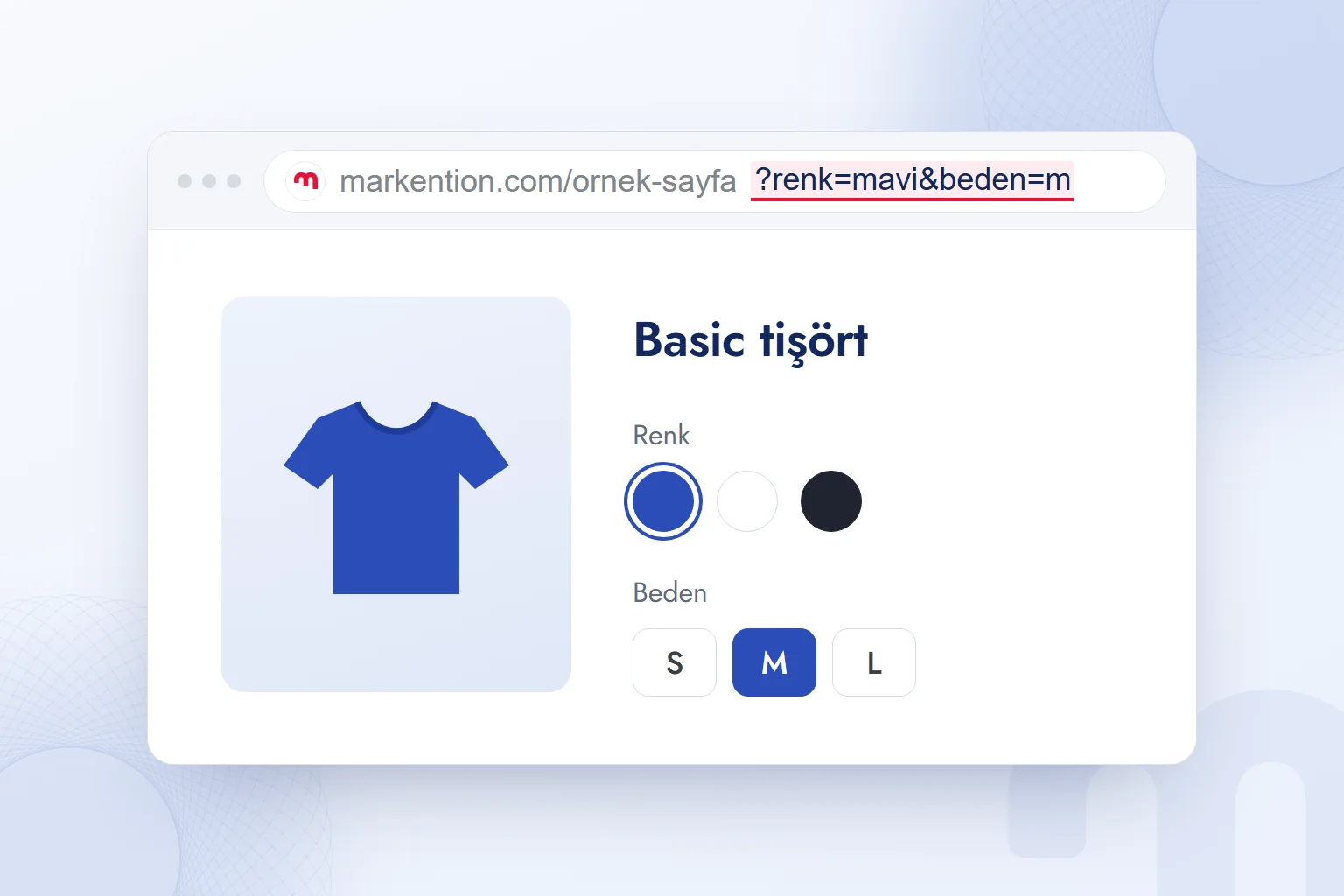
URL parameters are name=value pairs, introduced by ? for the first pair and & for subsequent pairs. In markention.com/ornek-sayfa?renk=mavi&beden=m, renk and beden mean color and size; mavi means blue, and m is the size.
Some parameters change content through filtering, sorting, pagination, or search; others carry tracking information, including utm_ tags, gclid, and fbclid. The application must recognize a parameter to process it.
We change the value after = and reload. A second question mark is incorrect: in ?renk=mavi?utm_source=bulten, utm_source becomes part of the color value. The correct form is ?renk=mavi&utm_source=bulten. Parameters precede any # fragment.
Spaces and accented characters need encoding: renk=açık mavi (light blue) becomes renk=a%C3%A7%C4%B1k%20mavi. A server that ignores parameter order may serve identical content for ?renk=mavi&beden=m and ?beden=m&renk=mavi, but Google sees separate URLs (Google Search Central, URL structure documentation).
What are UTM parameters, and how do we build campaign links?
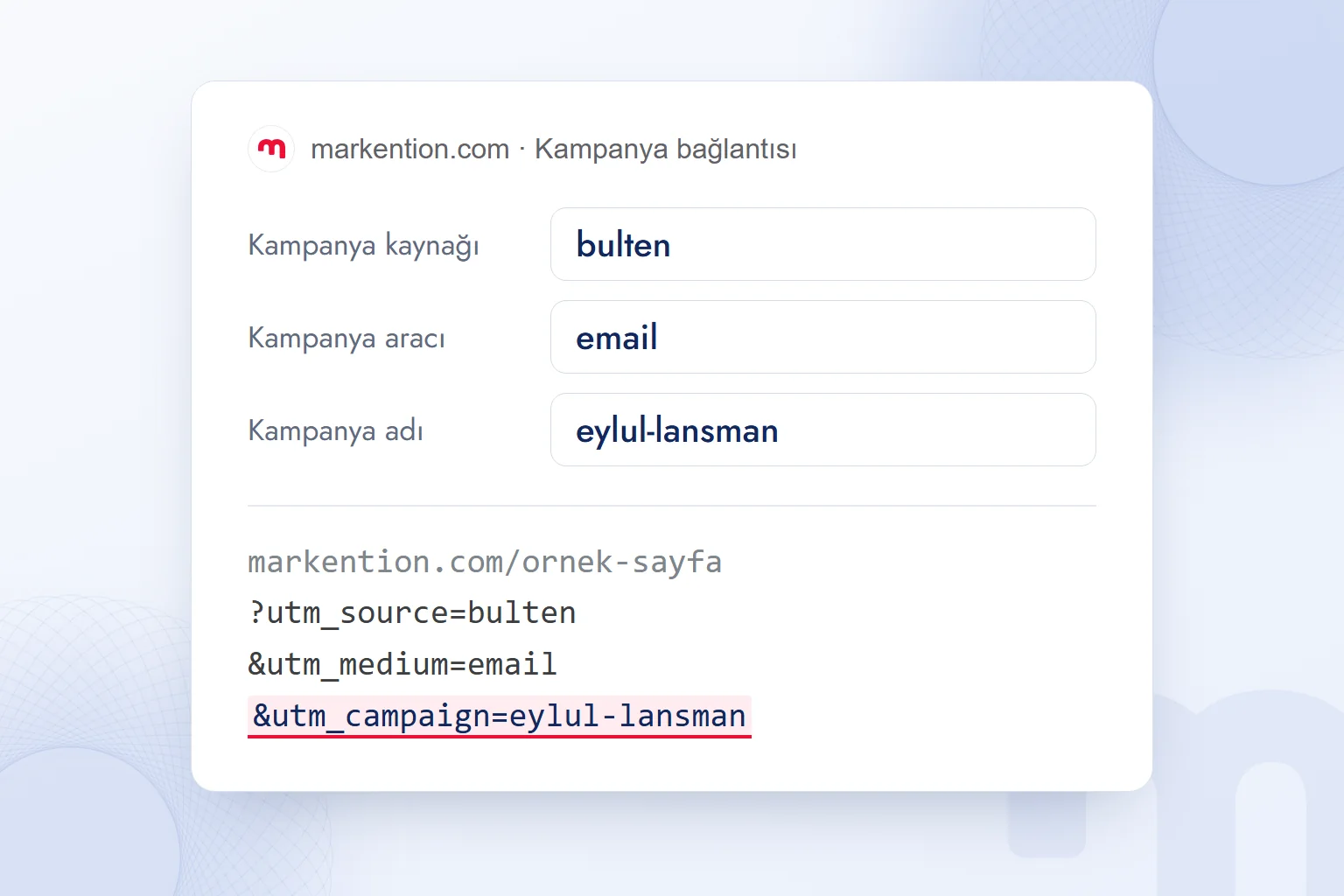
UTM parameters tell analytics tools a link’s source, medium, and campaign. UTM stands for Urchin Tracking Module. Google’s GA4 URL builder documentation recommends utm_source, utm_medium, and utm_campaign for every campaign link; utm_id identifies the campaign, while utm_term and utm_content are optional.
| Parameter | Question answered | Example value |
|---|---|---|
| utm_source | Where did traffic originate? | bulten |
| utm_medium | Which medium? | |
| utm_campaign | Which campaign? | eylul-lansman |
| utm_content | Which element was clicked? | ust-buton |
| utm_term | Which keyword? | parametre-nedir |
The Turkish example values mean newsletter, September launch, top button, and “what is a parameter.” We keep the campaign name consistent across email and social links, changing source and medium to distinguish their contributions.
- Set the sourceWe use utm_source for the originating newsletter, instagram, or partner website.
- Set the mediumWe use email, social, cpc, or referral. GA4 recognizes these English values; translated labels such as eposta or sosyal send traffic to Unassigned.
- Name the campaignWe share one naming convention, using lowercase letters and hyphens without accented characters.
- Build the linkWe use markention.com/ornek-sayfa?utm_source=bulten&utm_medium=email&utm_campaign=eylul-lansman. If shortening it, we shorten the complete tagged URL.
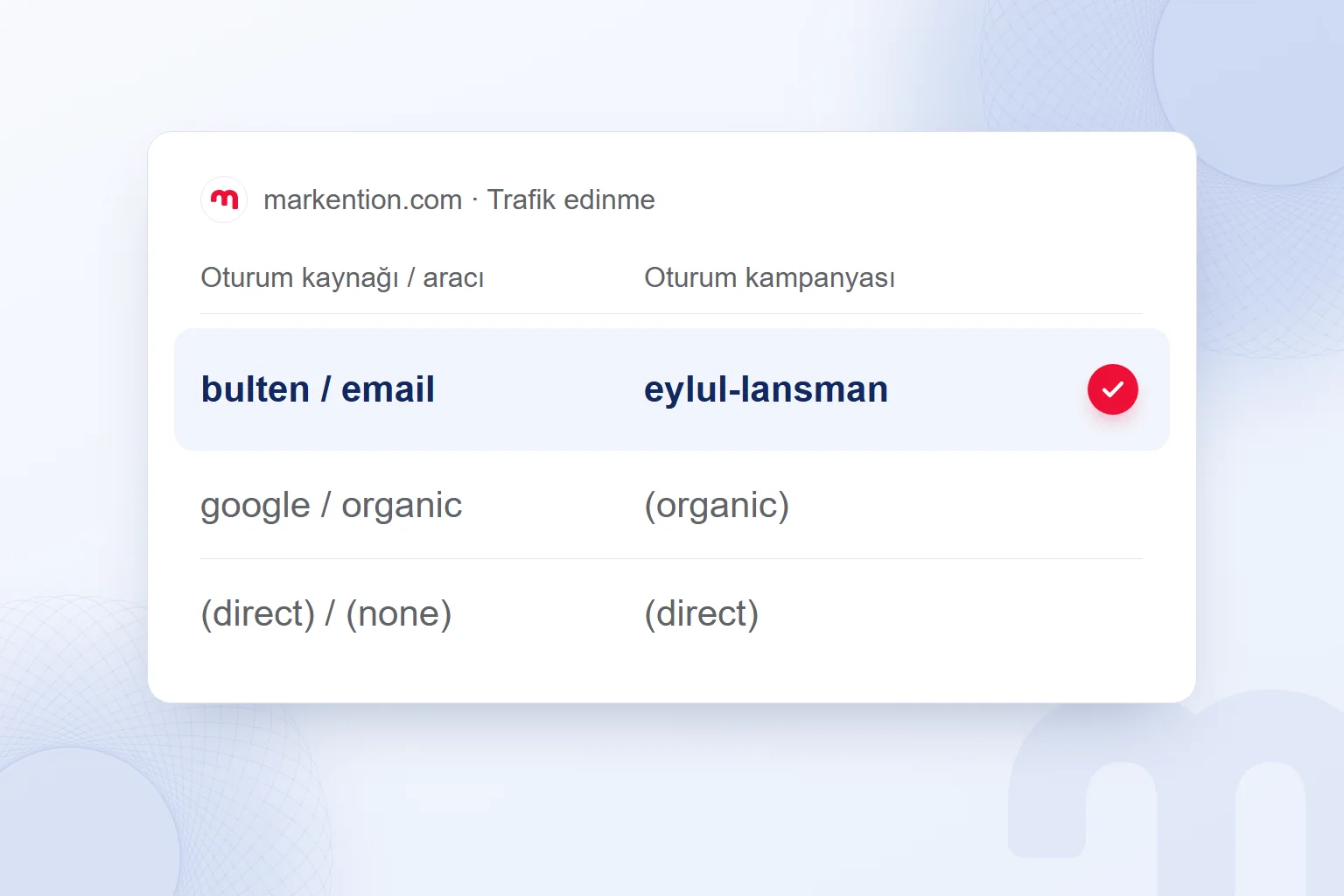
- Verify the reportIn GA4’s Traffic acquisition report, we add Session campaign alongside Session source / medium and check both.
GA4 treats UTM values as case-sensitive: Bulten and bulten produce separate rows (Google’s GA4 URL builder documentation).
We distinguish three reporting possibilities:
- The campaign has the correct name, source, and medium → tracking values reached the report; we assess results.
- Traffic appears as (direct) / (none) or referral → we check whether tags were lost. We open the link and inspect the final URL; missing utm_ fields point to a redirect, shortener, or in-app browser dropping parameters.
- One campaign splits across rows → we check capitalization, spaces, and accented characters, then align new links with our naming convention.
We set up campaign naming conventions and reports together.
Why are GA4 event parameters missing from reports?
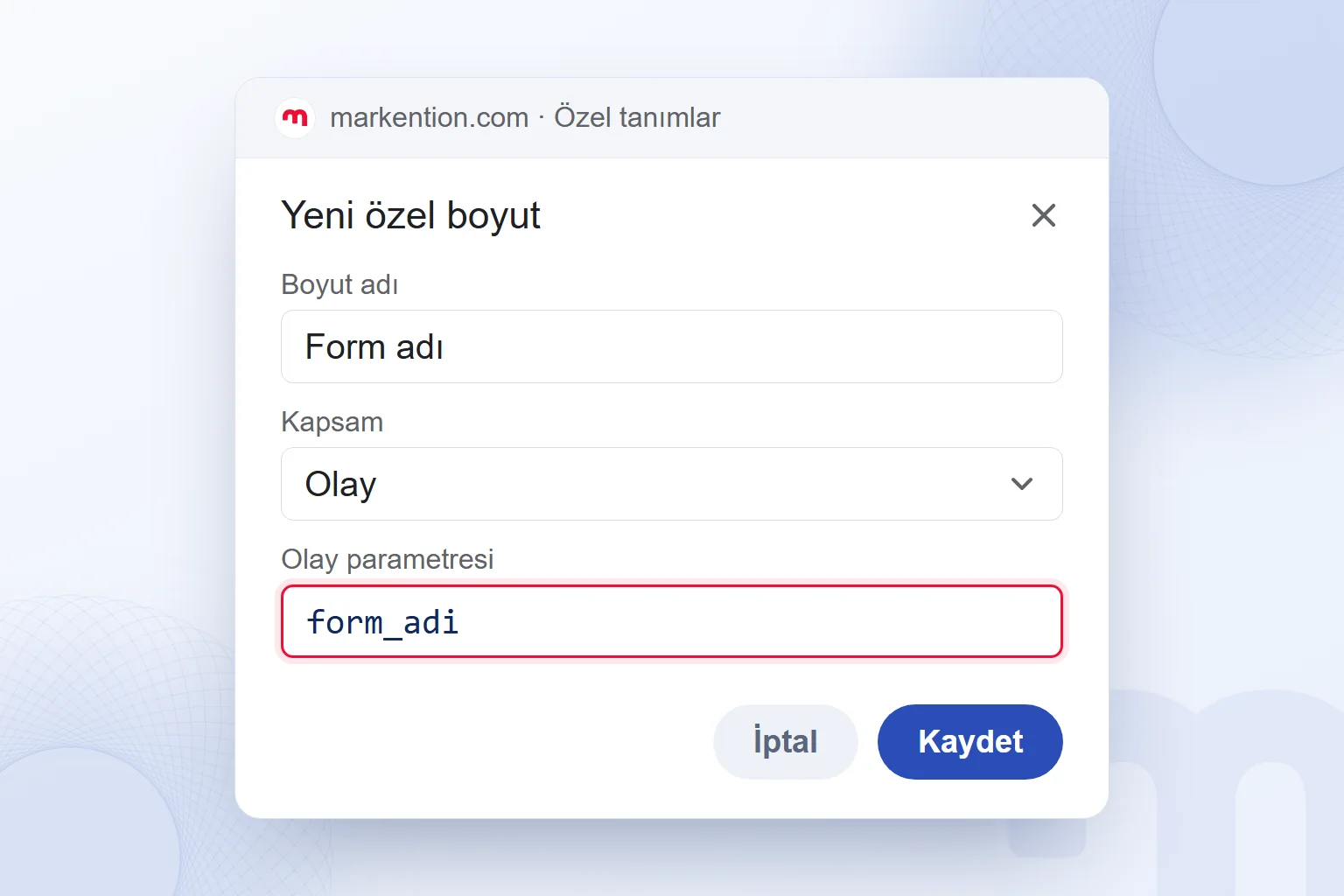
Custom GA4 event parameters need registration as custom dimensions before appearing in standard reports. An event parameter is a name=value pair describing an event, such as page_location with page_view.
Automatically collected parameters include page_location, page_referrer, language, and screen_resolution. The recommended purchase event uses value, currency, and items. Custom parameters such as form_adi (form name) and buton_metni (button text) distinguish interaction details.
In Admin, under Data display and Custom definitions, we register an event-scoped custom dimension. Report data accumulates after registration; it is not backfilled. We verify transmission in Google Tag Manager’s preview mode and GA4’s DebugView by finding form_adi under the event (Google’s custom dimensions documentation).
The custom dimension allowance is separate from event parameter limits.
We add parameter rows to the event tag in Google Tag Manager. Names use lowercase letters and underscores, without spaces or accented characters. The event parameter name in the custom dimension definition must exactly match the transmitted name.
What is gclid, and does auto-tagging replace UTMs?
gclid is the click identifier Google Ads adds to URLs when auto-tagging is enabled. With the Ads account linked to GA4, it connects traffic with source, medium, and campaign details, removing the need for manual UTMs on Google Ads links (Google Ads auto-tagging documentation).
On iOS, gbraid or wbraid may appear instead. Meta’s fbclid and TikTok’s ttclid identify clicks on their platforms; they do not replace UTMs for GA4. For other paid platforms, we set utm_source, utm_campaign, and utm_medium=cpc or utm_medium=paid_social as appropriate.
We distinguish three possibilities:
- Traffic shows google / cpc and the campaign name → auto-tagging is reflected in reporting; we assess results.
- Traffic shows google / organic or (direct) → we check the Ads–GA4 link and auto-tagging, then whether gclid= survives in the final landing URL.
- The source is correct but the campaign is (not set) → campaign details are missing; we check the account link, when it was established, and subsequent data.
Do parameterized URLs cause duplicate content?
Parameterized URLs create duplicates when different addresses serve identical content. A canonical tag identifies the preferred URL: for markention.com/ornek-sayfa?utm_source=bulten, it points to markention.com/ornek-sayfa. Google makes the final selection (Google Search Central, canonicalization documentation).
Search Console’s “Duplicate, Google chose different canonical than user” status means Google’s selection differs from ours. The former URL Parameters tool is unavailable; we align canonicals, internal links, and sitemaps.
We address common mistakes as follows:
- UTMs on internal links: GA4 does not start a new session, but subsequent events and key events are attributed to the internal campaign, taking credit from the original newsletter or ad. We measure internal clicks with event parameters.
- Blocking tracking parameters in robots.txt: Google cannot read the content or canonical tag. We coordinate crawl access with canonical preferences.
- Indexable filters without canonicals: unnecessary URLs multiply. We assess content differences and select the appropriate canonical.
- Tracking parameters in canonicals: including ?utm_source=bulten in the template’s href makes each campaign URL declare itself canonical. Tracking URLs should point to the parameter-free address.
- Parameterized duplicates in sitemaps: conflicting signals weaken the preference. We include canonical URLs.
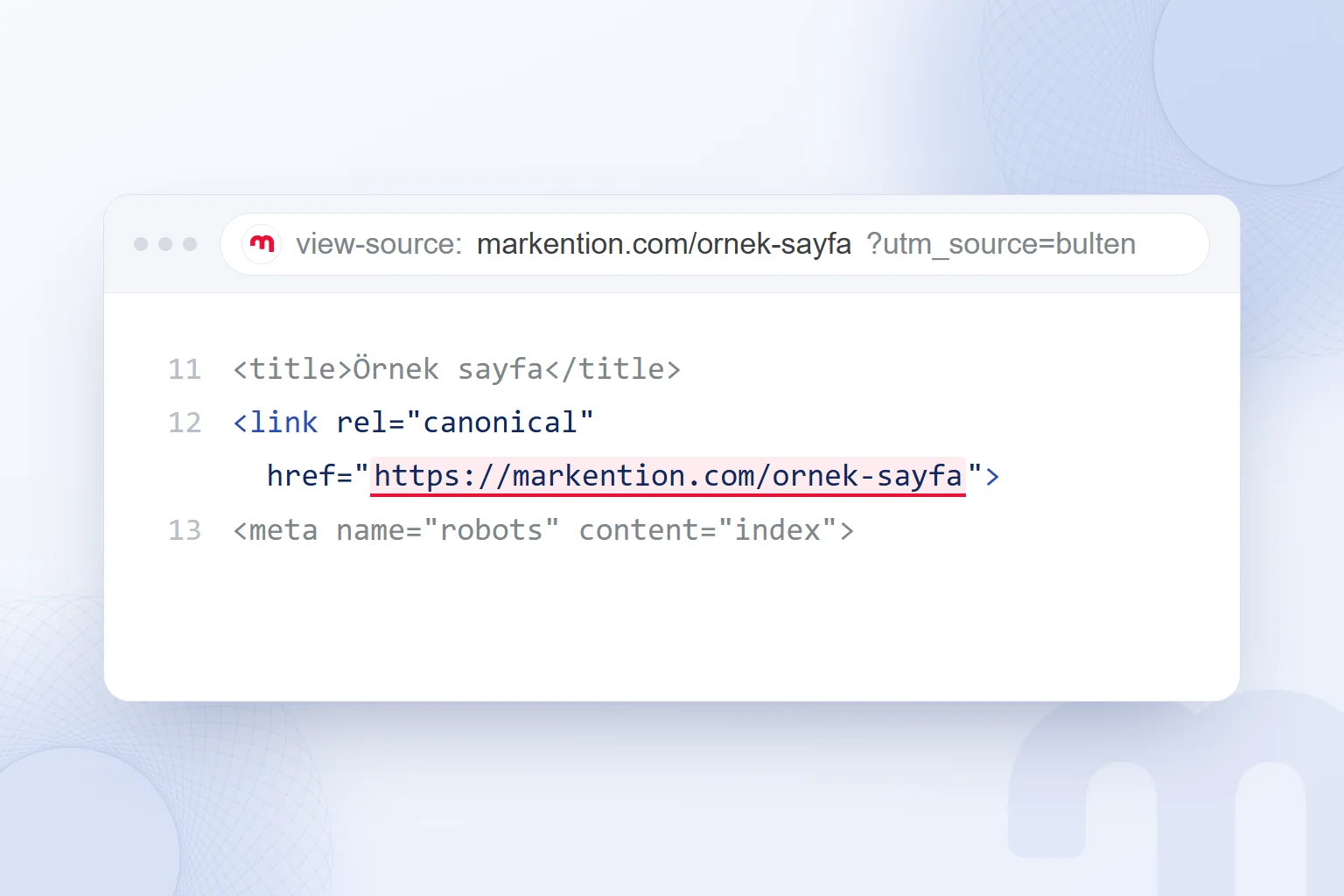
We start with three checks: the final campaign URL retains its utm_ fields, GA4 reports the campaign consistently in one row, and the canonical points to the parameter-free URL. We cover related measurement practices on our English blog.
Frequently asked questions
What is a parameter in simple terms?
A parameter is a variable value that affects a result. On the web, it carries URL information or describes an analytics event.
Does parameter mean the same thing in every field?
Its technical meaning depends on context: a population characteristic in statistics, a function input in programming, or a name=value pair in a URL.
What are examples of parameters?
Examples include ?renk=mavi for color, utm_source=bulten for campaign source, page_location in GA4, and gclid for Google Ads clicks.
Are UTM parameters case-sensitive?
UTMs carry source, medium, and campaign information. GA4 treats Bulten and bulten as separate values.
Why is a custom GA4 parameter missing from reports?
We must register it as an event-scoped custom dimension using the exact transmitted name. Reporting data is not backfilled.
Does Google treat parameterized pages as duplicates?
Yes, when different URLs serve identical content. A canonical tag indicates our preferred address; Google makes the final selection.

 What is a podcast? How podcasts work for brands and where to publishYazıyı okuEn çok okunan
 Advertising on ChatGPT: Ads Manager, Targeting and Your First CampaignYazıyı oku
 What is a title tag? How to write it and how it differs from H1Yazıyı oku
 What is a PDF? Uses, and PDFs on your website: indexing and trackingYazıyı oku
 ChatGPT image prompts and Gemini prompt examples for ad visualsYazıyı oku
 What is GEO? How Generative Engine Optimization worksYazıyı oku
Questions & answers
0 commentsNo questions yet; you can ask the first one.