





 Cihat Murat Yüksel
7 min read
Cihat Murat Yüksel
7 min read
What is a URL? Parts of a web address, slugs and their role in SEO
The parts of a URL, how it differs from a link and a domain name, choosing a readable slug, the 301 order when an address changes, URL shortening for campaigns and copying a link on a phone.Pro
Contents 9 sections
URL is the abbreviation of “Uniform Resource Locator”, the address that shows where a page, image or file is located on the internet. We build the of an address from words that describe the page’s topic.
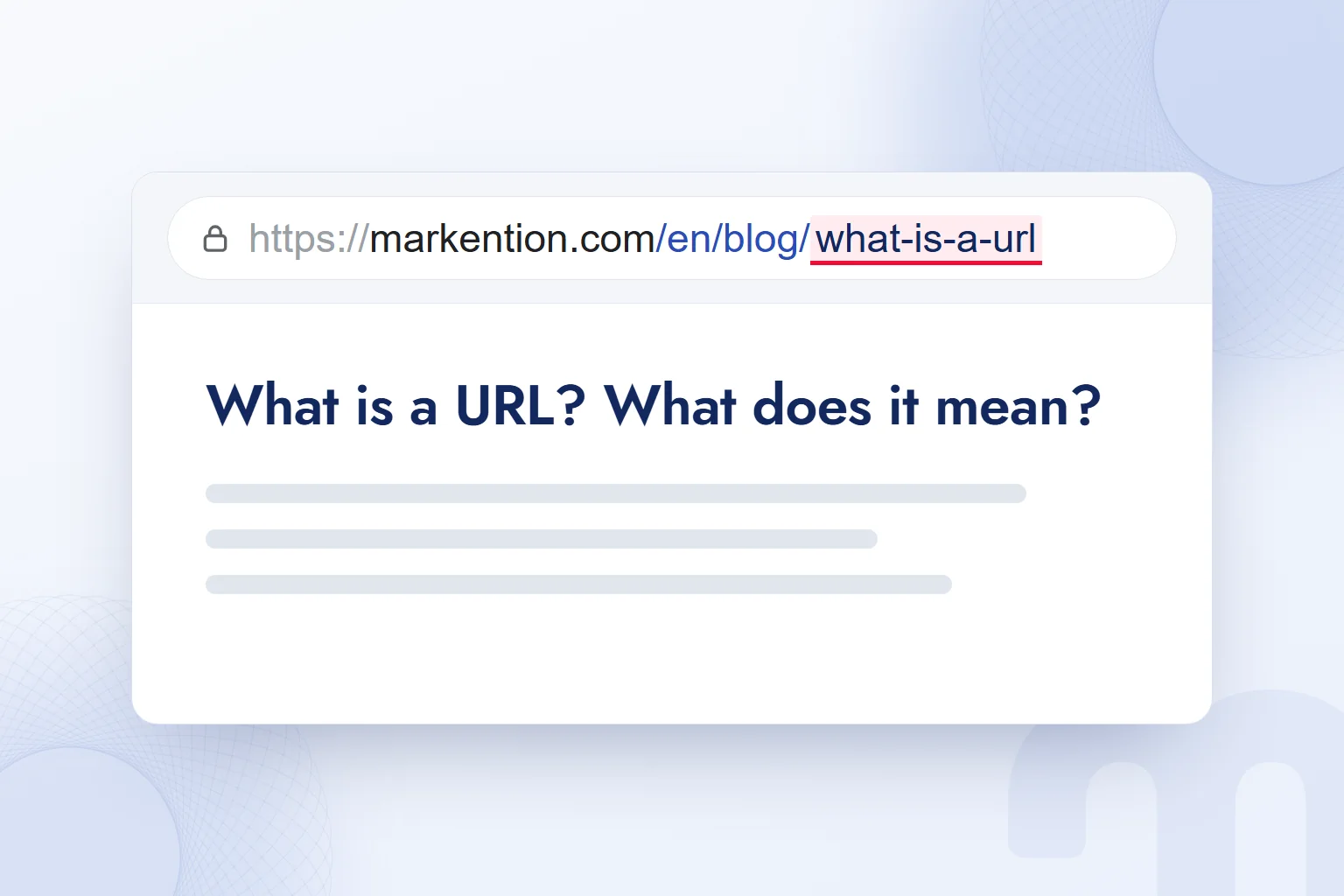
When assessing an address, we check its site, its page and how it looks when shared. In markention.com/en/blog/what-is-a-url, the site name, blog path and post name each do a separate job. We share full addresses, and when restructuring a site we account for old links to every changed address.
A URL is built with descriptive words; when an address changes, the old address is connected to the new page with a 301 redirect.
What does URL stand for?
URL stands for Uniform Resource Locator: the address of a web page, image or file on the internet. “Web address” means the same thing. A page’s URL is its full address, not just the site name.
A search for “URL” usually hides one of three intentions:
- The meaning of the abbreviation → We give the full form and show it with a page address.
- Finding and copying a page’s address → We open the page and use the address bar on desktop or the share menu on a phone.
- Planning a site’s address structure → We choose the domain name, path and slug together; if an existing address changes, we plan the redirect too.
These are different jobs behind one word. Sharing a post needs no new domain name; setting up a new page needs more than copying, since we decide its readable name and path.
What is a URL, and what parts does it have?
A URL is a resource address made of parts such as the protocol, the domain name and the path; it may also include a subdomain, parameters and a fragment. We read it from left to right to separate the connection type, the site and the page.
| URL part | Example | What it does |
|---|---|---|
| Protocol | https:// | States that the connection runs over HTTPS. |
| Subdomain | www | Marks the subdomain before the domain name. |
| Domain name | markention | The site name before the extension. |
| Extension | .com | Completes the domain name. |
| Path | /blog/ | Shows the blog section. |
| Slug | what-is-a-url | Carries the page’s readable name. |
| Parameter | ?color=blue | Carries extra information. |
| Fragment | #faq | Points to a section within the page. |
The “s” in HTTPS shows that the connection is encrypted with . A subdomain such as “www” sits before the domain name; the slug is the page name inside the path.
A parameter is the extra information after the question mark; “?color=blue” is one example. We never confuse it with the page’s readable name. Campaign tracking with parameters is covered in our post on URL parameters.
The fragment “#faq” points to a section on the page and is not sent to the server. Before editing an address, we identify which part we are changing.
What is the difference between a URL, a link and a domain name?
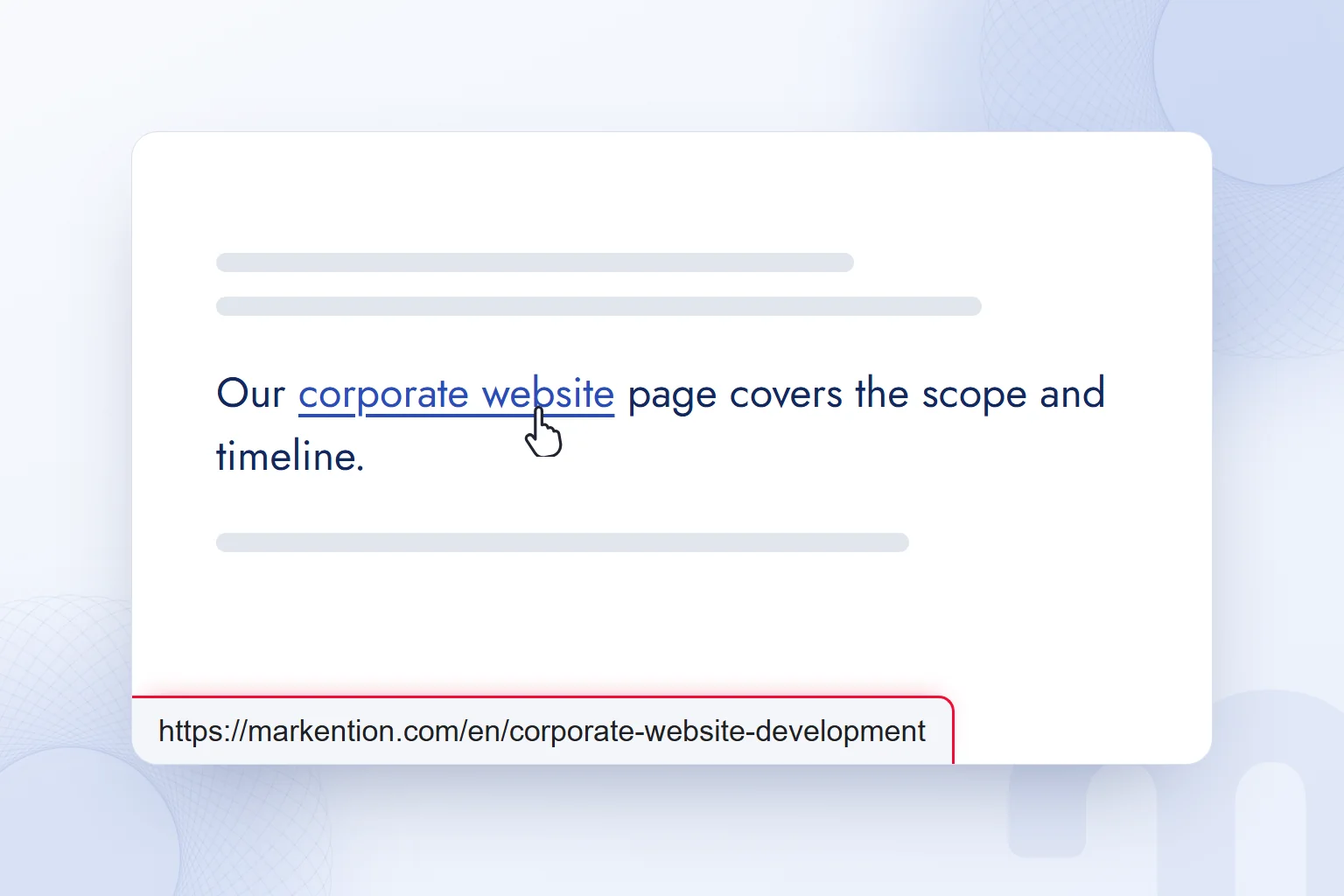
A URL is the address of a resource, a link is the clickable element that leads to it, and a domain name is the site name inside the URL. Text or an image acts as the link; the URL is its destination.
In this sentence, corporate website is a link. Its target URL is a service page on markention.com; the visible words are only the link text.
A blog post and a service page on markention.com share the same domain name and differ by path. We check a link’s wording and target together, and we pass pages to teammates as full URLs.
What is a slug, and how do you build an SEO-friendly URL?
A slug is the part of a URL that carries a page’s readable name; for an SEO-friendly structure, we join descriptive lowercase words with hyphens. We choose the words that match the topic rather than the whole title.
Google Search Central’s URL structure guidelines favour simple, descriptive words, hyphens between words and no long ID parameters. That is why we use “what-is-a-url”. We never join words with underscores or use meaningless character strings.
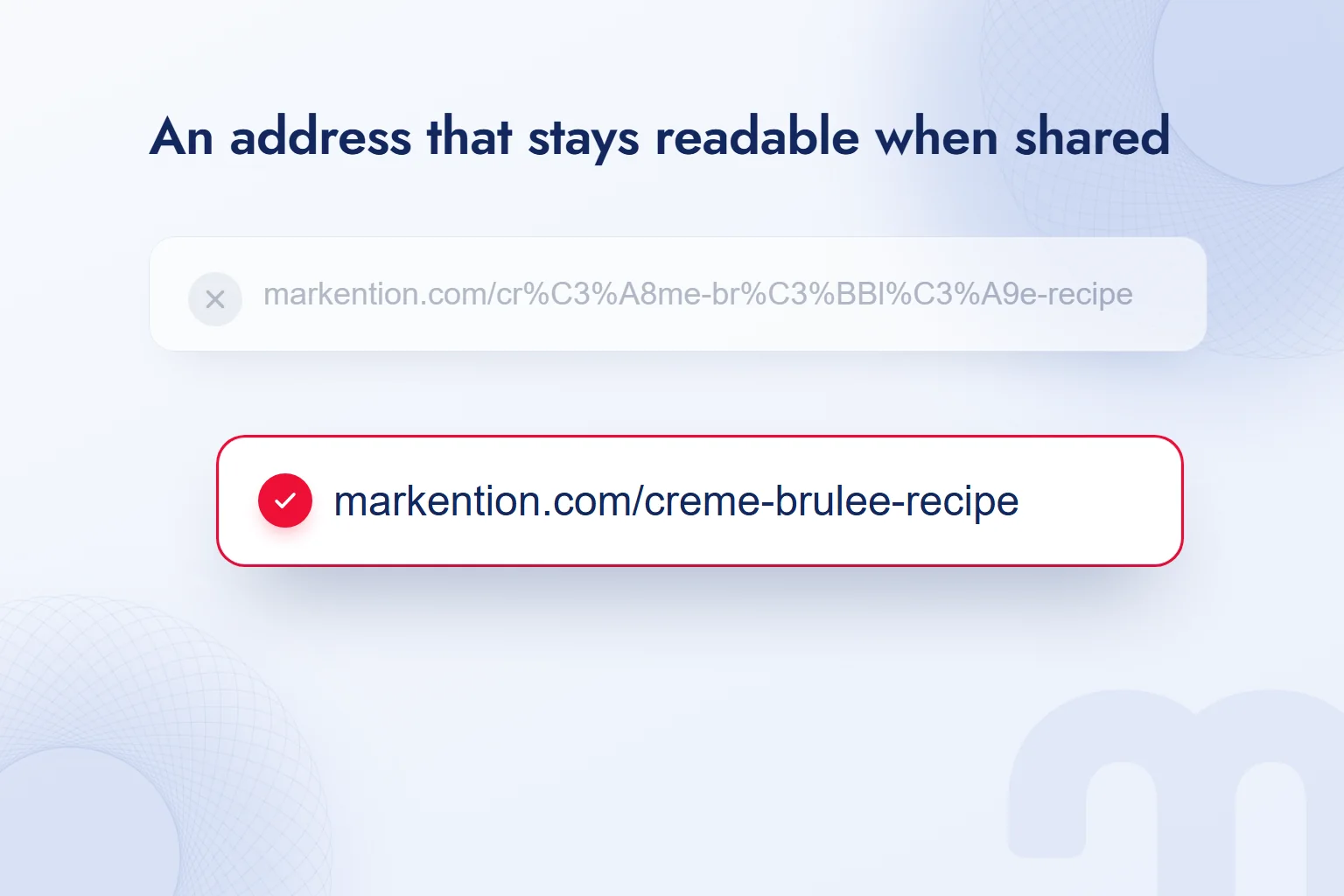
Non-ASCII characters are percent-encoded in a URL: “é” appears as “%C3%A9”, so an accented slug grows longer and harder to read when shared. When creating a slug, we write accented letters with their plain Latin base: é and è as e, û as u.
For “crème brûlée recipe”, we choose “creme-brulee-recipe”. The meaning stays and the address remains readable when shared. We decide this before publishing; if we change an existing address, we also plan how old links reach the new page.
What should you do when a URL changes?
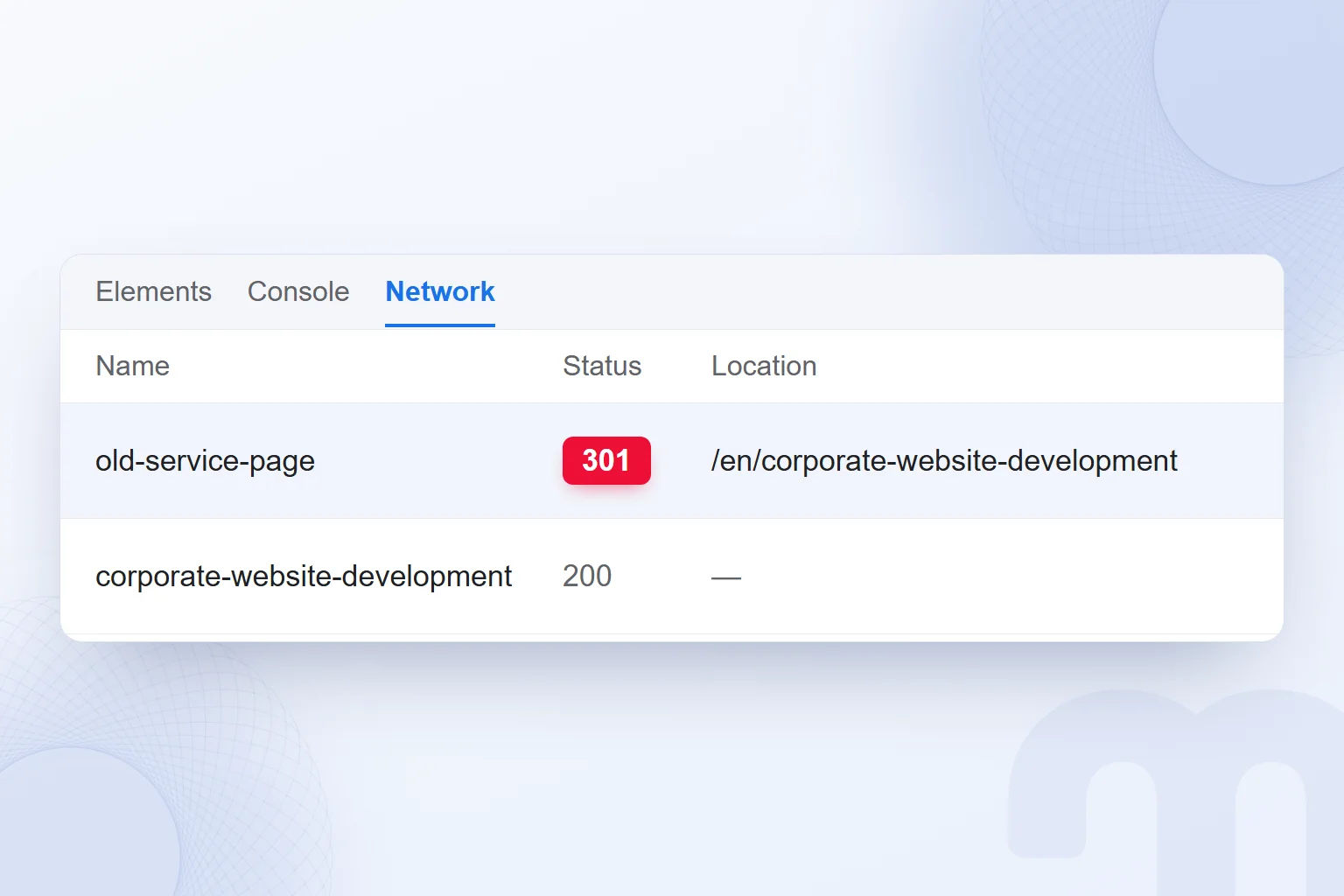
When a URL changes permanently, we set up a from the old address to the new one, update internal links and the sitemap, and monitor the result in Search Console. A temporary redirect uses 302.
The reason for the change decides the route:
- The slug has a typo → We settle the correct spelling and 301-redirect the misspelled address to it.
- Content is merging into one page → We 301-redirect each old address to the merged page.
- A temporary campaign page is in use → We use a 302; if the campaign moves to a permanent address when it ends, we set up a 301.
We establish why the address is changing and whether it is permanent, then map old addresses to new ones, including every address involved in a merge.
- We set the new addressWe choose the page’s new URL and map it to the old one.
- We set up the redirectWe apply a 301 for a permanent change and open the old address to check the destination.
- We update internal linksWe point every internal link to this page at the new address.
- We update the sitemapWe add the page’s new URL to the sitemap.
- We monitor the resultWe track the page’s status in Search Console after the change.
Opening the old URL and refreshing site links are separate checks; even with a redirect in place, we update internal links. Typing a new slug does not finish the change.
When should you use a URL shortener?
We use URL shortening to share a short link in print, text messages and social media; campaign tracking is prepared on the long target address.
We add the UTM details to the long URL first, then shorten it; we never add UTM tags to a short link afterwards.
Shortening services can shut down. We weigh where the link will be used and how dependent it is on the service, and for trust we prefer a branded short domain.
For print, we confirm the target page, add tracking, create the short link and check that it opens the intended address.
How do you copy the URL of a page?
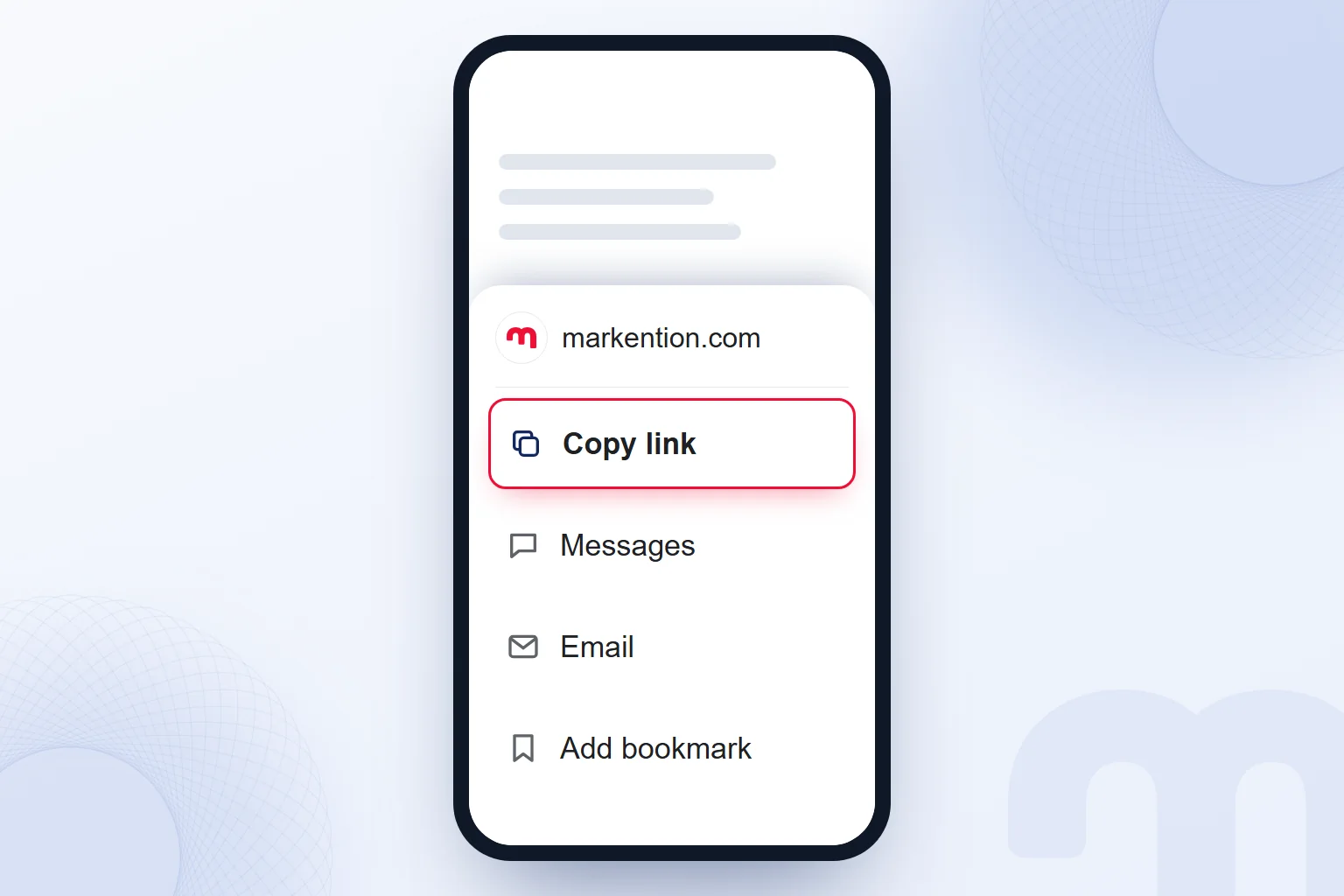
On desktop we take a page’s URL from the address bar; on a phone we use “Copy link” in the share menu. We open the page first and check its content, so we never pass on another page’s address.
On desktop we click the address bar, select the whole address, copy it and paste it into the message. Selecting the page title is not copying the URL.
On a phone, we open the share menu on the page, tap “Copy link”, then paste and check the address before sending. We make sure the address includes the page’s path, not just the domain name.
What are the most common URL mistakes?
The most common URL mistakes are treating the domain name as the full page address, building unreadable slugs, skipping the redirect when an address changes and shortening in the wrong order. Our final check covers the target and its use, not only how it looks.
- Sharing an incomplete address: We copy the page’s path along with the domain name.
- Separating words with underscores: We use hyphens between descriptive words.
- Leaving an old address with no destination: For a permanent change we set up a 301 and refresh internal links and the sitemap.
- Adding tracking after shortening: We prepare the long URL with UTM tags and then shorten it.
We plan paths and address changes with the content structure. Our web development posts continue with site structure using the same distinctions.
Frequently asked questions
What does URL stand for?
URL stands for “Uniform Resource Locator”. It is the address of a page, image or file on the internet.
Is a URL the same as a link?
A URL is the target address; a link is the clickable text or element that leads to it. A domain name is the part of the URL that carries the site name.
Can a slug contain non-ASCII characters?
Yes; they are percent-encoded in the address and make it harder to read when shared. For readability, we use plain Latin letters, lowercase and hyphens.
Should you use a 301 or a 302 when a URL changes?
We use a 301 for a permanent change and a 302 for a temporary redirect. For a permanent change, we also update internal links and the sitemap.
When are UTM details added when shortening a URL?
We shorten the URL after adding the UTM details to the long target address. We never add UTM tags to a shortened address afterwards.
How do you get the URL of a page on a phone?
We open the page and tap “Copy link” in the share menu. Before sharing, we paste the address into the message field and check it.

 What is a user interface (UI)? Meaning, examples and UX differenceRead article
 What is Git? Git vs GitHub and version control for marketersRead article
 What is Flutter? When to choose it for a mobile app, and its limitsRead article
 What is Shopify? Using it in Turkey, how fees work and vs WooCommerceRead article
 What is a browser? Browser examples and setting a default browserRead article
 What is a PDF? Uses, and PDFs on your website: indexing and trackingRead article
 What is a title tag? How to write it and how it differs from H1Read article
 What is a prompt? Writing requests for AI and prompt engineeringRead article
Questions & answers
0 commentsNo questions yet; you can ask the first one.