





 Cihat Murat Yüksel
8 min read
Contents 9 sections
Key takeaways
- Instagram post size is the width and aspect ratio of a photo shared in the Instagram feed.
- According to the Instagram Help Center, Instagram uploads photos at up to 1080 pixels wide.
- The tallest feed photo shared without cropping has a 3:4 ratio, equal to 1080 × 1440 pixels.
- An Instagram Reel should have an aspect ratio between 1.91:1 and 9:16 and at least 720 pixels of resolution.
Instagram post size is the width and of a photo shared in the feed; Instagram uploads photos at up to 1080 pixels wide and does not crop a photo whose ratio falls between 1.91:1 and 3:4.
We choose the post format first, then set width and height, and check the ratio each format needs before reusing one file. Keeping the whole photo, keeping text visible and choosing the right cover are design-stage decisions. An image meant for an ad is checked separately against the requirements of its placement.
The file is prepared 1080 pixels wide; for an organic portrait post, a 3:4 or 4:5 ratio is chosen.
What size should an Instagram post be?
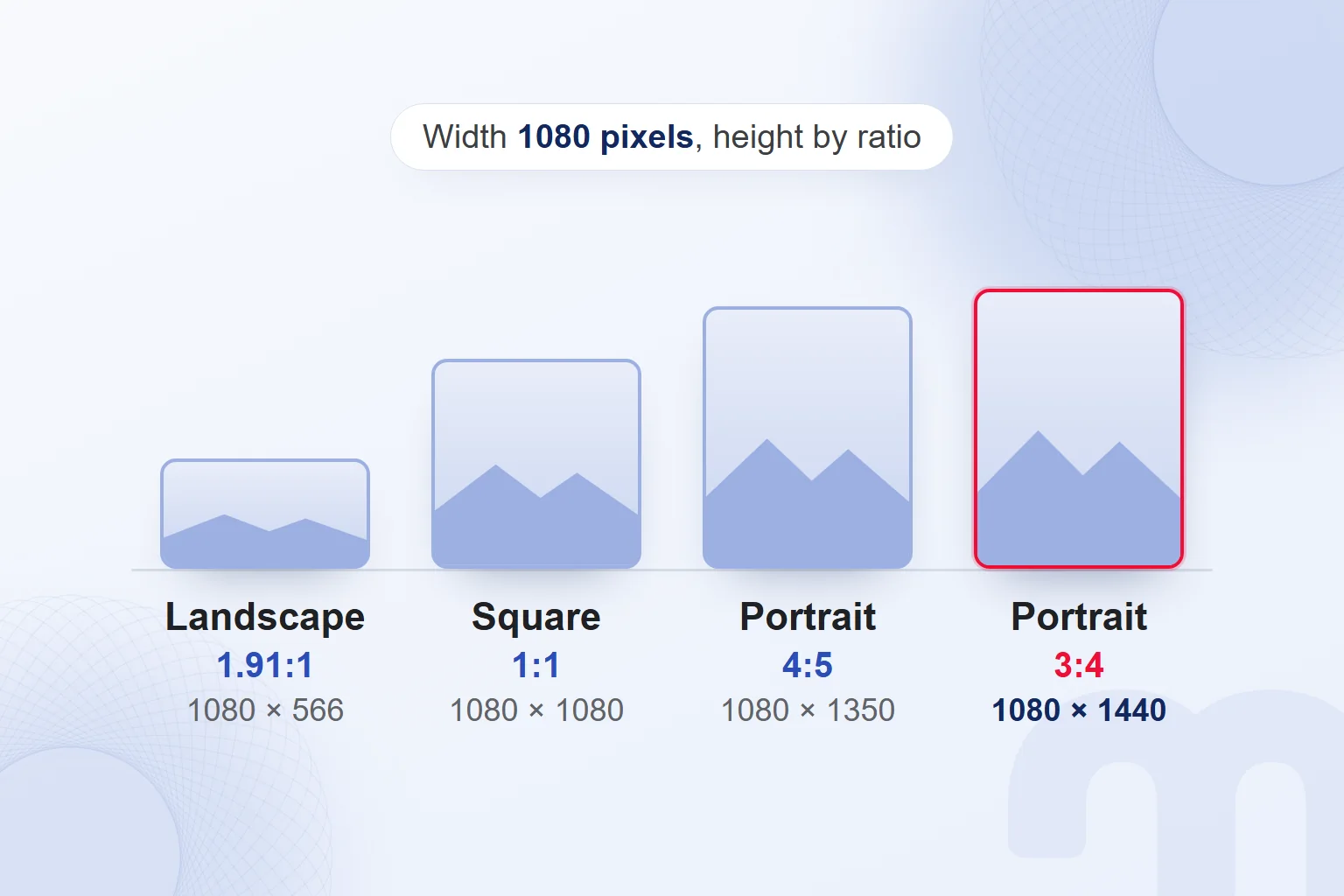
We prepare an Instagram post 1080 pixels wide, with an aspect ratio between 1.91:1 and 3:4. This range from the Instagram Help Center means a height between 566 and 1440 pixels at that width, and we frame every feed photo within these limits.
A square post is 1080 × 1080 pixels; a portrait post is 1080 × 1350 or 1080 × 1440 pixels; a landscape post is 1080 × 566 pixels. The first portrait option is 4:5 and the second 3:4; the square is 1:1, and the landscape option matches 1.91:1.
We never decide the size from the width alone; we also check the height and confirm the ratio is supported. If a 1080 × 1920 pixel image made for a full-screen story is going to the feed, we rebuild the composition inside the feed’s limits.
Why does Instagram crop or resize photos?
Instagram resizes a photo when its width is above the supported and crops it when its aspect ratio is outside the supported range. A photo 320 to 1080 pixels wide with a ratio between 1.91:1 and 3:4 keeps its original resolution; narrower photos are enlarged to 320 pixels wide.
The path splits by situation:
- Wider than 1080 pixels → Instagram reduces the width to 1080 pixels on upload; we prepare the file at 1080 pixels wide from the start.
- Narrower than 320 pixels → Instagram enlarges the width to 320 pixels; we use a higher-resolution source.
- Ratio outside 1.91:1 to 3:4 → Instagram crops the photo to a supported ratio; we keep the key element in the uncropped area or change the image’s ratio.
To share at 1080 pixels wide, we use the latest app version and upload a photo at least 1080 pixels wide, in range. Support for a narrower image does not mean Instagram will enlarge it to 1080; we check the actual width of the source file.
What is the difference between square, portrait and landscape posts?
The difference between square, portrait and landscape posts is the ratio of width to height. A square has equal sides; a portrait image is taller, a landscape image wider. At the same width, a portrait image takes up more of the screen. For organic portrait posts we choose 3:4 or 4:5 and fit the photo and text into that frame.
| Format | Ratio | Size (pixels) | Source |
|---|---|---|---|
| Square post | 1:1 | 1080 × 1080 | Instagram Help Center |
| Portrait post | 4:5 | 1080 × 1350 | Instagram Help Center |
| Tallest portrait post | 3:4 | 1080 × 1440 | Instagram Help Center |
| Landscape post | 1.91:1 | 1080 × 566 | Instagram Help Center |
| Story | 9:16 | 1080 × 1920 | Meta story ad recommendation |
| Reels | 9:16 | 1080 × 1920 | Vertical end of the Reels range |
| Reels cover | 1:1.55 | 420 × 654 | Instagram Help Center |
Meta’s feed ad requirements are separate from organic post sizes. Feed ads support ratios from 1.91:1 to 9:16, taller media may be cropped automatically to the recommended 4:5, and Meta recommends at least 1080 × 1080 pixels. For an organic feed photo, the tallest limit is 3:4.
Instagram has five ad placements: Feed, Stories, Explore, Reels and Search. We prepare ad visuals for the placement where they will appear as part of our Meta Ads consulting work, and when one design runs in several placements we check the text and photo position in each.
What is the Instagram story size?
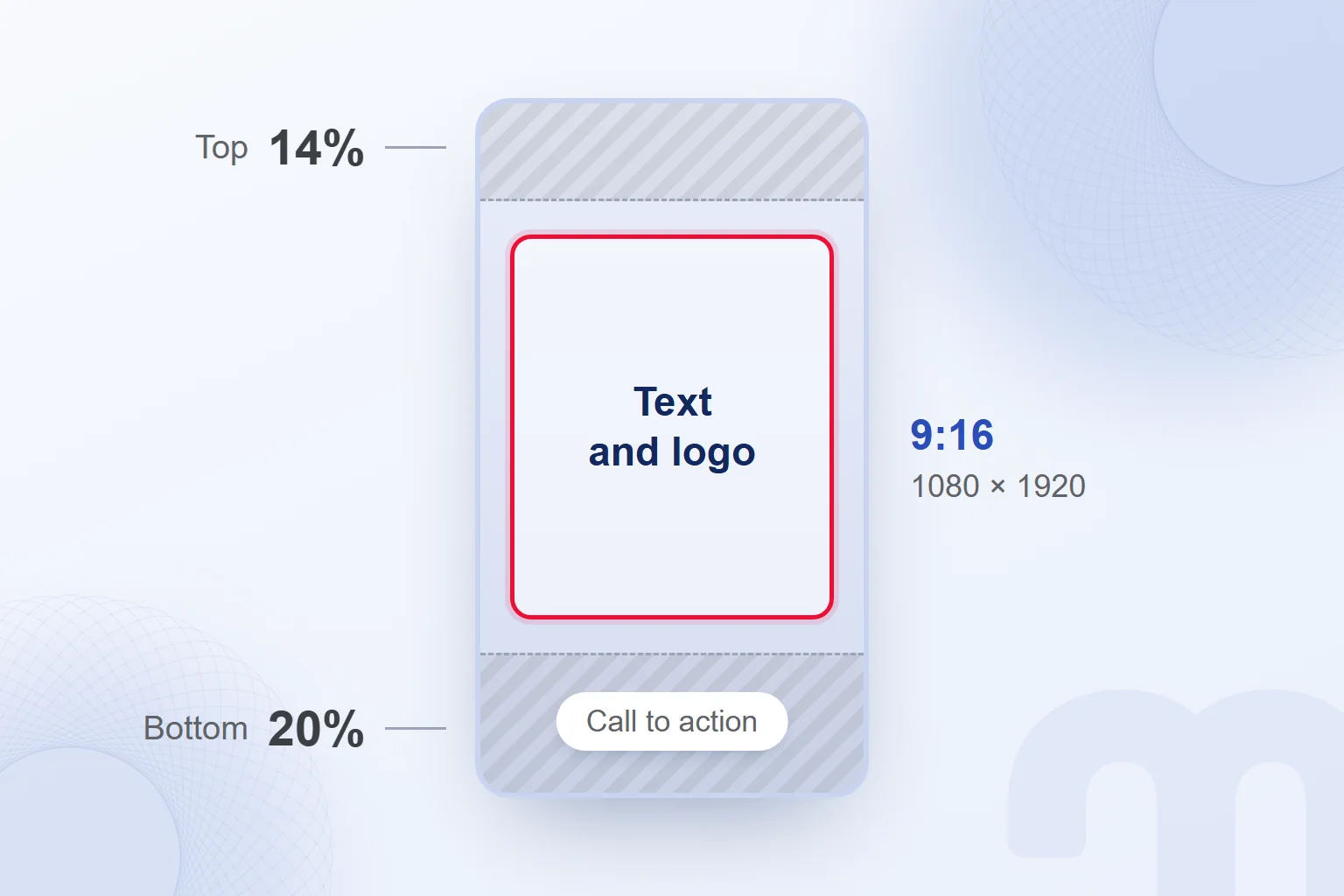
An Instagram story uses a full-screen vertical 9:16 ratio, which we prepare at 1080 × 1920 pixels. The Meta Business Help Center recommends 1080 × 1920 pixels for story ads, with a minimum of 600 × 1067 pixels. These are ad requirements; the Instagram Help Center gives no pixel size for organic stories, so we use the same 1080 × 1920 pixels there too.
The call to action sticker in a story ad sits at the very bottom of the ad by default. So that it covers nothing important, Meta recommends keeping text, logos and key elements out of roughly the top 14% and bottom 20% of the frame. We keep important text outside these bands.
Size and text placement are separate checks: even in a 9:16 frame, the headline never goes at the very top or the logo at the very bottom. We use the centre for key elements and review the layout before posting.
What is the Instagram Reels size?
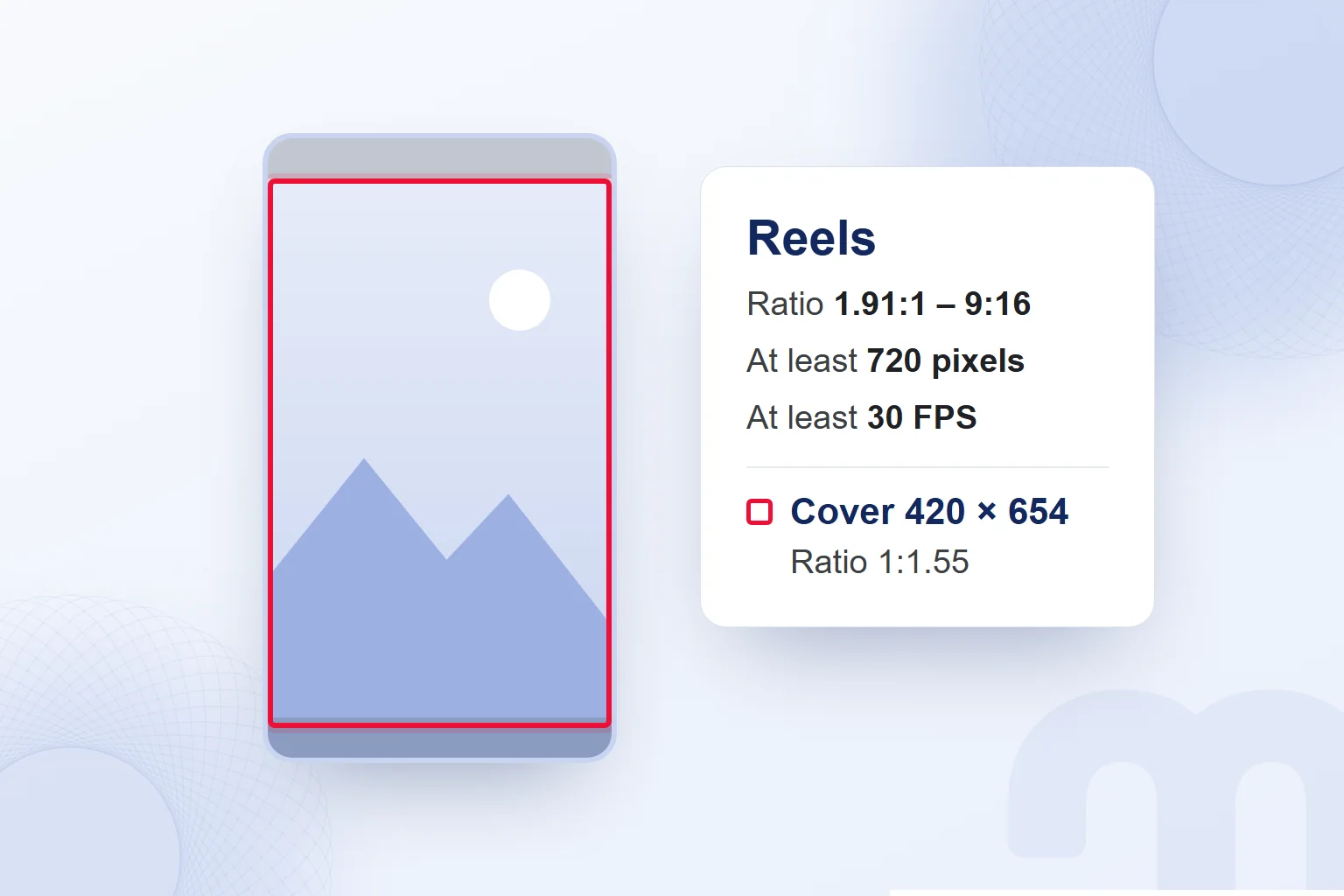
An Instagram Reel should have an aspect ratio between 1.91:1 and 9:16 and a resolution of at least 720 pixels. The Instagram Help Center also asks for a of at least 30 FPS. For full-screen vertical Reels we choose 9:16 at 1080 pixels wide, which works out to 1080 × 1920 pixels.
The recommended Reels cover size is 420 × 654 pixels, with a stated ratio of 1:1.55. We prepare the cover as a PNG or JPG. A cover photo cannot be edited after upload, so we settle it before posting, checking the cover size separately from the video size and making sure the cover shows what the video is about.
We explain what Reels are and their length limits in our Reels guide. Before posting, we check the video’s ratio, resolution, frame rate and cover.
How do you choose a carousel post size?
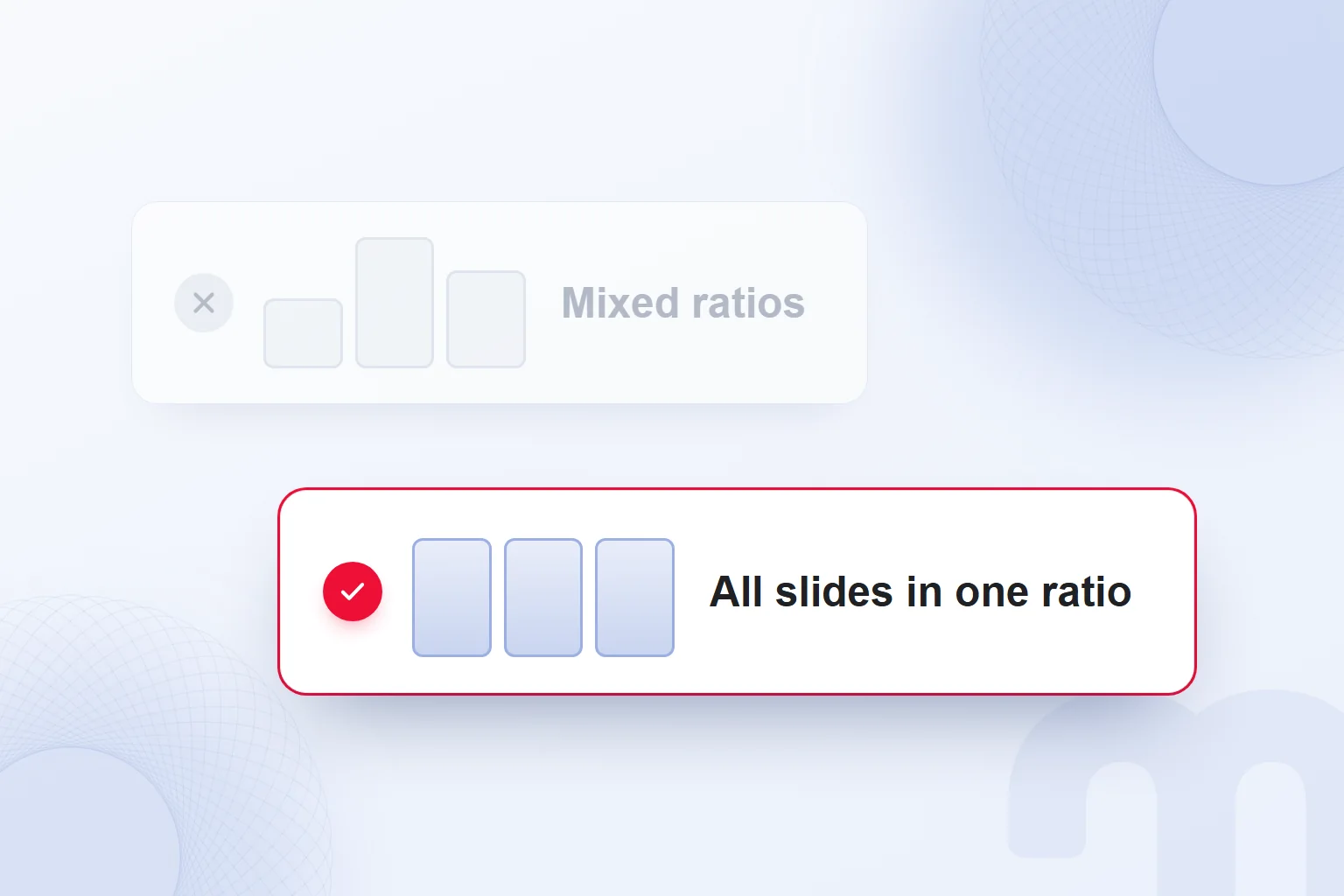
We set a carousel’s size by choosing one square, portrait or landscape format that applies to every photo and video in the post. A carousel can hold up to 20 photos and videos. The chosen format affects the whole carousel and cannot be set per item, so we prepare every slide in the same ratio.
In a portrait carousel, we keep the first image’s ratio across the rest and check that key elements stay inside the frame. If a landscape photo goes into a portrait carousel, we adjust its placement before posting.
Videos in a carousel do not count as Reels and do not appear in the profile’s Reels tab. Photos or videos cannot be added to a carousel after it is shared, so we check that the content is complete and in order before publishing. The caption, location and tags can be edited later, but we never leave a missing image for afterwards.
How do you keep image quality when uploading to Instagram?
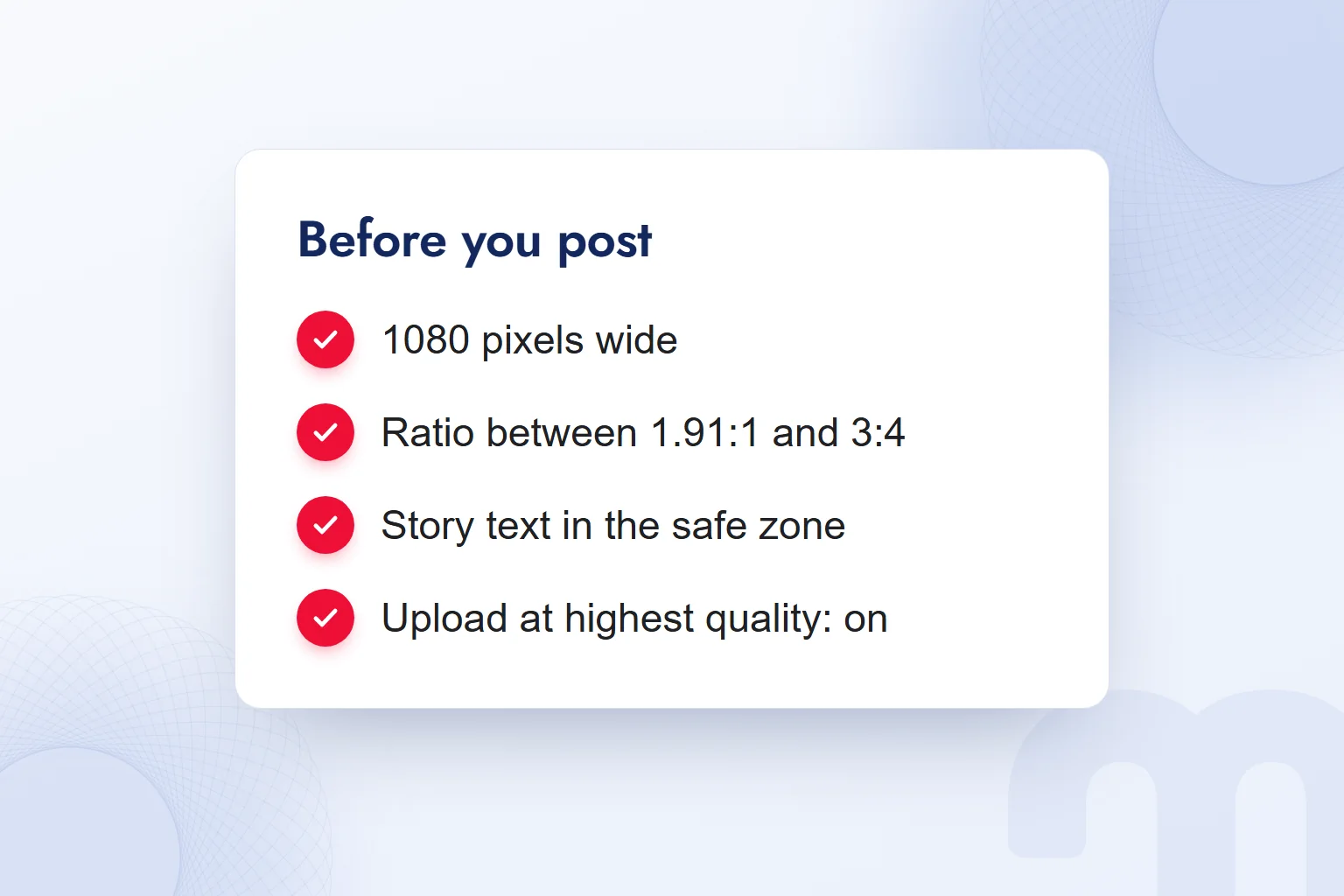
To keep image quality on Instagram, we check the source file’s width, the post’s ratio and the upload setting together. We start from the format we will post in and do the final check in the app’s preview.
- We choose the formatWe decide whether we are preparing a feed post, story, Reel or carousel.
- We prepare the file 1080 pixels wideWe set the height by the chosen ratio and check the source image’s width.
- We keep the ratio within limits1.91:1 to 3:4 in the feed, 1.91:1 to 9:16 for Reels.
- We place text in the safe zoneIn stories, important text and logos stay out of roughly the top 14% and bottom 20%.
- We turn on highest-quality uploadsProfile → Menu → Your app and media → Media quality → Upload at highest quality, switched on.
- We check the crop in the previewWe drag the frame and confirm the key element is not cut off.
Higher-quality Reels uploads may take longer; in a carousel we preview every image.
What are the common mistakes when preparing Instagram images?
The common mistakes when preparing Instagram images are placing important story text at the edges, mixing ratios in a carousel and leaving the Reels cover for later. We decide all three while preparing the file.
The common situations and our response to each:
| Situation | What we do |
|---|---|
| Story text at the very top or bottom | we keep important text out of roughly the top 14% and bottom 20%. |
| Carousel images in different ratios | the format applies to the whole carousel, so we prepare them all in one ratio. |
| Planning to change the Reels cover later | the cover cannot be edited after upload, so we choose it before posting. |
In the final check we read the file’s width, ratio and post format together. A size prepared for ads is not the limit for an organic post; when an image moves to another placement, we reassess the frame and the position of key elements. Cleaning up and extending backgrounds before cropping is covered in our AI photo editing post, caption tags in what is a hashtag, and logo file formats for profile pictures in what is a logo. More on social media content and image preparation is on our blog.
Frequently asked questions
How many pixels should an Instagram post be?
We prepare Instagram posts 1080 pixels wide. The feed keeps ratios from 1.91:1 to 3:4 uncropped, which at this width means a height of 566 to 1440 pixels.
What is the Instagram portrait post size?
We prepare portrait posts at 1080 × 1350 pixels for 4:5 or 1080 × 1440 pixels for 3:4. For an organic feed photo, the tallest limit is 3:4.
What size should an Instagram story be?
We prepare stories at 9:16, 1080 × 1920 pixels. This is Meta’s story ad recommendation; the Instagram Help Center gives no pixel size for organic stories.
What is the Instagram Reels size?
Reels support ratios from 1.91:1 to 9:16 and need at least 720 pixels and 30 FPS. For full screen we use 1080 × 1920 pixels at 9:16.
What size should a Reels cover be?
The Instagram Help Center recommends 420 × 654 pixels and a 1:1.55 ratio. We prepare the cover as a PNG or JPG and choose it before posting, since it cannot be edited after upload.
What size should an Instagram profile picture be?
The Instagram Help Center gives no pixel size for profile pictures. A profile picture is public on and off Instagram; we prepare logos in a simple form that stays legible at small sizes.

 How to make a presentation: AI tools, PowerPoint and proposal decksRead article
 How to make money on Instagram: eligibility requirements and toolsRead article
 What is a slogan? How to write one, and how it differs from a taglineRead article
 What is Pantone? Color palettes, color codes and brand colorsRead article
 What is a SWOT analysis? How to do one, and how it differs from PESTRead article
 What is a case study? How to write a client case study, with templateRead article
 What is a blog, and what is a blogger? How to write a blog postRead articleMost read
 What is a hashtag? How to use hashtags and how many to addRead article
Questions & answers
0 commentsNo questions yet; you can ask the first one.