





 Cihat Murat Yüksel
11 min read
Contents 13 sections
Key takeaways
- Instagram Reels are short Instagram videos edited with music, effects and voiceover and shared with followers.
- According to the Instagram Help Center, Reels can record and edit videos of up to 20 minutes.
- Reels longer than three minutes are not recommended to new audiences.
- Reel plays count the number of times the video started to play, not including replays.
Reels are short Instagram videos edited with music, effects and voiceover and shared with followers; from a public account they can reach a wider audience in Feed, in and in the Reels viewer.
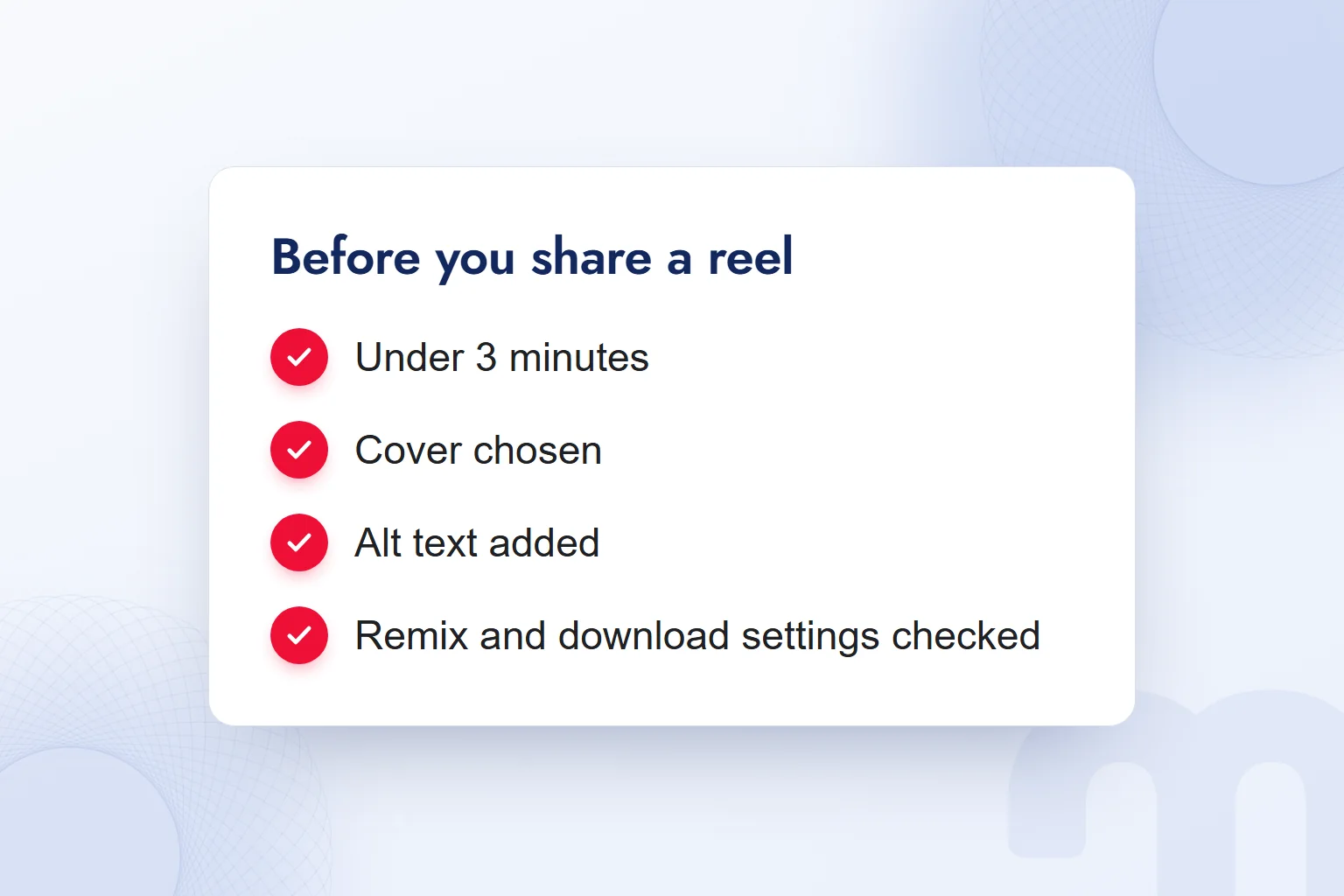
Before filming a reel, we decide the topic, who will see it and what we will measure afterwards. To reach new audiences, we keep it under 3 minutes. Before sharing, we check the cover, alt text and remix and download settings. After publishing, we read plays with comments, shares and website visits.
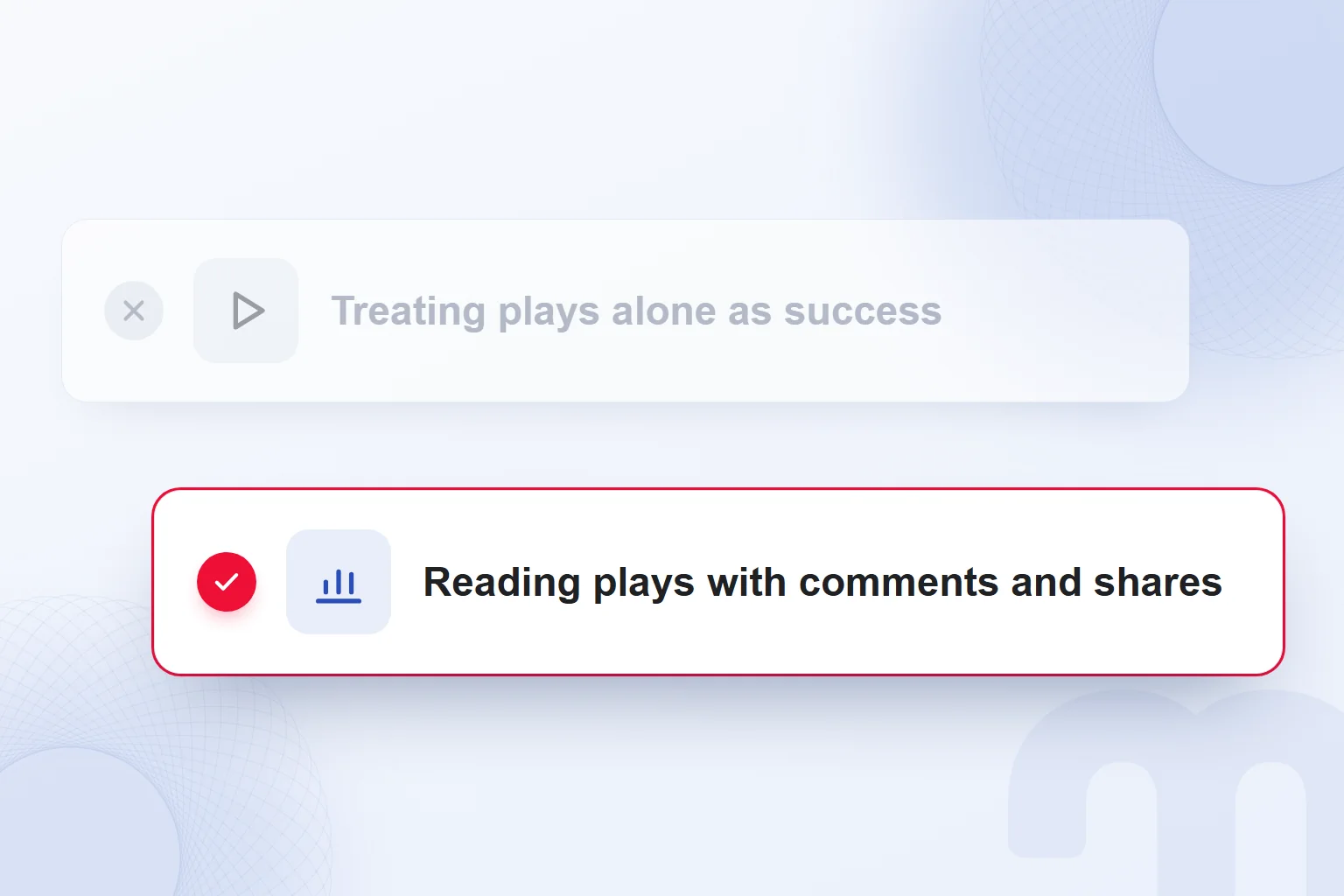
Reels meant to reach new audiences are kept under 3 minutes; plays are not counted as success on their own but are read with comments and shares.
What does Reels mean?
Reels is Instagram’s format for short videos that we create, edit and share with our followers. The word is the plural of reel, a spool for thread, fishing line or film; Cambridge Dictionary also defines reel as the trademark name for a short video shared on social media. Instagram keeps the English name Reels even in its Turkish interface.
We can add music, effects and voiceover or keep the original audio. We first write the idea in one sentence, choose footage and sound to serve it and drop music or effects unrelated to the topic.
Instagram offers professional accounts for businesses and creators; when we share reels for a brand, we prepare them there as part of the content plan. The account’s privacy settings decide who can see the video, use our audio and download it.
Where do Instagram Reels appear?
A reel from a public account can appear in Feed, the Reels viewer, Explore and on audio, effect and hashtag pages; on a private account only approved followers see it. So we first check whether the account is public or private.
A shared reel also appears in the Reels section of our profile, so we plan it alongside the rest of the profile and pick a cover from the clip or our device that describes the topic accurately.
Reels can also be shared to Facebook, where the Facebook audience setting decides who sees them. We check both settings separately and write every destination into the publishing plan.
How long can Instagram Reels be?
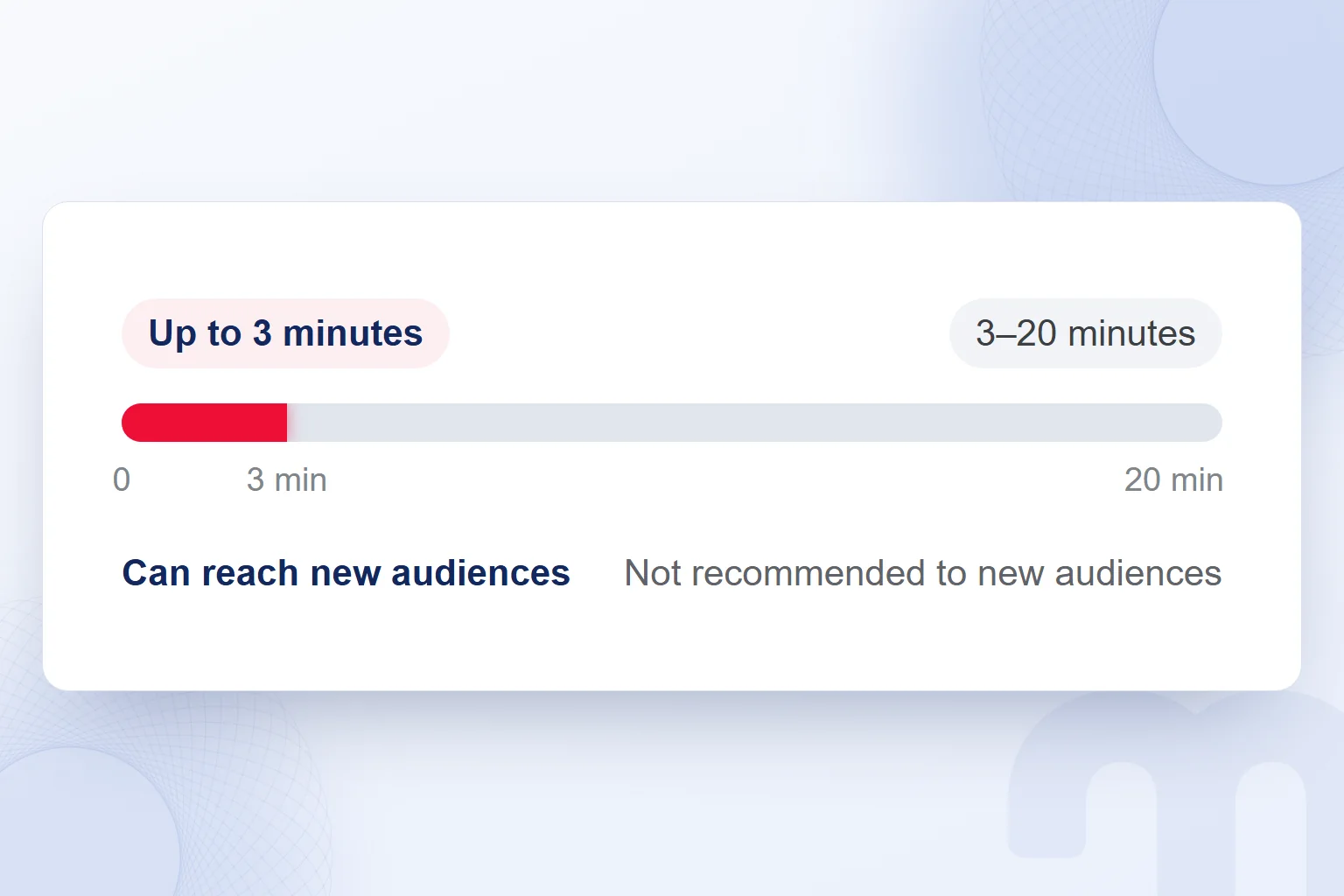
Reels can record and edit videos of up to 20 minutes, but reels longer than 3 minutes are not recommended to new audiences. The recording limit in the Instagram Help Center is not the recommendation limit.
We set length by the result we expect. A reel for new audiences stays under 3 minutes; a longer explanation for followers can use the 20-minute limit. When shortening, we keep the core information, cut repetition and watch the result end to end to confirm the meaning survived.
Recording reels is not available to everyone; some accounts can view reels but cannot record them. Before filming we check that the account we will use can create reels.
What size are Instagram Reels?
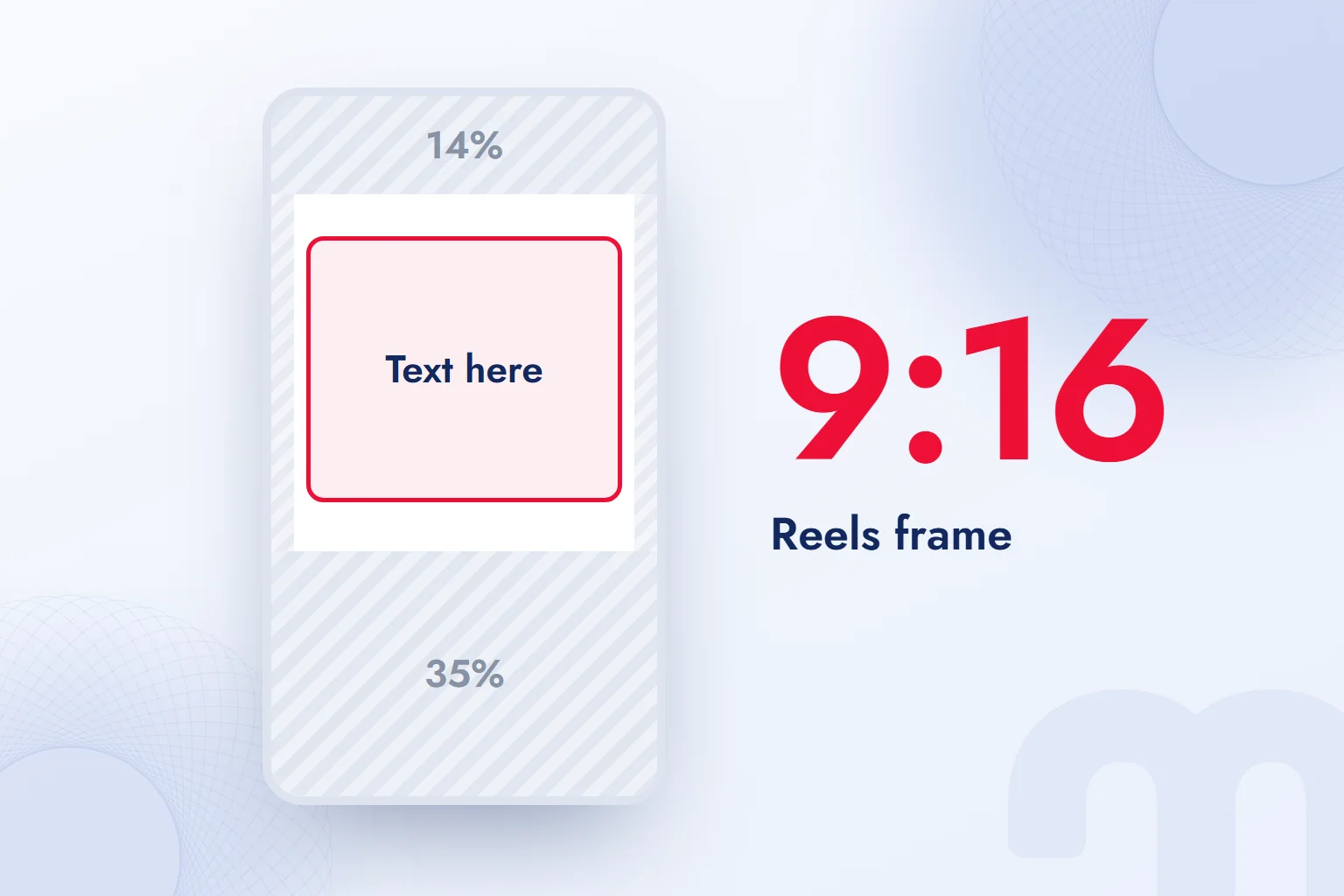
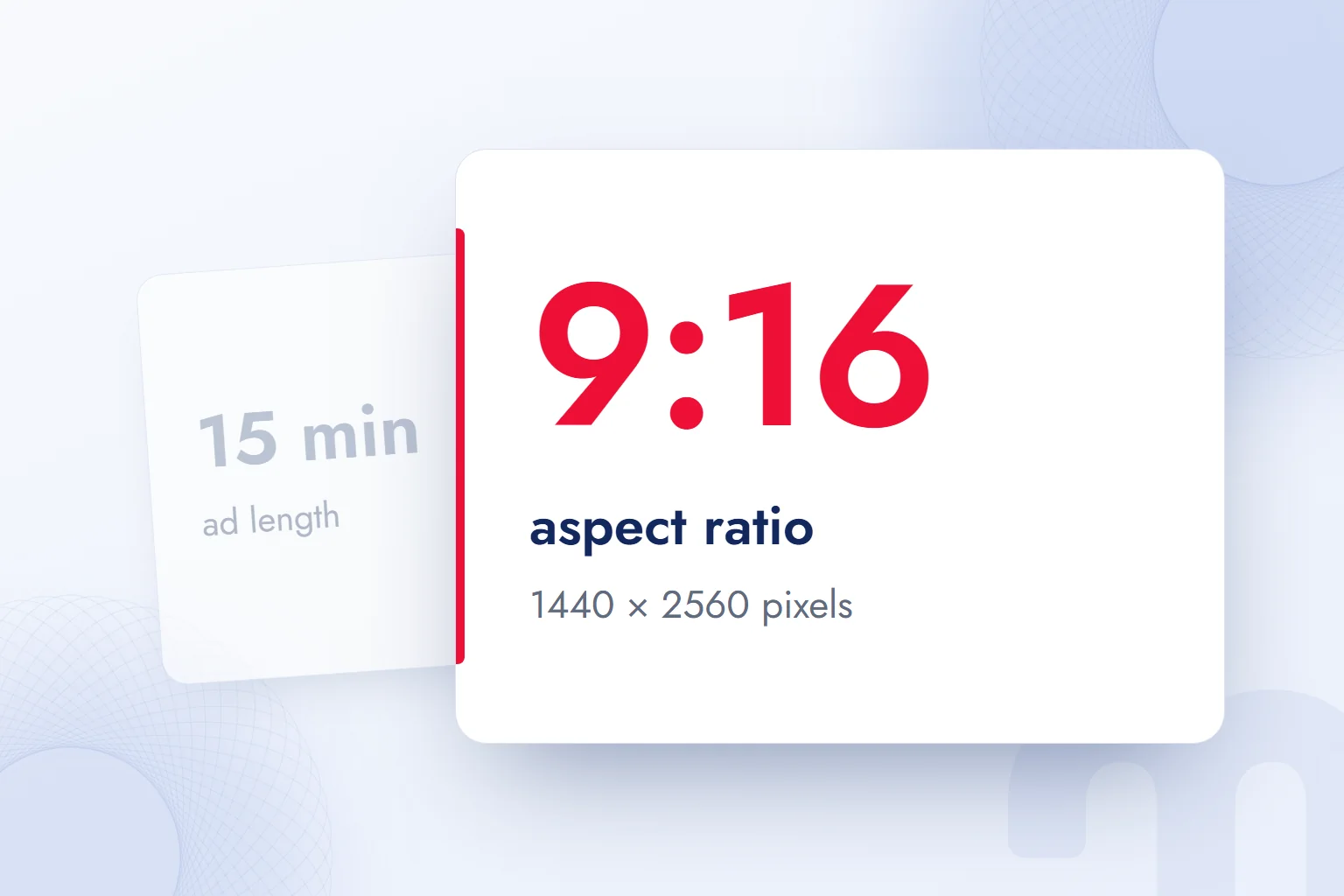
For Instagram Reels we use a 9:16 vertical frame. The Meta Ads Guide recommends this aspect ratio and 1440 × 2560 pixels for Instagram Reels ads; organic reels use the same vertical frame.
Aspect ratio is the relationship between width and height; pixel size is the file’s resolution. Instead of noting “vertical video”, we write 9:16 into the shooting plan and the recommended resolution into the ad file, so whoever films and whoever edits work from the same frame.
In Meta’s ads guide the maximum length is 15 minutes and the maximum file size 4 GB, in MP4 or MOV. That 15 minutes applies to Reels ads; it does not replace the 20-minute limit of organic reels or the 3-minute line for new audiences. We first decide whether the video is an organic post or an ad, then check length against that use.
The safe zone accounts for interface elements laid over the image. According to the Meta Ads Guide, text, logos and key elements stay out of the top 14%, the bottom 35% and 6% on each side. We keep text clear of these margins, including product details and captions.
For example, in a shot showing how a product is used, we place the product next to the short text describing the step. If key information spills into the bottom band, we move the text up and reposition anything pressing against the frame edge. Doing this in the shooting plan protects what we want to show during editing.
For organic content we use the same 9:16 layout, but we do not present the ads guide’s file and length details as mandatory organic limits. If an ad is made from the same content, its resolution, file, length and safe zone are checked separately.
How do you make Instagram Reels?
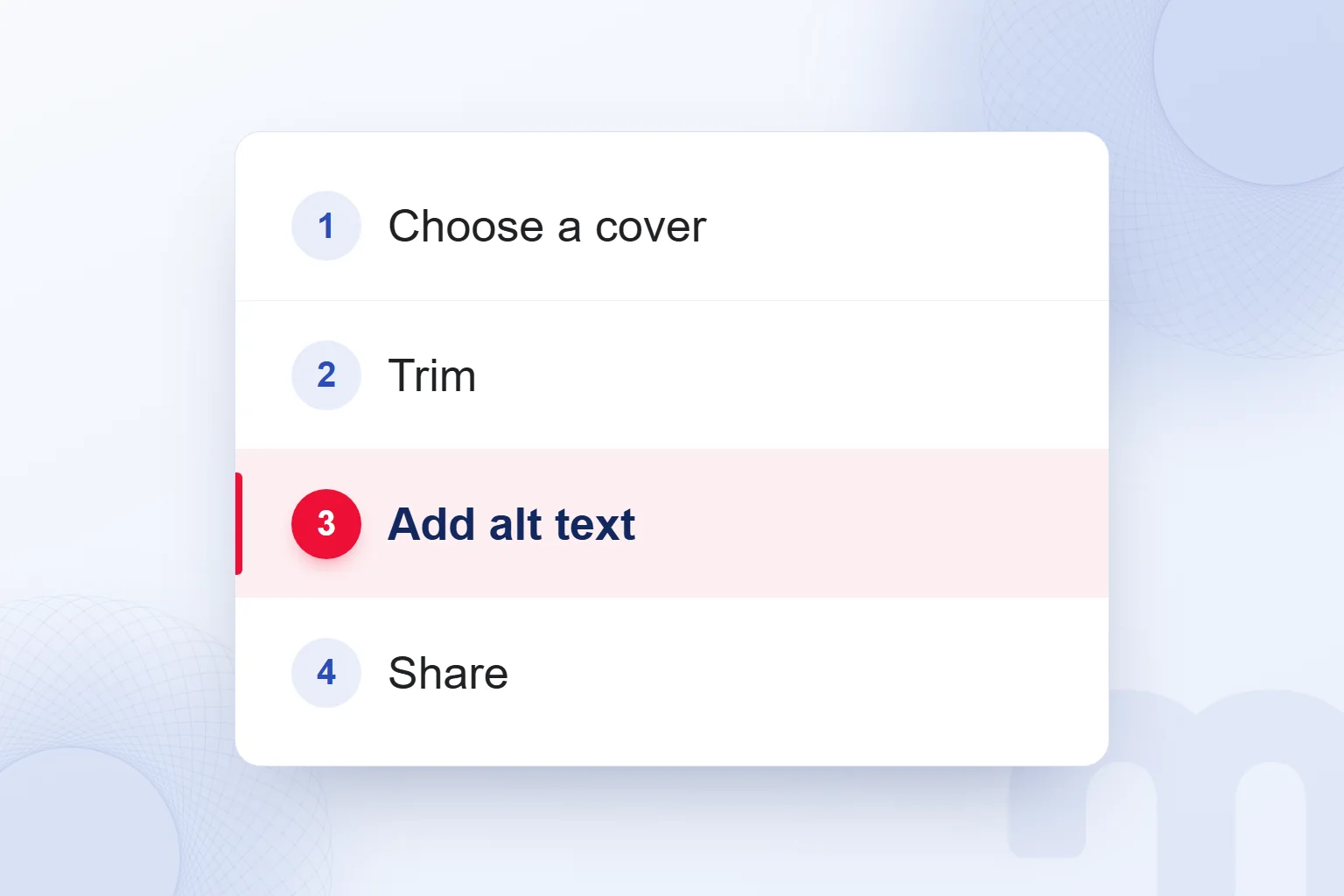
To make a reel, we open the create option, record or add clips, finish edits and sharing settings, and share.
- We start a new reelWe open the create reel option on the account we will use and work from the topic set for the post.
- We record or add clipsWe record the video or add a ready clip, with music, effects, voiceover or the original audio.
- We choose a coverWe pick a cover from the clip or the device that describes the video’s topic.
- We trim the start and endWe set where the story begins and ends and cut unnecessary openings and endings.
- We add a caption, location, people tags and alt textWe complete the post details and check the text and tags.
- We check the settings and shareWe review the sharing settings, including remix and download, and publish after a final check.
An unfinished reel can be saved as a draft. Back in the draft, we review the clip, cover and post details, listen to the final voiceover and make sure the trimmed clip still tells the story. Alt text goes through the same check: the Instagram Help Center describes it as a description of the image for people with visual impairments, read only when Instagram is used with a . So we describe what the video shows in one short, clear sentence.
How do you film Reels?
We start with one topic and the scenes that show it, and record clips in story order. In the shooting notes we write the detail and any voiceover line next to each scene, so image and sound can be checked together.
For example, to show a step in using a product, we choose which part to explain, record it in use and end on the finished action. We do not apply this scene order to every brand video. For a service, we write the question we will answer and build footage and voiceover around it.
While filming, we leave room for on-screen text so the product detail and the caption do not cover each other. In editing we ask what role the music, effect or original audio plays; if an element does not explain the topic, removing it is also an editing decision.
After joining the clips, we compare the video with the notes: is the detail visible, does the voiceover match the image, does the trimmed start or end lose meaning? Then we complete the cover and post details. A filmed video is not yet ready to publish; anything missing is finished in the draft.
Who can see your Reels, and how are remixing and downloads managed?
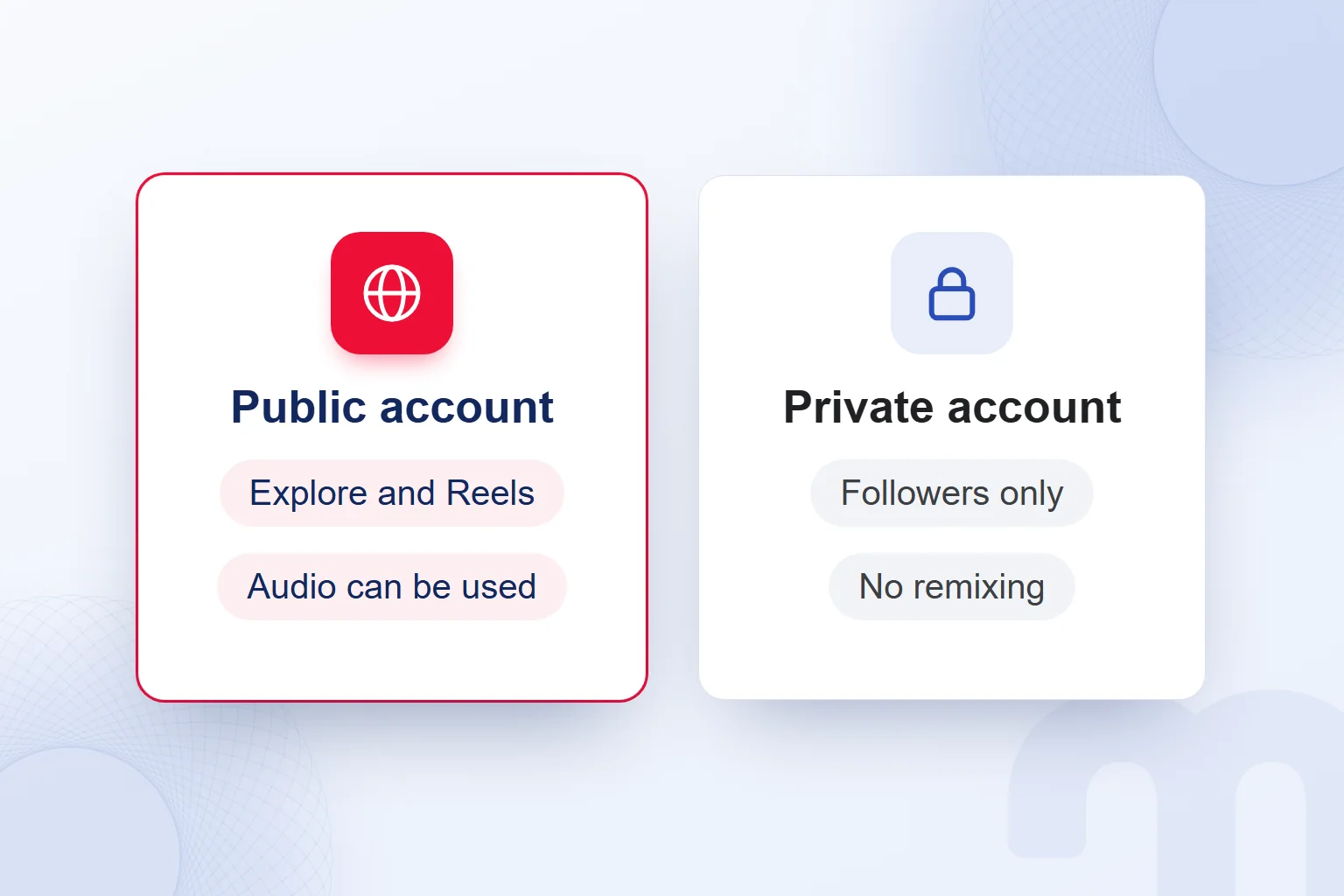
Reels on a public account can be seen and shared by anyone on Instagram, reels on a private account only by approved followers; remixing and downloads have their own settings.
On a public account, anyone can record a reel with our original audio or text. Unless is turned off, anyone can remix the video; unless downloads are turned off, anyone can download it. Before publishing, we turn off the uses we do not want.
On a private account, no one can use our original audio or remix our reels, and viewing and sharing are limited to approved followers. We treat privacy as part of deciding who we speak to and plan content for current followers and for wider audiences accordingly.
Can you see who watched your Reels?
Instagram’s reel insights show the numbers of plays, likes and comments, not a list of accounts that watched. Account visibility decides who can see a video; it is not a list of who did.
One account’s comment is not a list of everyone who watched. In reports we use the visible numbers and do not try to infer identities from them; when plays rise, we assess the content with its comments and shares rather than claim to know who opened it.
For account security, we never give account details to third-party apps promising to show “who watched your reels” or “hidden viewers”. This is our own working rule; we do not treat such a promise as an Instagram feature, and reports to the account owner stay within reel insights.
How should a brand account use Reels?
On a brand account we use Reels within a content plan covering topic, audience, filming, publishing settings and the review of results. We write down what we will explain and who we want to reach, then prepare footage, sound and post details for that purpose.
For filming and planning we also draw on our vlog guide to set the scenes and story order. To show a product detail, we choose footage that explains it, and cut voiceover lines that drift off topic.
This distinction drives the decision:
- The reel runs longer than 3 minutes → if we want it recommended to new audiences, we cut it to under 3 minutes.
- The account is private → only approved followers see our reels; for wider reach, we consider a public account.
- We do not want others to use our audio or video → we turn off remixing and downloads in the account settings or on that reel.
If reels will run in an ad campaign, we build the plan within Meta Ads consulting, covering the video’s topic, audience and job in the campaign together, and we set the results to read afterwards by the original goal.
How do you read Reels performance?
We read Reels performance by assessing plays, likes and comments together with shares and website visits. According to the Instagram Help Center, plays are the number of times the video started to play, not including replays.
| Metric | What it shows | Note |
|---|---|---|
| Plays | The number of times the video started to play | Replays are not included |
| Likes | The number of likes the reel received | May include Facebook interactions if recommended on Facebook |
| Comments | The number of comments on the reel | We read what they say, not just the count |
If the reel was recommended on Facebook, plays and likes may include Facebook interactions; reports state this scope. We read plays as video starts, never as success on their own.
We open the reel to read comments, noting the questions and what was not understood, and add shares and website visits to the review. Those questions feed the next topic in the content plan. We explain how reels get recommended in our guide to going viral; the review itself goes by the purpose of the post.
When is the best time to post Reels?
There is no official “best time to post” for Reels; we compare the same kind of content at different times on our own account. We do not copy another account’s timing; the test runs on our own plays, comments and shares.
First we set the content type to test, comparing product-use videos with each other and service-question videos with each other. For each post we note the topic, length and posting time, and factor in big differences in topic or storytelling.
The time with more plays in the first test is not a definite winner. We retest with the same kind of content and watch how comments and shares change; comments reveal questions that plays alone hide. If a video with more plays was not understood, we fix the explanation in the next shoot.
Next to the chosen time we note which content type it was tested with, so anyone on the team can see what the decision rests on, and we update it after each review of our own tests. Posting time is decided together with topic and story; we never present it as a promise of reach.
What are the common mistakes with Reels?
The common mistakes with Reels are treating plays alone as success, skipping alt text and sharing without choosing a cover. We build these checks into preparation and review.
Three frequent situations and the answer to each:
- We count plays alone as success → we read them together with comments and shares.
- We do not add alt text → we add it at the sharing step.
- The cover is left to chance → we choose a cover from the clip or the device.
The final check covers length, cover, alt text and remix and download settings. If the goal is new audiences, we confirm the reel is under 3 minutes and the cover fits the topic. An unfinished post stays in drafts until the missing step is done.
We cover finding a posting time from account data in our article on the best time to post on TikTok. More guides on social media content and publishing plans are on our blog.
This term is part of our digital marketing glossary. You can reach the one-sentence definitions of the other terms there.
Frequently asked questions
What are Instagram Reels?
Reels are short Instagram videos edited with music, effects and voiceover and shared with followers. From a public account they can reach wider audiences.
How long can an Instagram reel be?
Reels can record and edit videos of up to 20 minutes. We keep a video meant for new audiences under 3 minutes.
Are reels longer than 3 minutes recommended?
According to the Instagram Help Center, reels longer than 3 minutes are not recommended to new audiences.
Who can see my reels?
Anyone on Instagram can see reels on a public account; on a private account only approved followers can. On Facebook, the Facebook audience setting decides.
What do plays show on Reels?
Plays show how many times the video started to play, not including replays. If the reel was recommended on Facebook, plays may include Facebook interactions.
How do you turn off remixing for reels?
We turn off remixing in the account settings or in that reel’s settings. No one can remix reels on a private account.
What size should Instagram Reels be?
We use a 9:16 vertical frame; the Meta Ads Guide recommends 1440 × 2560 pixels for Reels ads, and organic reels use the same frame.
Can you see who watched your reels?
Reel insights show plays, likes and comments, not a list of viewers. We never give account details to third-party apps that promise to show who watched.

 How to make a presentation: AI tools, PowerPoint and proposal decksRead article
 How to make money on Instagram: eligibility requirements and toolsRead article
 What is a slogan? How to write one, and how it differs from a taglineRead article
 What is Pantone? Color palettes, color codes and brand colorsRead article
 What is a SWOT analysis? How to do one, and how it differs from PESTRead article
 What is a case study? How to write a client case study, with templateRead article
 What is a blog, and what is a blogger? How to write a blog postRead articleMost read
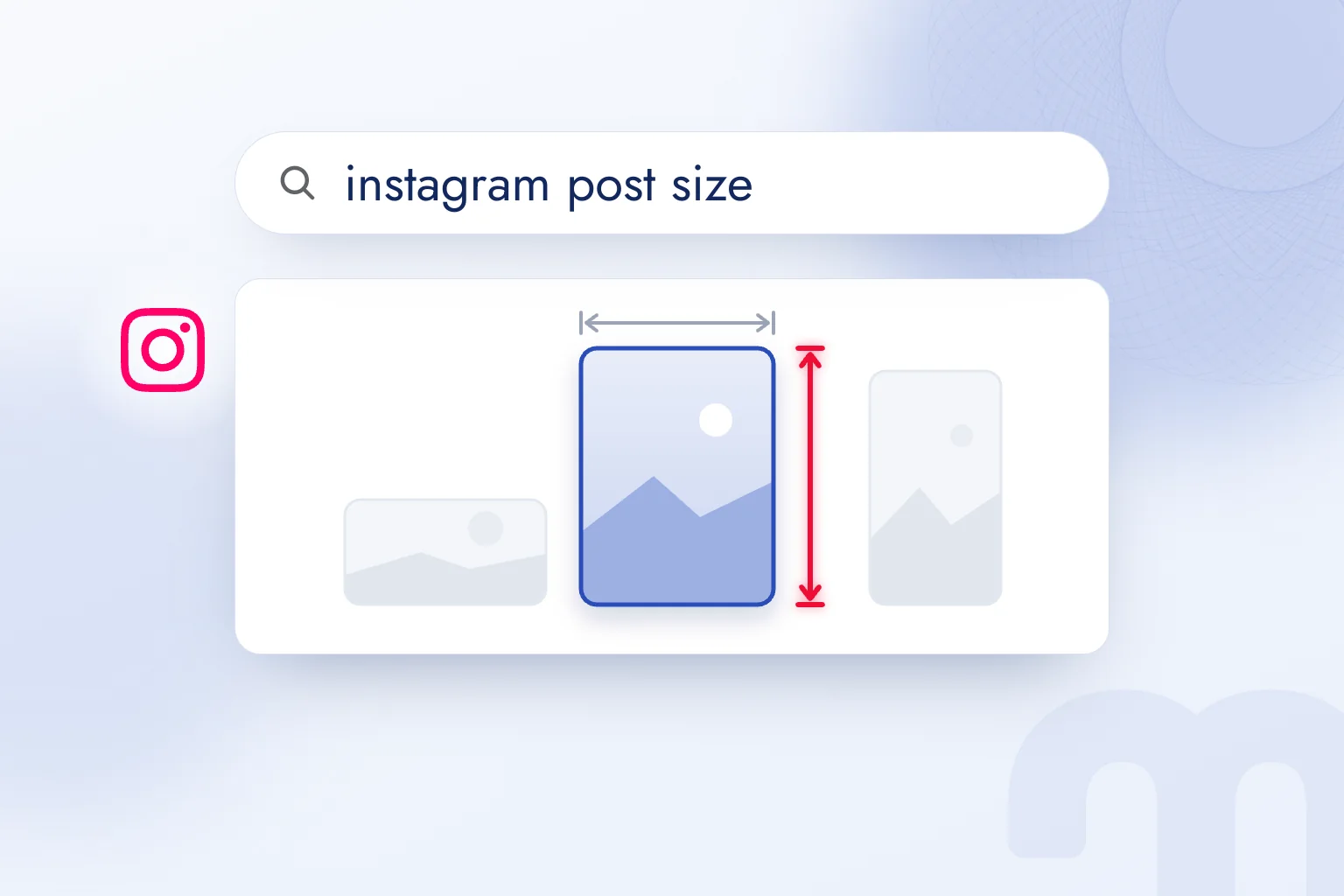 Instagram post size: square, portrait, story and Reels dimensionsRead article
Related service: Meta Ads Consulting
Questions & answers
0 commentsNo questions yet; you can ask the first one.